Sharp MX-C300PL Especificações Página 83: Replace the cleaning tool
 1
 2
 3
 4
 5
 6
 7
 8
 9
 10
 11
 12
 13
 14
 15
 16
 17
 18
 19
 20
 21
 22
 23
 24
 25
 26
 27
 28
 29
 30
 31
 32
 33
 34
 35
 36
 37
 38
 39
 40
 41
 42
 43
 44
 45
 46
 47
 48
 49
 50
 51
 52
 53
 54
 55
 56
 57
 58
 59
 60
 61
 62
 63
 64
 65
 66
 67
 68
 69
 70
 71
 72
 73
 74
 75
 76
 77
 78
 79
 80
 81
 82
 83
 84
 85
 86
 87
 88
 89
 90
 91
 92
 93
 94
 95
 96
 97
 98
 99
 100
 101
 102
 103
 104
 105
 106
 107
 108
83
5
SYSTEM SETTINGS
PURPOSE OF THE SYSTEM SETTINGS
The system settings are used by the administrator of the machine to enable or disable functions to suit the needs of
your workplace.
PROGRAMMING AN
ADMINISTRATOR PASSWORD
The administrator password is a 5-digit number that must be entered in order to access the system settings. The
administrator (administrator of the machine) should change the default administrator password that was set at the
factory to a new 5-digit number. Be sure to remember the new administrator password, as it must be entered each
time the system settings are subsequently used. (Only one administrator password can be programmed.)
Refer to the Start Guide for the factory default administrator password.
1
Press the [SPECIAL FUNCTION] key (
).
The special function screen will appear.
2
Select "System Settings" with the [
] or [
] key.
3
Press the [OK] key.
The administrator password entry screen appears.
4
Use the numeric keys to enter the five-digit administrator password.
• If this is the first time you are programming the administrator password, enter the factory default code. (Refer
to the Start Guide)
• "
" appears for each digit that you enter.
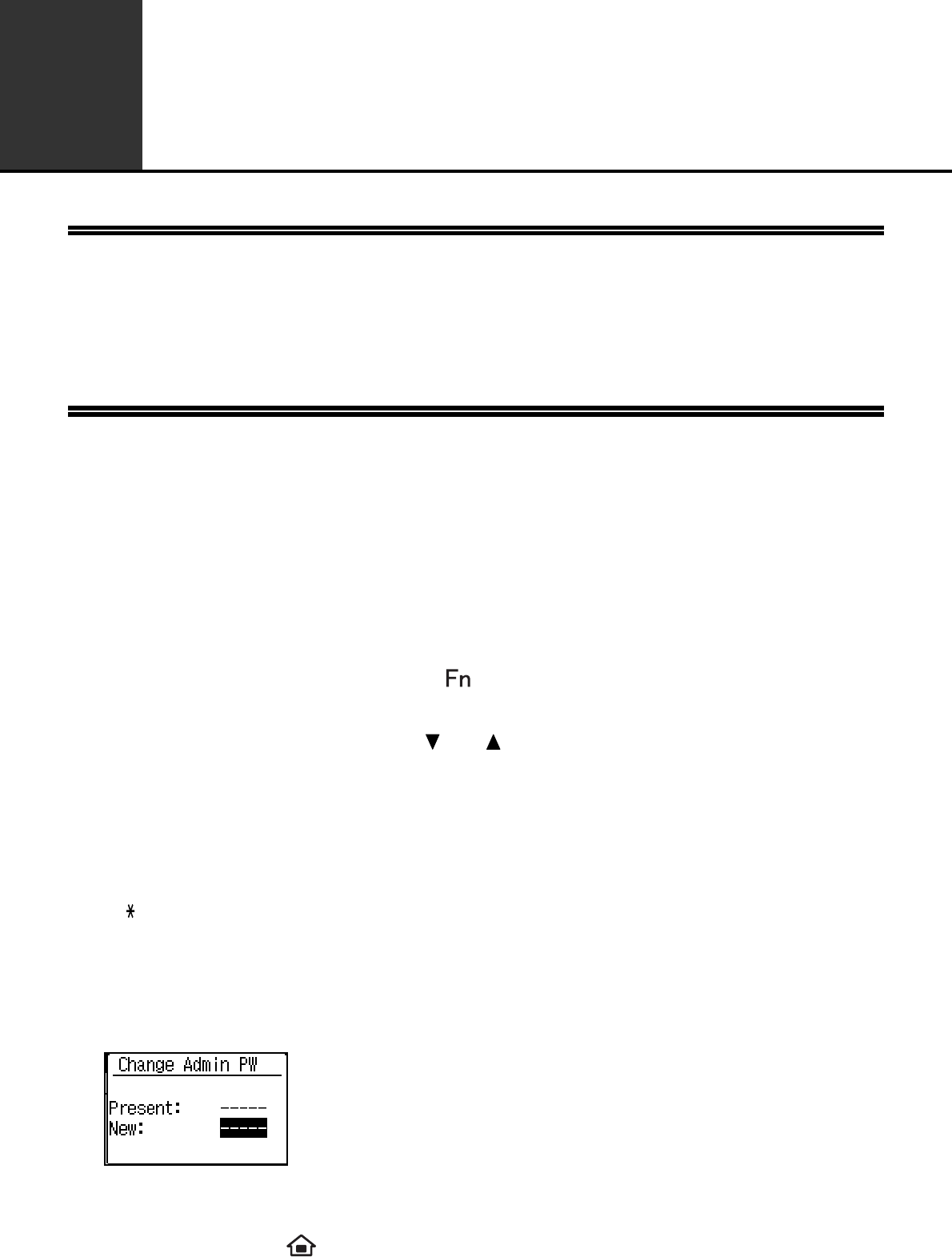
• The mode select screen will appear with "Change Admin PW" selected.
5
Press the [OK] key.
The administrator password change screen appears.
6
Enter the new 5-digit administrator password with the numeric keys.
Any 5 digits can be used for the administrator password.
7
Press the [OK] key.
• The previously programmed administrator password is replaced by the new administrator password.
• Press the [HOME] key (
) to return to the base screen.
Ficheiro PDF · ·
Perguntas sobre Sharp MX-C300PL
Ainda não há perguntas sobre este manual. Faça a primeira.
Manuais e produtos relacionados com Digitalizar e Imprimir Sharp MX-C300PL
- Digitalizar e Imprimir Sharp MX-M200D Manual do Utilizador
 (100 páginas)
- Digitalizar e Imprimir Sharp AR-4551 Especificações
 (280 páginas)
- Digitalizar e Imprimir Sharp AR-M351N Especificações
(188 páginas)
- Digitalizar e Imprimir Sharp AR-M355 Manual do Utilizador
(12 páginas)
- Digitalizar e Imprimir Sharp MX-M904 Especificações
(122 páginas)
- Digitalizar e Imprimir Sharp JX-9600 Manual do Utilizador
 (14 páginas)
- Digitalizar e Imprimir Sharp CE-140P Manual do Utilizador
 (60 páginas)
- Digitalizar e Imprimir Sharp EL-2607R Especificações

 (2 páginas)
- Digitalizar e Imprimir Sharp DP-750 Manual de Serviço
(110 páginas)
- Digitalizar e Imprimir Sharp AR-M350N/M450N Manual do Utilizador
(12 páginas)
- Digitalizar e Imprimir Sharp ER-01PU Manual de Instruções
(241 páginas)
- Digitalizar e Imprimir Sharp UX-4000M - UX 4000 B/W Laser Printer Guia do Utilizador
(194 páginas)
- Digitalizar e Imprimir Sharp AR-NB3 Manual do Utilizador
(4 páginas)
- Digitalizar e Imprimir Sharp MX-5500N Especificações
(50 páginas)
- Digitalizar e Imprimir Sharp MX-M200D Manual de Serviço
(121 páginas)
- Digitalizar e Imprimir Sharp AR-4551 Manual do Utilizador
(44 páginas)
- Digitalizar e Imprimir Sharp MX-5500N Manual do Utilizador
(6 páginas)
- Digitalizar e Imprimir Sharp AR-RB1 Especificações
(140 páginas)
- Digitalizar e Imprimir Sharp AR-M351N Manual do Utilizador
(20 páginas)
- Digitalizar e Imprimir Sharp FO-2150CM Manual de Serviço
(132 páginas)