Sharp VL-E40S Informações Técnicas Página 60
- Página / 158
- Índice
- MARCADORES

- HardwareMaintenanceManual 1
- AppendixA“Notices”onpage149 2
- Contents 3
- Chapter9.Locations........101 4
- AppendixA.Notices.........149 4
- Aboutthismanual 5
- Chapter1.Safetyinformation 7
- Electricalsafety 8
- Safetyinspectionguide 9
- Groundingrequirements 10
- Chapter1.Safetyinformation5 11
- 6HardwareMaintenanceManual 12
- .Safetyinformation7 13
- Chapter1.Safetyinformation9 15
- Chapter1.Safetyinformation11 17
- 12HardwareMaintenanceManual 18
- .Safetyinformation13 19
- 14HardwareMaintenanceManual 20
- .Safetyinformation15 21
- 16HardwareMaintenanceManual 22
- Chapter1.Safetyinformation17 23
- 18HardwareMaintenanceManual 24
- .Safetyinformation19 25
- 20HardwareMaintenanceManual 26
- .Safetyinformation21 27
- 22HardwareMaintenanceManual 28
- StrategyforreplacingFRUs 29
- Howtouseerrormessage 30
- Productdenition 30
- 26HardwareMaintenanceManual 32
- Chapter3.Generalcheckout 33
- Checkoutguide 34
- Testingthecomputer 35
- PC-DoctorforRescueandRecovery 37
- LenovoSolutionCenter 37
- UEFIdiagnosticprogram 38
- Bootablediagnosticprograms 38
- LenovoThinkVantageT oolbox 39
- FRUtests 40
- Powersystemcheckout 41
- Checkingtheacadapter 41
- Checkingoperationalcharging 41
- Checkingthebatterypack 42
- Checkingthebackupbattery 42
- .Generalcheckout37 43
- 38HardwareMaintenanceManual 44
- ©CopyrightLenovo2010,2013 45
- Passwords 46
- Power-onpassword 46
- Hard-diskpassword 46
- Supervisorpassword 46
- Powermanagement 48
- Screenblankmode 48
- Sleepmode 48
- Hibernationmode 48
- Symptom-to-FRUindex 48
- Numericerrorcodes 49
- 44HardwareMaintenanceManual 50
- Errormessages 51
- No-beepsymptoms 51
- LCD-relatedsymptoms 51
- Intermittentproblems 52
- Undeterminedproblems 52
- 48HardwareMaintenanceManual 54
- Chapter5.Statusindicators 55
- 50HardwareMaintenanceManual 56
- 52HardwareMaintenanceManual 58
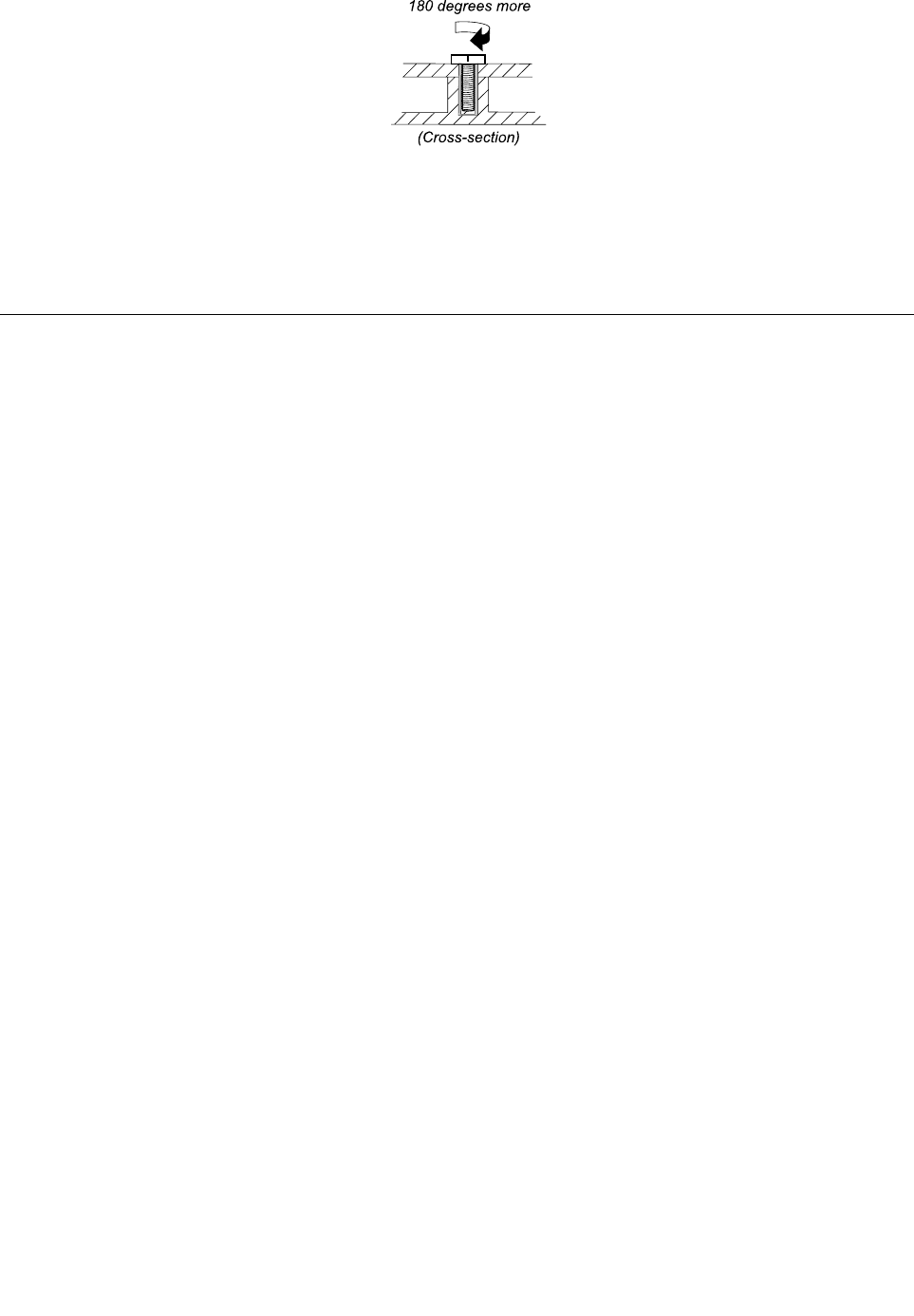
- Screwnotices 59
- Retainingserialnumbers 60
- RetainingtheUUID 61
- 56HardwareMaintenanceManual 62
- 1010Batterypack 64
- 1020Opticaldriveortravelcover 64
- 1030Thermalcover 65
- 1040Harddiskdriveassembly 66
- 1050Memorymodule 67
- 1060Fanassembly 68
- StepScrew(quantity)Color 70
- (1.85kgf-cm) 70
- 1070Microprocessor 71
- .RemovingorreplacingaFRU67 73
- Black0.181Nm 74
- 70HardwareMaintenanceManual 76
- Wheninstalling: 77
- .RemovingorreplacingaFRU71 77
- 1110Backupbattery 80
- 1120Bluetoothdaughtercard 80
- 1130Keyboard 81
- Removalstepsofthekeyboard 82
- 76HardwareMaintenanceManual 82
- 1140Keyboardbezel 83
- 1150LCDunit 85
- Black0.392Nm 86
- (4kgfcm) 86
- .RemovingorreplacingaFRU81 87
- 1160Topshieldingassembly 88
- .RemovingorreplacingaFRU83 89
- 1170Systemboardassembly 90
- 86HardwareMaintenanceManual 92
- .RemovingorreplacingaFRU89 95
- 1190DC-incableandbasecover 96
- 2010LCDfrontbezel 100
- 2020Speakerassembly 101
- 2030Integratedcamera 102
- .RemovingorreplacingaFRU97 103
- 98HardwareMaintenanceManual 104
- 2050Antennaassembly 105
- Chapter9.Locations 107
- Rearview 108
- Bottomview 109
- 104HardwareMaintenanceManual 110
- Chapter10.Partslist 111
- .Partslist107 113
- 108HardwareMaintenanceManual 114
- .Partslist109 115
- 110HardwareMaintenanceManual 116
- .Partslist111 117
- 112HardwareMaintenanceManual 118
- .Partslist113 119
- 114HardwareMaintenanceManual 120
- .Partslist115 121
- 116HardwareMaintenanceManual 122
- .Partslist117 123
- 118HardwareMaintenanceManual 124
- .Partslist119 125
- 120HardwareMaintenanceManual 126
- .Partslist121 127
- 122HardwareMaintenanceManual 128
- .Partslist123 129
- 124HardwareMaintenanceManual 130
- .Partslist125 131
- 126HardwareMaintenanceManual 132
- .Partslist127 133
- 128HardwareMaintenanceManual 134
- .Partslist129 135
- 130HardwareMaintenanceManual 136
- .Partslist131 137
- 132HardwareMaintenanceManual 138
- .Partslist133 139
- 134HardwareMaintenanceManual 140
- .Partslist135 141
- 136HardwareMaintenanceManual 142
- .Partslist137 143
- Keyboard 144
- .Partslist139 145
- Miscellaneousparts 146
- ACadapters 146
- Powercords 147
- Recoverydiscs 148
- Windows7HomeBasic(32bit)DVDs 148
- Chapter10.Partslist143 149
- Chapter10.Partslist145 151
- 146HardwareMaintenanceManual 152
- Commonservicetools 153
- 148HardwareMaintenanceManual 154
- AppendixA.Notices 155
- Trademarks 156
- *1P75Y4302_05* 158
Manuais e produtos relacionados com Computadores portáteis Sharp VL-E40S
 (11 páginas)
(185 páginas)
(136 páginas)
(139 páginas)
(107 páginas)
(86 páginas)
 (160 páginas)
(80 páginas)
 (100 páginas)
(103 páginas)
Advidia Kamery ochrony podręczniki użytkownika
Zaczynanie od A
| Modele | Rodzaj dokumentu |
|---|---|
| A-200 | |
| A-46 | |
| "A" Series |
© 2020, manymanuals-pt.com. Todos os direitos reservados. | 0.040 s |
 Manymanuals.com
 Manymanuals.de
 Manymanuals.fr
 Manymanuals.it
 Manymanuals.pl
 Manymanuals.cz
 Manymanuals.es
 Manymanuals-pt.com
Comentários a estes Manuais