Sharp R-7280 Guia do Utilizador
Consulte online ou descarregue Guia do Utilizador para Micro-ondas Sharp R-7280. Sharp R-7280 User`s guide Manual do Utilizador
- Página / 229
- Índice
- RESOLUÇÃO DE PROBLEMAS
- MARCADORES

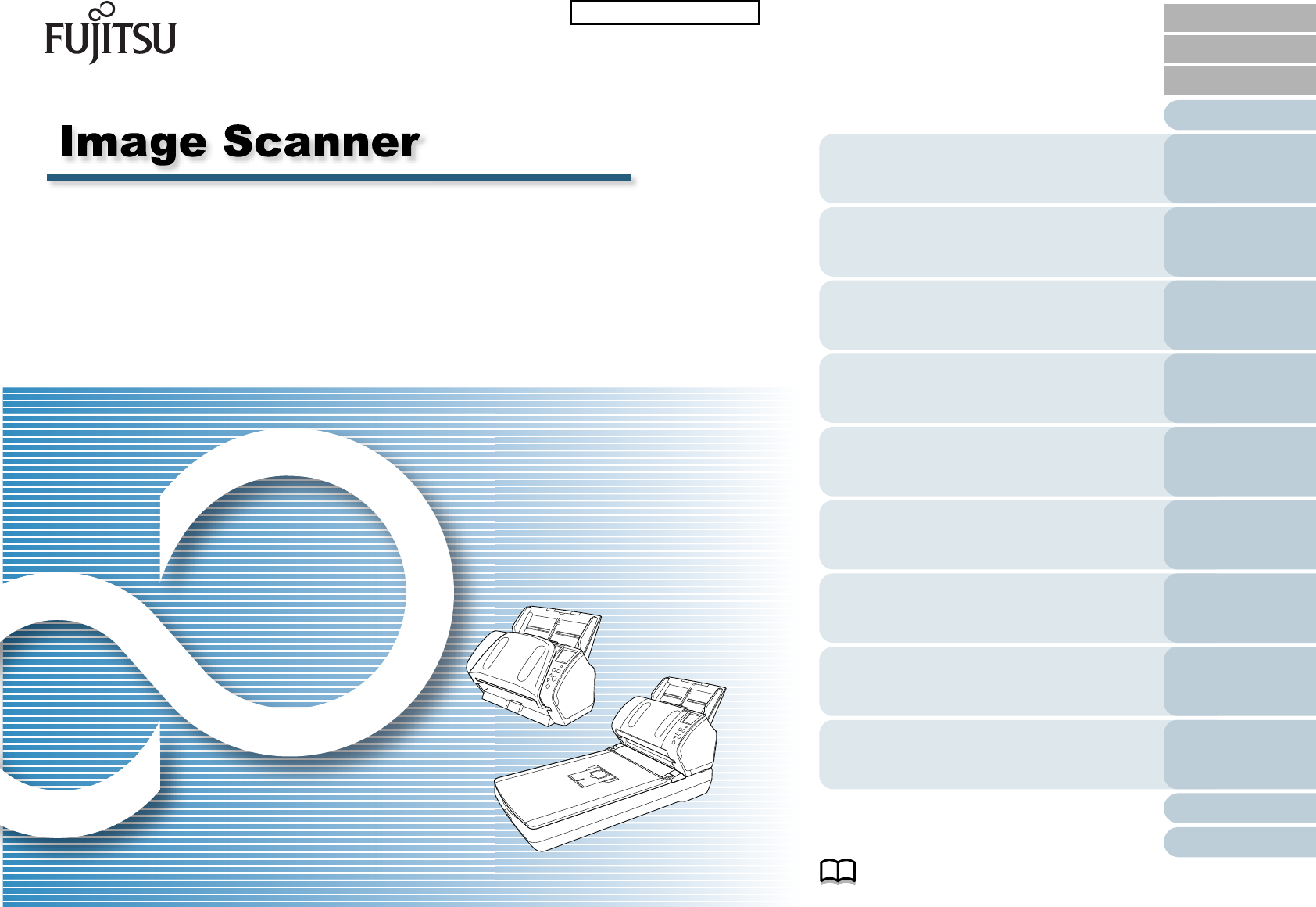
- Operator's Guide 1
- How to Use This Manual 2
- Introduction 3
- Introduction 4
- Conventions 5
- Conventions 6
- Contents 7
- Contents 10
- Chapter 1 Scanner Overview 15
- 1.1 Main Features 16
- 1.2 Parts and Functions 17
- Chapter 1 Scanner Overview 18
- 1.3 Turning the Power ON/OFF 25
- 1.4 Opening/Closing the ADF 27
- 1 Pull out chute extension 1 29
- 2 Pull out chute extension 2 29
- 1.7 Setting Up the Stacker 30
- 4 Lift up the stopper 32
- 2 Lift up the stopper 33
- 1 Lift up the stopper 35
- 1.8 Power Saving Mode 36
- 1 Turn on the scanner 37
- 4 Select a scanner driver 38
- 5 Select a scanner 38
- Chapter 2 How to Load 41
- Documents 41
- 2 Fan the documents 42
- 3 Close the document cover 44
- Unit Conversion 48
- Pick roller 51
- Maximum width 53
- Minimum width 53
- Side guides 53
- Narrowest document 53
- Widest document 53
- Settings 55
- Chapter 4 How to Use the 61
- Operator Panel 61
- 4.1 Operator Panel 62
- 4.2 Settings Menu 66
- 2 Press the [Menu] button 70
- 4.3 Function Selection 83
- 5.1 Summary 86
- ATTENTION 94
- 6 Attach the document cover 96
- 7 Close the document cover 96
- 5.3 Advanced Scanning 99
- 7 Click the [OK] button 101
- Chapter 6 Daily Care 108
- Chapter 6 Daily Care 109
- 6.2 Cleaning the Outside 111
- 6.3 Cleaning the Inside 112
- 2 Open the ADF 113
- 5 Reset the cleaning counter 116
- 4 Close the ADF 116
- 1 Open the document cover 117
- 4 Close the document cover 117
- Chapter 7 Replacing the 119
- Consumables 119
- 3 Remove the brake roller 121
- 6 Attach the shaft 122
- 7 Close the ADF 122
- 7.3 Replacing the Pick Roller 123
- 7 Attach the shaft 125
- 8 Close the ADF 126
- Chapter 8 Troubleshooting 127
- 8.1 Paper Jam 128
- Chapter 8 Troubleshooting 129
- 8.3 Troubleshooting 137
- 9.2 Password Setting 164
- 1 Set a password 165
- 4 Click the [OK] button 167
- 9.3 Configuration Items 170
- (page 183) 171
- 3 Click the [OK] button 179
- 3 Select a color to drop out 186
- 3 Select [Yes] or [No] 187
- 3 Click the detection method 191
- (page 163) 195
- 3 Select a detection method 196
- Feed direction 197
- 3 Specify an operation mode 200
- Appendix 207
- A.1 Basic Specification 208
- A.3 Outer Dimensions 212
- A.4 Scanner Options 214
- Glossary 216
- Glossary 217
Resumo do Conteúdo
Explains how to configure settings in the Software Operation Panel.Explains about troubleshooting.Explains how to replace the consumables.Explains how
Configuring the Scan SettingsAppendixGlossaryIntroductionIndexContentsTOP Contents10How to Load DocumentsHow to Use the Operator PanelVarious Ways to
Chapter 5 Various Ways to ScanAppendixGlossaryIntroductionIndexContentsTOP100How to Load DocumentsDaily CareTroubleshootingOperational SettingsReplaci
Chapter 5 Various Ways to ScanAppendixGlossaryIntroductionIndexContentsTOP101How to Load DocumentsDaily CareTroubleshootingOperational SettingsReplaci
Chapter 5 Various Ways to ScanAppendixGlossaryIntroductionIndexContentsTOP102How to Load DocumentsDaily CareTroubleshootingOperational SettingsReplaci
Chapter 5 Various Ways to ScanAppendixGlossaryIntroductionIndexContentsTOP103How to Load DocumentsDaily CareTroubleshootingOperational SettingsReplaci
Chapter 5 Various Ways to ScanAppendixGlossaryIntroductionIndexContentsTOP104How to Load DocumentsDaily CareTroubleshootingOperational SettingsReplaci
Chapter 5 Various Ways to ScanAppendixGlossaryIntroductionIndexContentsTOP105How to Load DocumentsDaily CareTroubleshootingOperational SettingsReplaci
Chapter 5 Various Ways to ScanAppendixGlossaryIntroductionIndexContentsTOP106How to Load DocumentsDaily CareTroubleshootingOperational SettingsReplaci
Chapter 5 Various Ways to ScanAppendixGlossaryIntroductionIndexContentsTOP107How to Load DocumentsDaily CareTroubleshootingOperational SettingsReplaci
AppendixGlossaryIntroductionIndexContentsTOPHow to Load DocumentsConfiguring the Scan SettingsHow to Use the Operator PanelVarious Ways to ScanTrouble
Chapter 6 Daily CareAppendixGlossaryIntroductionIndexContentsTOP109How to Load DocumentsConfiguring the Scan SettingsHow to Use the Operator PanelVari
Configuring the Scan SettingsAppendixGlossaryIntroductionIndexContentsTOP Contents11How to Load DocumentsHow to Use the Operator PanelVarious Ways to
Chapter 6 Daily CareAppendixGlossaryIntroductionIndexContentsTOP110How to Load DocumentsConfiguring the Scan SettingsHow to Use the Operator PanelVari
Chapter 6 Daily CareAppendixGlossaryIntroductionIndexContentsTOP111How to Load DocumentsConfiguring the Scan SettingsHow to Use the Operator PanelVari
Chapter 6 Daily CareAppendixGlossaryIntroductionIndexContentsTOP112How to Load DocumentsConfiguring the Scan SettingsHow to Use the Operator PanelVari
Chapter 6 Daily CareAppendixGlossaryIntroductionIndexContentsTOP113How to Load DocumentsConfiguring the Scan SettingsHow to Use the Operator PanelVari
Chapter 6 Daily CareAppendixGlossaryIntroductionIndexContentsTOP114How to Load DocumentsConfiguring the Scan SettingsHow to Use the Operator PanelVari
Chapter 6 Daily CareAppendixGlossaryIntroductionIndexContentsTOP115How to Load DocumentsConfiguring the Scan SettingsHow to Use the Operator PanelVari
Chapter 6 Daily CareAppendixGlossaryIntroductionIndexContentsTOP116How to Load DocumentsConfiguring the Scan SettingsHow to Use the Operator PanelVari
Chapter 6 Daily CareAppendixGlossaryIntroductionIndexContentsTOP117How to Load DocumentsConfiguring the Scan SettingsHow to Use the Operator PanelVari
Chapter 6 Daily CareAppendixGlossaryIntroductionIndexContentsTOP118How to Load DocumentsConfiguring the Scan SettingsHow to Use the Operator PanelVari
AppendixGlossaryIntroductionIndexContentsTOPHow to Load DocumentsConfiguring the Scan SettingsHow to Use the Operator PanelVarious Ways to ScanDaily C
Configuring the Scan SettingsAppendixGlossaryIntroductionIndexContentsTOP Contents12How to Load DocumentsHow to Use the Operator PanelVarious Ways to
Chapter 7 Replacing the ConsumablesAppendixGlossaryIntroductionIndexContentsTOP120How to Load DocumentsConfiguring the Scan SettingsHow to Use the Ope
Chapter 7 Replacing the ConsumablesAppendixGlossaryIntroductionIndexContentsTOP121How to Load DocumentsConfiguring the Scan SettingsHow to Use the Ope
Chapter 7 Replacing the ConsumablesAppendixGlossaryIntroductionIndexContentsTOP122How to Load DocumentsConfiguring the Scan SettingsHow to Use the Ope
Chapter 7 Replacing the ConsumablesAppendixGlossaryIntroductionIndexContentsTOP123How to Load DocumentsConfiguring the Scan SettingsHow to Use the Ope
Chapter 7 Replacing the ConsumablesAppendixGlossaryIntroductionIndexContentsTOP124How to Load DocumentsConfiguring the Scan SettingsHow to Use the Ope
Chapter 7 Replacing the ConsumablesAppendixGlossaryIntroductionIndexContentsTOP125How to Load DocumentsConfiguring the Scan SettingsHow to Use the Ope
Chapter 7 Replacing the ConsumablesAppendixGlossaryIntroductionIndexContentsTOP126How to Load DocumentsConfiguring the Scan SettingsHow to Use the Ope
AppendixGlossaryIntroductionIndexContentsTOPHow to Load DocumentsConfiguring the Scan SettingsHow to Use the Operator PanelVarious Ways to ScanDaily C
AppendixChapter 8 TroubleshootingGlossaryIntroductionIndexContentsTOP128How to Load DocumentsConfiguring the Scan SettingsHow to Use the Operator Pane
AppendixChapter 8 TroubleshootingGlossaryIntroductionIndexContentsTOP129How to Load DocumentsConfiguring the Scan SettingsHow to Use the Operator Pane
Configuring the Scan SettingsAppendixGlossaryIntroductionIndexContentsTOP Contents13How to Load DocumentsHow to Use the Operator PanelVarious Ways to
AppendixChapter 8 TroubleshootingGlossaryIntroductionIndexContentsTOP130How to Load DocumentsConfiguring the Scan SettingsHow to Use the Operator Pane
AppendixChapter 8 TroubleshootingGlossaryIntroductionIndexContentsTOP131How to Load DocumentsConfiguring the Scan SettingsHow to Use the Operator Pane
AppendixChapter 8 TroubleshootingGlossaryIntroductionIndexContentsTOP132How to Load DocumentsConfiguring the Scan SettingsHow to Use the Operator Pane
AppendixChapter 8 TroubleshootingGlossaryIntroductionIndexContentsTOP133How to Load DocumentsConfiguring the Scan SettingsHow to Use the Operator Pane
AppendixChapter 8 TroubleshootingGlossaryIntroductionIndexContentsTOP134How to Load DocumentsConfiguring the Scan SettingsHow to Use the Operator Pane
AppendixChapter 8 TroubleshootingGlossaryIntroductionIndexContentsTOP135How to Load DocumentsConfiguring the Scan SettingsHow to Use the Operator Pane
AppendixChapter 8 TroubleshootingGlossaryIntroductionIndexContentsTOP136How to Load DocumentsConfiguring the Scan SettingsHow to Use the Operator Pane
AppendixChapter 8 TroubleshootingGlossaryIntroductionIndexContentsTOP137How to Load DocumentsConfiguring the Scan SettingsHow to Use the Operator Pane
AppendixChapter 8 TroubleshootingGlossaryIntroductionIndexContentsTOP138How to Load DocumentsConfiguring the Scan SettingsHow to Use the Operator Pane
AppendixChapter 8 TroubleshootingGlossaryIntroductionIndexContentsTOP139How to Load DocumentsConfiguring the Scan SettingsHow to Use the Operator Pane
Configuring the Scan SettingsAppendixGlossaryIntroductionIndexContentsTOP Contents14How to Load DocumentsHow to Use the Operator PanelVarious Ways to
AppendixChapter 8 TroubleshootingGlossaryIntroductionIndexContentsTOP140How to Load DocumentsConfiguring the Scan SettingsHow to Use the Operator Pane
AppendixChapter 8 TroubleshootingGlossaryIntroductionIndexContentsTOP141How to Load DocumentsConfiguring the Scan SettingsHow to Use the Operator Pane
AppendixChapter 8 TroubleshootingGlossaryIntroductionIndexContentsTOP142How to Load DocumentsConfiguring the Scan SettingsHow to Use the Operator Pane
AppendixChapter 8 TroubleshootingGlossaryIntroductionIndexContentsTOP143How to Load DocumentsConfiguring the Scan SettingsHow to Use the Operator Pane
AppendixChapter 8 TroubleshootingGlossaryIntroductionIndexContentsTOP144How to Load DocumentsConfiguring the Scan SettingsHow to Use the Operator Pane
AppendixChapter 8 TroubleshootingGlossaryIntroductionIndexContentsTOP145How to Load DocumentsConfiguring the Scan SettingsHow to Use the Operator Pane
AppendixChapter 8 TroubleshootingGlossaryIntroductionIndexContentsTOP146How to Load DocumentsConfiguring the Scan SettingsHow to Use the Operator Pane
AppendixChapter 8 TroubleshootingGlossaryIntroductionIndexContentsTOP147How to Load DocumentsConfiguring the Scan SettingsHow to Use the Operator Pane
AppendixChapter 8 TroubleshootingGlossaryIntroductionIndexContentsTOP148How to Load DocumentsConfiguring the Scan SettingsHow to Use the Operator Pane
AppendixChapter 8 TroubleshootingGlossaryIntroductionIndexContentsTOP149How to Load DocumentsConfiguring the Scan SettingsHow to Use the Operator Pane
IndexContentsAppendixGlossaryIntroductionTOPHow to Load DocumentsHow to Use the Operator PanelVarious Ways to ScanDaily CareTroubleshootingOperational
AppendixChapter 8 TroubleshootingGlossaryIntroductionIndexContentsTOP150How to Load DocumentsConfiguring the Scan SettingsHow to Use the Operator Pane
AppendixChapter 8 TroubleshootingGlossaryIntroductionIndexContentsTOP151How to Load DocumentsConfiguring the Scan SettingsHow to Use the Operator Pane
AppendixChapter 8 TroubleshootingGlossaryIntroductionIndexContentsTOP152How to Load DocumentsConfiguring the Scan SettingsHow to Use the Operator Pane
AppendixChapter 8 TroubleshootingGlossaryIntroductionIndexContentsTOP153How to Load DocumentsConfiguring the Scan SettingsHow to Use the Operator Pane
AppendixChapter 8 TroubleshootingGlossaryIntroductionIndexContentsTOP154How to Load DocumentsConfiguring the Scan SettingsHow to Use the Operator Pane
AppendixChapter 8 TroubleshootingGlossaryIntroductionIndexContentsTOP155How to Load DocumentsConfiguring the Scan SettingsHow to Use the Operator Pane
AppendixChapter 8 TroubleshootingGlossaryIntroductionIndexContentsTOP156How to Load DocumentsConfiguring the Scan SettingsHow to Use the Operator Pane
AppendixChapter 8 TroubleshootingGlossaryIntroductionIndexContentsTOP157How to Load DocumentsConfiguring the Scan SettingsHow to Use the Operator Pane
AppendixChapter 8 TroubleshootingGlossaryIntroductionIndexContentsTOP158How to Load DocumentsConfiguring the Scan SettingsHow to Use the Operator Pane
AppendixChapter 8 TroubleshootingGlossaryIntroductionIndexContentsTOP159How to Load DocumentsConfiguring the Scan SettingsHow to Use the Operator Pane
AppendixChapter 1 Scanner OverviewGlossaryIntroductionIndexContentsTOP16How to Load DocumentsConfiguring the Scan SettingsHow to Use the Operator Pane
AppendixChapter 8 TroubleshootingGlossaryIntroductionIndexContentsTOP160How to Load DocumentsConfiguring the Scan SettingsHow to Use the Operator Pane
AppendixChapter 8 TroubleshootingGlossaryIntroductionIndexContentsTOP161How to Load DocumentsConfiguring the Scan SettingsHow to Use the Operator Pane
AppendixGlossaryIntroductionIndexContentsTOPHow to Load DocumentsConfiguring the Scan SettingsHow to Use the Operator PanelVarious Ways to ScanDaily C
Chapter 9 Operational SettingsAppendixGlossaryIntroductionIndexContentsTOP163How to Load DocumentsConfiguring the Scan SettingsHow to Use the Operator
Chapter 9 Operational SettingsAppendixGlossaryIntroductionIndexContentsTOP164How to Load DocumentsConfiguring the Scan SettingsHow to Use the Operator
Chapter 9 Operational SettingsAppendixGlossaryIntroductionIndexContentsTOP165How to Load DocumentsConfiguring the Scan SettingsHow to Use the Operator
Chapter 9 Operational SettingsAppendixGlossaryIntroductionIndexContentsTOP166How to Load DocumentsConfiguring the Scan SettingsHow to Use the Operator
Chapter 9 Operational SettingsAppendixGlossaryIntroductionIndexContentsTOP167How to Load DocumentsConfiguring the Scan SettingsHow to Use the Operator
Chapter 9 Operational SettingsAppendixGlossaryIntroductionIndexContentsTOP168How to Load DocumentsConfiguring the Scan SettingsHow to Use the Operator
Chapter 9 Operational SettingsAppendixGlossaryIntroductionIndexContentsTOP169How to Load DocumentsConfiguring the Scan SettingsHow to Use the Operator
AppendixChapter 1 Scanner OverviewGlossaryIntroductionIndexContentsTOP17How to Load DocumentsConfiguring the Scan SettingsHow to Use the Operator Pane
Chapter 9 Operational SettingsAppendixGlossaryIntroductionIndexContentsTOP170How to Load DocumentsConfiguring the Scan SettingsHow to Use the Operator
Chapter 9 Operational SettingsAppendixGlossaryIntroductionIndexContentsTOP171How to Load DocumentsConfiguring the Scan SettingsHow to Use the Operator
Chapter 9 Operational SettingsAppendixGlossaryIntroductionIndexContentsTOP172How to Load DocumentsConfiguring the Scan SettingsHow to Use the Operator
Chapter 9 Operational SettingsAppendixGlossaryIntroductionIndexContentsTOP173How to Load DocumentsConfiguring the Scan SettingsHow to Use the Operator
Chapter 9 Operational SettingsAppendixGlossaryIntroductionIndexContentsTOP174How to Load DocumentsConfiguring the Scan SettingsHow to Use the Operator
Chapter 9 Operational SettingsAppendixGlossaryIntroductionIndexContentsTOP175How to Load DocumentsConfiguring the Scan SettingsHow to Use the Operator
Chapter 9 Operational SettingsAppendixGlossaryIntroductionIndexContentsTOP176How to Load DocumentsConfiguring the Scan SettingsHow to Use the Operator
Chapter 9 Operational SettingsAppendixGlossaryIntroductionIndexContentsTOP177How to Load DocumentsConfiguring the Scan SettingsHow to Use the Operator
Chapter 9 Operational SettingsAppendixGlossaryIntroductionIndexContentsTOP178How to Load DocumentsConfiguring the Scan SettingsHow to Use the Operator
Chapter 9 Operational SettingsAppendixGlossaryIntroductionIndexContentsTOP179How to Load DocumentsConfiguring the Scan SettingsHow to Use the Operator
AppendixChapter 1 Scanner OverviewGlossaryIntroductionIndexContentsTOP18How to Load DocumentsConfiguring the Scan SettingsHow to Use the Operator Pane
Chapter 9 Operational SettingsAppendixGlossaryIntroductionIndexContentsTOP180How to Load DocumentsConfiguring the Scan SettingsHow to Use the Operator
Chapter 9 Operational SettingsAppendixGlossaryIntroductionIndexContentsTOP181How to Load DocumentsConfiguring the Scan SettingsHow to Use the Operator
Chapter 9 Operational SettingsAppendixGlossaryIntroductionIndexContentsTOP182How to Load DocumentsConfiguring the Scan SettingsHow to Use the Operator
Chapter 9 Operational SettingsAppendixGlossaryIntroductionIndexContentsTOP183How to Load DocumentsConfiguring the Scan SettingsHow to Use the Operator
Chapter 9 Operational SettingsAppendixGlossaryIntroductionIndexContentsTOP184How to Load DocumentsConfiguring the Scan SettingsHow to Use the Operator
Chapter 9 Operational SettingsAppendixGlossaryIntroductionIndexContentsTOP185How to Load DocumentsConfiguring the Scan SettingsHow to Use the Operator
Chapter 9 Operational SettingsAppendixGlossaryIntroductionIndexContentsTOP186How to Load DocumentsConfiguring the Scan SettingsHow to Use the Operator
Chapter 9 Operational SettingsAppendixGlossaryIntroductionIndexContentsTOP187How to Load DocumentsConfiguring the Scan SettingsHow to Use the Operator
Chapter 9 Operational SettingsAppendixGlossaryIntroductionIndexContentsTOP188How to Load DocumentsConfiguring the Scan SettingsHow to Use the Operator
Chapter 9 Operational SettingsAppendixGlossaryIntroductionIndexContentsTOP189How to Load DocumentsConfiguring the Scan SettingsHow to Use the Operator
AppendixChapter 1 Scanner OverviewGlossaryIntroductionIndexContentsTOP19How to Load DocumentsConfiguring the Scan SettingsHow to Use the Operator Pane
Chapter 9 Operational SettingsAppendixGlossaryIntroductionIndexContentsTOP190How to Load DocumentsConfiguring the Scan SettingsHow to Use the Operator
Chapter 9 Operational SettingsAppendixGlossaryIntroductionIndexContentsTOP191How to Load DocumentsConfiguring the Scan SettingsHow to Use the Operator
Chapter 9 Operational SettingsAppendixGlossaryIntroductionIndexContentsTOP192How to Load DocumentsConfiguring the Scan SettingsHow to Use the Operator
Chapter 9 Operational SettingsAppendixGlossaryIntroductionIndexContentsTOP193How to Load DocumentsConfiguring the Scan SettingsHow to Use the Operator
Chapter 9 Operational SettingsAppendixGlossaryIntroductionIndexContentsTOP194How to Load DocumentsConfiguring the Scan SettingsHow to Use the Operator
Chapter 9 Operational SettingsAppendixGlossaryIntroductionIndexContentsTOP195How to Load DocumentsConfiguring the Scan SettingsHow to Use the Operator
Chapter 9 Operational SettingsAppendixGlossaryIntroductionIndexContentsTOP196How to Load DocumentsConfiguring the Scan SettingsHow to Use the Operator
Chapter 9 Operational SettingsAppendixGlossaryIntroductionIndexContentsTOP197How to Load DocumentsConfiguring the Scan SettingsHow to Use the Operator
Chapter 9 Operational SettingsAppendixGlossaryIntroductionIndexContentsTOP198How to Load DocumentsConfiguring the Scan SettingsHow to Use the Operator
Chapter 9 Operational SettingsAppendixGlossaryIntroductionIndexContentsTOP199How to Load DocumentsConfiguring the Scan SettingsHow to Use the Operator
GlossaryAppendix How to Use This Manual2IntroductionIndexContentsTOPHow to Load DocumentsConfiguring the Scan SettingsHow to Use the Operator PanelVar
AppendixChapter 1 Scanner OverviewGlossaryIntroductionIndexContentsTOP20How to Load DocumentsConfiguring the Scan SettingsHow to Use the Operator Pane
Chapter 9 Operational SettingsAppendixGlossaryIntroductionIndexContentsTOP200How to Load DocumentsConfiguring the Scan SettingsHow to Use the Operator
Chapter 9 Operational SettingsAppendixGlossaryIntroductionIndexContentsTOP201How to Load DocumentsConfiguring the Scan SettingsHow to Use the Operator
Chapter 9 Operational SettingsAppendixGlossaryIntroductionIndexContentsTOP202How to Load DocumentsConfiguring the Scan SettingsHow to Use the Operator
Chapter 9 Operational SettingsAppendixGlossaryIntroductionIndexContentsTOP203How to Load DocumentsConfiguring the Scan SettingsHow to Use the Operator
Chapter 9 Operational SettingsAppendixGlossaryIntroductionIndexContentsTOP204How to Load DocumentsConfiguring the Scan SettingsHow to Use the Operator
Chapter 9 Operational SettingsAppendixGlossaryIntroductionIndexContentsTOP205How to Load DocumentsConfiguring the Scan SettingsHow to Use the Operator
Chapter 9 Operational SettingsAppendixGlossaryIntroductionIndexContentsTOP206How to Load DocumentsConfiguring the Scan SettingsHow to Use the Operator
How to Load DocumentsConfiguring the Scan SettingsHow to Use the Operator PanelVarious Ways to ScanDaily CareTroubleshootingReplacing the ConsumablesS
AppendixAppendixGlossaryIntroductionIndexContents208How to Load DocumentsConfiguring the Scan SettingsHow to Use the Operator PanelVarious Ways to Sc
AppendixAppendixGlossaryIntroductionIndexContents209How to Load DocumentsConfiguring the Scan SettingsHow to Use the Operator PanelVarious Ways to Sc
AppendixChapter 1 Scanner OverviewGlossaryIntroductionIndexContentsTOP21How to Load DocumentsConfiguring the Scan SettingsHow to Use the Operator Pane
AppendixAppendixGlossaryIntroductionIndexContents210How to Load DocumentsConfiguring the Scan SettingsHow to Use the Operator PanelVarious Ways to Sc
AppendixAppendixGlossaryIntroductionIndexContents211How to Load DocumentsConfiguring the Scan SettingsHow to Use the Operator PanelVarious Ways to Sc
AppendixAppendixGlossaryIntroductionIndexContents212How to Load DocumentsConfiguring the Scan SettingsHow to Use the Operator PanelVarious Ways to Sc
AppendixAppendixGlossaryIntroductionIndexContents213How to Load DocumentsConfiguring the Scan SettingsHow to Use the Operator PanelVarious Ways to Sc
AppendixAppendixGlossaryIntroductionIndexContents214How to Load DocumentsConfiguring the Scan SettingsHow to Use the Operator PanelVarious Ways to Sc
AppendixAppendixGlossaryIntroductionIndexContents215How to Load DocumentsConfiguring the Scan SettingsHow to Use the Operator PanelVarious Ways to Sc
Introduction GlossaryAppendixGlossaryIndexContentsTOP216How to Load DocumentsConfiguring the Scan SettingsHow to Use the Operator PanelVarious Ways to
Introduction GlossaryAppendixGlossaryIndexContentsTOP217How to Load DocumentsConfiguring the Scan SettingsHow to Use the Operator PanelVarious Ways to
Introduction GlossaryAppendixGlossaryIndexContentsTOP218How to Load DocumentsConfiguring the Scan SettingsHow to Use the Operator PanelVarious Ways to
Introduction GlossaryAppendixGlossaryIndexContentsTOP219How to Load DocumentsConfiguring the Scan SettingsHow to Use the Operator PanelVarious Ways to
AppendixChapter 1 Scanner OverviewGlossaryIntroductionIndexContentsTOP22How to Load DocumentsConfiguring the Scan SettingsHow to Use the Operator Pane
Introduction GlossaryAppendixGlossaryIndexContentsTOP220How to Load DocumentsConfiguring the Scan SettingsHow to Use the Operator PanelVarious Ways to
Introduction GlossaryAppendixGlossaryIndexContentsTOP221How to Load DocumentsConfiguring the Scan SettingsHow to Use the Operator PanelVarious Ways to
Introduction GlossaryAppendixGlossaryIndexContentsTOP222How to Load DocumentsConfiguring the Scan SettingsHow to Use the Operator PanelVarious Ways to
Introduction GlossaryAppendixGlossaryIndexContentsTOP223How to Load DocumentsConfiguring the Scan SettingsHow to Use the Operator PanelVarious Ways to
Introduction GlossaryAppendixGlossaryIndexContentsTOP224How to Load DocumentsConfiguring the Scan SettingsHow to Use the Operator PanelVarious Ways to
Introduction GlossaryAppendixGlossaryIndexContentsTOP225How to Load DocumentsConfiguring the Scan SettingsHow to Use the Operator PanelVarious Ways to
Introduction GlossaryAppendixGlossaryIndexContentsTOP226How to Load DocumentsConfiguring the Scan SettingsHow to Use the Operator PanelVarious Ways to
IndexAppendixGlossaryIntroductionIndexContentsTOP227How to Load DocumentsConfiguring the Scan SettingsHow to Use the Operator PanelVarious Ways to Sc
IndexAppendixGlossaryIntroductionIndexContentsTOP228How to Load DocumentsConfiguring the Scan SettingsHow to Use the Operator PanelVarious Ways to Sc
AppendixGlossaryIntroductionIndexContentsTOPHow to Load DocumentsConfiguring the Scan SettingsHow to Use the Operator PanelVarious Ways to ScanDaily
AppendixChapter 1 Scanner OverviewGlossaryIntroductionIndexContentsTOP23How to Load DocumentsConfiguring the Scan SettingsHow to Use the Operator Pane
AppendixChapter 1 Scanner OverviewGlossaryIntroductionIndexContentsTOP24How to Load DocumentsConfiguring the Scan SettingsHow to Use the Operator Pane
AppendixChapter 1 Scanner OverviewGlossaryIntroductionIndexContentsTOP25How to Load DocumentsConfiguring the Scan SettingsHow to Use the Operator Pane
AppendixChapter 1 Scanner OverviewGlossaryIntroductionIndexContentsTOP26How to Load DocumentsConfiguring the Scan SettingsHow to Use the Operator Pane
AppendixChapter 1 Scanner OverviewGlossaryIntroductionIndexContentsTOP27How to Load DocumentsConfiguring the Scan SettingsHow to Use the Operator Pane
AppendixChapter 1 Scanner OverviewGlossaryIntroductionIndexContentsTOP28How to Load DocumentsConfiguring the Scan SettingsHow to Use the Operator Pane
AppendixChapter 1 Scanner OverviewGlossaryIntroductionIndexContentsTOP29How to Load DocumentsConfiguring the Scan SettingsHow to Use the Operator Pane
Introduction3AppendixGlossaryIntroductionIndexContentsTOPHow to Load DocumentsConfiguring the Scan SettingsHow to Use the Operator PanelVarious Ways
AppendixChapter 1 Scanner OverviewGlossaryIntroductionIndexContentsTOP30How to Load DocumentsConfiguring the Scan SettingsHow to Use the Operator Pane
AppendixChapter 1 Scanner OverviewGlossaryIntroductionIndexContentsTOP31How to Load DocumentsConfiguring the Scan SettingsHow to Use the Operator Pane
AppendixChapter 1 Scanner OverviewGlossaryIntroductionIndexContentsTOP32How to Load DocumentsConfiguring the Scan SettingsHow to Use the Operator Pane
AppendixChapter 1 Scanner OverviewGlossaryIntroductionIndexContentsTOP33How to Load DocumentsConfiguring the Scan SettingsHow to Use the Operator Pane
AppendixChapter 1 Scanner OverviewGlossaryIntroductionIndexContentsTOP34How to Load DocumentsConfiguring the Scan SettingsHow to Use the Operator Pane
AppendixChapter 1 Scanner OverviewGlossaryIntroductionIndexContentsTOP35How to Load DocumentsConfiguring the Scan SettingsHow to Use the Operator Pane
AppendixChapter 1 Scanner OverviewGlossaryIntroductionIndexContentsTOP36How to Load DocumentsConfiguring the Scan SettingsHow to Use the Operator Pane
AppendixChapter 1 Scanner OverviewGlossaryIntroductionIndexContentsTOP37How to Load DocumentsConfiguring the Scan SettingsHow to Use the Operator Pane
AppendixChapter 1 Scanner OverviewGlossaryIntroductionIndexContentsTOP38How to Load DocumentsConfiguring the Scan SettingsHow to Use the Operator Pane
AppendixChapter 1 Scanner OverviewGlossaryIntroductionIndexContentsTOP39How to Load DocumentsConfiguring the Scan SettingsHow to Use the Operator Pane
Introduction4AppendixGlossaryIntroductionIndexContentsTOPHow to Load DocumentsConfiguring the Scan SettingsHow to Use the Operator PanelVarious Ways
AppendixChapter 1 Scanner OverviewGlossaryIntroductionIndexContentsTOP40How to Load DocumentsConfiguring the Scan SettingsHow to Use the Operator Pane
IndexAppendixGlossaryIntroductionContentsTOPConfiguring the Scan SettingsHow to Use the Operator PanelVarious Ways to ScanDaily CareTroubleshootingOpe
ContentsIndexChapter 2 How to Load DocumentsAppendixGlossaryIntroductionTOP42Configuring the Scan SettingsHow to Use the Operator PanelVarious Ways to
ContentsIndexChapter 2 How to Load DocumentsAppendixGlossaryIntroductionTOP43Configuring the Scan SettingsHow to Use the Operator PanelVarious Ways to
ContentsIndexChapter 2 How to Load DocumentsAppendixGlossaryIntroductionTOP44Configuring the Scan SettingsHow to Use the Operator PanelVarious Ways to
ContentsIndexChapter 2 How to Load DocumentsAppendixGlossaryIntroductionTOP45Configuring the Scan SettingsHow to Use the Operator PanelVarious Ways to
ContentsIndexChapter 2 How to Load DocumentsAppendixGlossaryIntroductionTOP46Configuring the Scan SettingsHow to Use the Operator PanelVarious Ways to
ContentsIndexChapter 2 How to Load DocumentsAppendixGlossaryIntroductionTOP47Configuring the Scan SettingsHow to Use the Operator PanelVarious Ways to
ContentsIndexChapter 2 How to Load DocumentsAppendixGlossaryIntroductionTOP48Configuring the Scan SettingsHow to Use the Operator PanelVarious Ways to
ContentsIndexChapter 2 How to Load DocumentsAppendixGlossaryIntroductionTOP49Configuring the Scan SettingsHow to Use the Operator PanelVarious Ways to
Conventions5AppendixGlossaryIntroductionIndexContentsTOPHow to Load DocumentsConfiguring the Scan SettingsHow to Use the Operator PanelVarious Ways t
ContentsIndexChapter 2 How to Load DocumentsAppendixGlossaryIntroductionTOP50Configuring the Scan SettingsHow to Use the Operator PanelVarious Ways to
ContentsIndexChapter 2 How to Load DocumentsAppendixGlossaryIntroductionTOP51Configuring the Scan SettingsHow to Use the Operator PanelVarious Ways to
ContentsIndexChapter 2 How to Load DocumentsAppendixGlossaryIntroductionTOP52Configuring the Scan SettingsHow to Use the Operator PanelVarious Ways to
ContentsIndexChapter 2 How to Load DocumentsAppendixGlossaryIntroductionTOP53Configuring the Scan SettingsHow to Use the Operator PanelVarious Ways to
ContentsIndexChapter 2 How to Load DocumentsAppendixGlossaryIntroductionTOP54Configuring the Scan SettingsHow to Use the Operator PanelVarious Ways to
AppendixGlossaryIntroductionIndexContentsTOPHow to Load DocumentsConfiguring the Scan SettingsVarious Ways to ScanDaily CareTroubleshootingOperational
Chapter 3 Configuring the Scan SettingsAppendixGlossaryIntroductionIndexContentsTOP56How to Load DocumentsConfiguring the Scan SettingsVarious Ways to
Chapter 3 Configuring the Scan SettingsAppendixGlossaryIntroductionIndexContentsTOP57How to Load DocumentsConfiguring the Scan SettingsVarious Ways to
Chapter 3 Configuring the Scan SettingsAppendixGlossaryIntroductionIndexContentsTOP58How to Load DocumentsConfiguring the Scan SettingsVarious Ways to
Chapter 3 Configuring the Scan SettingsAppendixGlossaryIntroductionIndexContentsTOP59How to Load DocumentsConfiguring the Scan SettingsVarious Ways to
Conventions6AppendixGlossaryIntroductionIndexContentsTOPHow to Load DocumentsConfiguring the Scan SettingsHow to Use the Operator PanelVarious Ways t
Chapter 3 Configuring the Scan SettingsAppendixGlossaryIntroductionIndexContentsTOP60How to Load DocumentsConfiguring the Scan SettingsVarious Ways to
AppendixGlossaryIntroductionIndexContentsTOPHow to Load DocumentsHow to Use the Operator PanelVarious Ways to ScanDaily CareTroubleshootingOperational
Chapter 4 How to Use the Operator PanelAppendixGlossaryIntroductionIndexContentsTOP62How to Load DocumentsHow to Use the Operator PanelVarious Ways to
Chapter 4 How to Use the Operator PanelAppendixGlossaryIntroductionIndexContentsTOP63How to Load DocumentsHow to Use the Operator PanelVarious Ways to
Chapter 4 How to Use the Operator PanelAppendixGlossaryIntroductionIndexContentsTOP64How to Load DocumentsHow to Use the Operator PanelVarious Ways to
Chapter 4 How to Use the Operator PanelAppendixGlossaryIntroductionIndexContentsTOP65How to Load DocumentsHow to Use the Operator PanelVarious Ways to
Chapter 4 How to Use the Operator PanelAppendixGlossaryIntroductionIndexContentsTOP66How to Load DocumentsHow to Use the Operator PanelVarious Ways to
Chapter 4 How to Use the Operator PanelAppendixGlossaryIntroductionIndexContentsTOP67How to Load DocumentsHow to Use the Operator PanelVarious Ways to
Chapter 4 How to Use the Operator PanelAppendixGlossaryIntroductionIndexContentsTOP68How to Load DocumentsHow to Use the Operator PanelVarious Ways to
Chapter 4 How to Use the Operator PanelAppendixGlossaryIntroductionIndexContentsTOP69How to Load DocumentsHow to Use the Operator PanelVarious Ways to
Configuring the Scan SettingsAppendixGlossaryIntroductionIndexContentsTOP Contents7How to Load DocumentsHow to Use the Operator PanelVarious Ways to S
Chapter 4 How to Use the Operator PanelAppendixGlossaryIntroductionIndexContentsTOP70How to Load DocumentsHow to Use the Operator PanelVarious Ways to
Chapter 4 How to Use the Operator PanelAppendixGlossaryIntroductionIndexContentsTOP71How to Load DocumentsHow to Use the Operator PanelVarious Ways to
Chapter 4 How to Use the Operator PanelAppendixGlossaryIntroductionIndexContentsTOP72How to Load DocumentsHow to Use the Operator PanelVarious Ways to
Chapter 4 How to Use the Operator PanelAppendixGlossaryIntroductionIndexContentsTOP73How to Load DocumentsHow to Use the Operator PanelVarious Ways to
Chapter 4 How to Use the Operator PanelAppendixGlossaryIntroductionIndexContentsTOP74How to Load DocumentsHow to Use the Operator PanelVarious Ways to
Chapter 4 How to Use the Operator PanelAppendixGlossaryIntroductionIndexContentsTOP75How to Load DocumentsHow to Use the Operator PanelVarious Ways to
Chapter 4 How to Use the Operator PanelAppendixGlossaryIntroductionIndexContentsTOP76How to Load DocumentsHow to Use the Operator PanelVarious Ways to
Chapter 4 How to Use the Operator PanelAppendixGlossaryIntroductionIndexContentsTOP77How to Load DocumentsHow to Use the Operator PanelVarious Ways to
Chapter 4 How to Use the Operator PanelAppendixGlossaryIntroductionIndexContentsTOP78How to Load DocumentsHow to Use the Operator PanelVarious Ways to
Chapter 4 How to Use the Operator PanelAppendixGlossaryIntroductionIndexContentsTOP79How to Load DocumentsHow to Use the Operator PanelVarious Ways to
Configuring the Scan SettingsAppendixGlossaryIntroductionIndexContentsTOP Contents8How to Load DocumentsHow to Use the Operator PanelVarious Ways to S
Chapter 4 How to Use the Operator PanelAppendixGlossaryIntroductionIndexContentsTOP80How to Load DocumentsHow to Use the Operator PanelVarious Ways to
Chapter 4 How to Use the Operator PanelAppendixGlossaryIntroductionIndexContentsTOP81How to Load DocumentsHow to Use the Operator PanelVarious Ways to
Chapter 4 How to Use the Operator PanelAppendixGlossaryIntroductionIndexContentsTOP82How to Load DocumentsHow to Use the Operator PanelVarious Ways to
Chapter 4 How to Use the Operator PanelAppendixGlossaryIntroductionIndexContentsTOP83How to Load DocumentsHow to Use the Operator PanelVarious Ways to
Chapter 4 How to Use the Operator PanelAppendixGlossaryIntroductionIndexContentsTOP84How to Load DocumentsHow to Use the Operator PanelVarious Ways to
AppendixGlossaryIntroductionIndexContentsTOPHow to Load DocumentsConfiguring the Scan SettingsHow to Use the Operator PanelDaily CareTroubleshootingOp
Chapter 5 Various Ways to ScanAppendixGlossaryIntroductionIndexContentsTOP86How to Load DocumentsDaily CareTroubleshootingOperational SettingsReplacin
Chapter 5 Various Ways to ScanAppendixGlossaryIntroductionIndexContentsTOP87How to Load DocumentsDaily CareTroubleshootingOperational SettingsReplacin
Chapter 5 Various Ways to ScanAppendixGlossaryIntroductionIndexContentsTOP88How to Load DocumentsDaily CareTroubleshootingOperational SettingsReplacin
Chapter 5 Various Ways to ScanAppendixGlossaryIntroductionIndexContentsTOP89How to Load DocumentsDaily CareTroubleshootingOperational SettingsReplacin
Configuring the Scan SettingsAppendixGlossaryIntroductionIndexContentsTOP Contents9How to Load DocumentsHow to Use the Operator PanelVarious Ways to S
Chapter 5 Various Ways to ScanAppendixGlossaryIntroductionIndexContentsTOP90How to Load DocumentsDaily CareTroubleshootingOperational SettingsReplacin
Chapter 5 Various Ways to ScanAppendixGlossaryIntroductionIndexContentsTOP91How to Load DocumentsDaily CareTroubleshootingOperational SettingsReplacin
Chapter 5 Various Ways to ScanAppendixGlossaryIntroductionIndexContentsTOP92How to Load DocumentsDaily CareTroubleshootingOperational SettingsReplacin
Chapter 5 Various Ways to ScanAppendixGlossaryIntroductionIndexContentsTOP93How to Load DocumentsDaily CareTroubleshootingOperational SettingsReplacin
Chapter 5 Various Ways to ScanAppendixGlossaryIntroductionIndexContentsTOP94How to Load DocumentsDaily CareTroubleshootingOperational SettingsReplacin
Chapter 5 Various Ways to ScanAppendixGlossaryIntroductionIndexContentsTOP95How to Load DocumentsDaily CareTroubleshootingOperational SettingsReplacin
Chapter 5 Various Ways to ScanAppendixGlossaryIntroductionIndexContentsTOP96How to Load DocumentsDaily CareTroubleshootingOperational SettingsReplacin
Chapter 5 Various Ways to ScanAppendixGlossaryIntroductionIndexContentsTOP97How to Load DocumentsDaily CareTroubleshootingOperational SettingsReplacin
Chapter 5 Various Ways to ScanAppendixGlossaryIntroductionIndexContentsTOP98How to Load DocumentsDaily CareTroubleshootingOperational SettingsReplacin
Chapter 5 Various Ways to ScanAppendixGlossaryIntroductionIndexContentsTOP99How to Load DocumentsDaily CareTroubleshootingOperational SettingsReplacin
Manuais e produtos relacionados com Micro-ondas Sharp R-7280
 (174 páginas)
(72 páginas)
(3 páginas)
(33 páginas)
(11 páginas)
(128 páginas)
(40 páginas)
(24 páginas)
(166 páginas)
(8 páginas)
(74 páginas)
(174 páginas)
(72 páginas)
(3 páginas)
(33 páginas)
(11 páginas)
(128 páginas)
(40 páginas)
(24 páginas)
(166 páginas)
(8 páginas)
(74 páginas)
 (160 páginas)
(40 páginas)
(43 páginas)
(27 páginas)
(18 páginas)
(12 páginas)
(108 páginas)
(24 páginas)
(16 páginas)
(160 páginas)
(40 páginas)
(43 páginas)
(27 páginas)
(18 páginas)
(12 páginas)
(108 páginas)
(24 páginas)
(16 páginas)
© 2020, manymanuals-pt.com. Todos os direitos reservados. | 0.039 s |
 Manymanuals.com
 Manymanuals.de
 Manymanuals.fr
 Manymanuals.it
 Manymanuals.pl
 Manymanuals.cz
 Manymanuals.es
 Manymanuals-pt.com
Comentários a estes Manuais