Sharp AJ-6010 Guia de Configuração Página 64
- Página / 93
- Índice
- RESOLUÇÃO DE PROBLEMAS
- MARCADORES


- Contents 2
- How to Use the Online Manual 3
- Outline of the Printer Driver 4
- Printer Driver Functions 7
- Orientation 9
- N-Up Printing 10
- Printer Properties 11
- Paper Size 12
- Paper Selection 12
- Custom Paper 13
- Fit To Paper Size 13
- Watermark 19
- "About" button 20
- Basic Printing (part 1) 22
- Basic Printing (part 2) 23
- Printing a Watermark 24
- Print sample 24
- "Print A4 on:" A6 25
- A4 size document (Paper Size) 25
- "2-Up" Printing 26
- "4-Up" Printing 26
- Printing a Photograph 27
- Print Status Window 28
- Print Status Window Functions 29
- Understanding Error Messages 30
- Auto head cleaning 31
- Test print head 31
- Print alignment patterns 31
- Print Status Window Off 32
- Sharing Printer 33
- Shared Printer Settings 34
- Client Settings 35
- Scanning 36
- Scanning an Image 38
- Colour Mode 42
- Colour Matching 44
- Resolution 46
- Auto Threshold 46
- "Cancel" button 46
- "OK" button 46
- Setting the Scanning Area 47
- "Standard" screen 49
- Variation preview screen 49
- Copy JX2 50
- Button Manager 50
- What is Copy JX2? 51
- Image Size Information 53
- Information 53
- Setting Default setting 54
- Setting the Clipping Area 56
- Print Margin Settings 57
- General Setting 58
- Special Setting (part 2) 60
- Outline of Button Manager 61
- Button Manager Settings 63
- "File" settings 65
- "FAX" settings 65
- "Email" settings 65
- "OCR" settings 66
- "Word" settings 66
- Time to Change the Ink Tank 68
- Press the tab forward 69
- Maintenance 70
- Test Print Head 72
- Cleaning the Print Head 73
- Raise this lever 74
- Example: 77
- Troubleshooting 79
- Check Your Computer 81
- Check here 83
- Unit does not Print in Colour 88
- Unable to Scan the Image 89
- Poor Scanning Result 90
Manuais e produtos relacionados com Digitalizar e Imprimir Sharp AJ-6010
 (32 páginas)
(276 páginas)
(254 páginas)
(128 páginas)
York SAPHIR CEL20 manuali
Manuali dei proprietari e guide per l'utente per no York SAPHIR CEL20.
We fornisce 1 manuali pdf York SAPHIR CEL20 per scaricare gratuitamente in base al tipo di documento: Manuale Utente
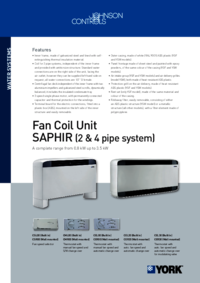
York SAPHIR CEL20 Manuale Utente (4 pagine)
Marchio: York | Categoria: No info | Dimensione: 0.51 MB |
Più prodotti e manuali per no York
| Modelli | Tipo di Documento |
|---|---|
| S1-33101975102 |
Manuale Utente
York S1-33101975102 User's Manual,
1 pagine
|
| F*FP | Manuale Utente York F*FP User's Manual [fr] , 16 pagine |
| Y9USC |
Manuale Utente
York Y9USC User's Manual,
2 pagine
|
| TCGD12 | Manuale Utente York TCGD12 User's Manual, 18 pagine |
| STYLE A YCWS |
Manuale Utente
York STYLE A YCWS User's Manual,
52 pagine
|
| YCUL0016 | Manuale Utente York YCUL0016 User's Manual, 124 pagine |
| SUPPLEMENTAL H4CE180A40 |
Manuale Utente
York SUPPLEMENTAL H4CE180A40 User's Manual,
1 pagine
|
| 69-1659 UV100A |
Manuale Utente
York 69-1659 UV100A User's Manual,
8 pagine
|
| HD | Manuale Utente York HD User's Manual, 16 pagine |
| P3HU |
Manuale Utente
York P3HU User's Manual,
4 pagine
|
© 2020, manymanuals-pt.com. Todos os direitos reservados. | 0.033 s |
 Manymanuals.com
 Manymanuals.de
 Manymanuals.fr
 Manymanuals.it
 Manymanuals.pl
 Manymanuals.cz
 Manymanuals.es
 Manymanuals-pt.com
Comentários a estes Manuais