Sharp MX-B402 Manual do Utilizador Página 19

  • Descarregar
  • Adicionar aos meus manuais
  • Imprimir
  • Página
    / 50
  • Índice
  • MARCADORES
  • Avaliado. / 5. Com base em avaliações de clientes
Vista de página 18
DEVICE MANAGEMENT
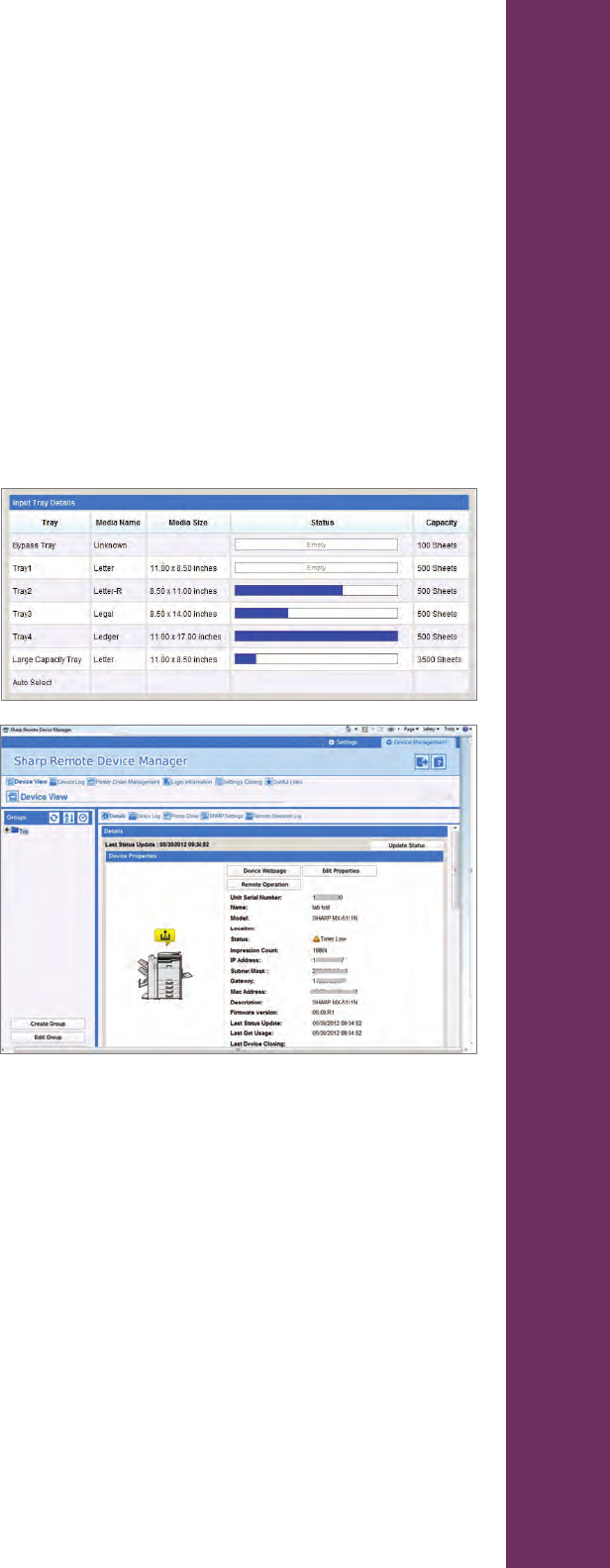
Sharp Remote Device Manager (SRDM)
SRDM is a device management and monitoring tool to facilitate centralized management of sharp MFPs and
printers as well as SNMP-compliant printers. From the console, IT managers can view detailed information on
each device, such as network connectivity, consumable levels and impression counts. The direct access to
remote front panel enables support staff to view and control the LCD panel from anywhere on the network, as
well as the ability to review service logs and update rmware. For more intuitive views, and to expedite trouble
shooting, devices can be grouped together in the utility by model, department, location, network status, IP
address and more. Rapid deployment of MFPs can also be accomplished by distributing print drivers to network
clients and cloning the settings of a reference device to other similar models all at the click of a button. Toner level
is monitored in 5% increments on select models.
Key features include but are not limited to:
• Manual or automated device discovery
• Remote device monitoring on status
and consumables
• Remote device security, network, and
system configurations
• Remote access to device’s front panel
to provide quick user assistance
• Driver distribution to reduce IT support time
• Firmware updates to minimize deployment time
• Device setting and cloning for fast device set up
• E-mail notifications to keep IT administrators
aware of critical issues
Remote E-Mail Diagnostics
Putting timely and relevant information into the hands of key operators, IT managers and Sharp-authorized
service providers is a breeze with Sharp Remote E-Mail Diagnostics. IT managers can easily congure event-
driven or scheduled alerts such as low consumable levels, maintenance reminders or click counts, and specify
the list of recipients for each. This helps bring attention where it is needed, when it is needed, for increased
device availability and reduced costs.
Sharp Printer Status Monitor
The Sharp Printer Status Monitor is an easy-to-use utility that provides users with real-time information on each
MFP on their desktop. Prior to sending a job, users can review the device’s status, paper supply and toner levels.
Information on the progress and completion of each user’s print job, as well as preventive maintenance warning
also increases device uptime.
17
Vista de página 18
1 2 ... 14 15 16 17 18 19 20 21 22 23 24 ... 49 50

Comentários a estes Manuais

Sem comentários