Sharp AL-2051 Manual de Serviço
Consulte online ou descarregue Manual de Serviço para Impressora multifunções Sharp AL-2051. Sharp AL-2051 Service manual Manual do Utilizador
- Página / 139
- Índice
- MARCADORES

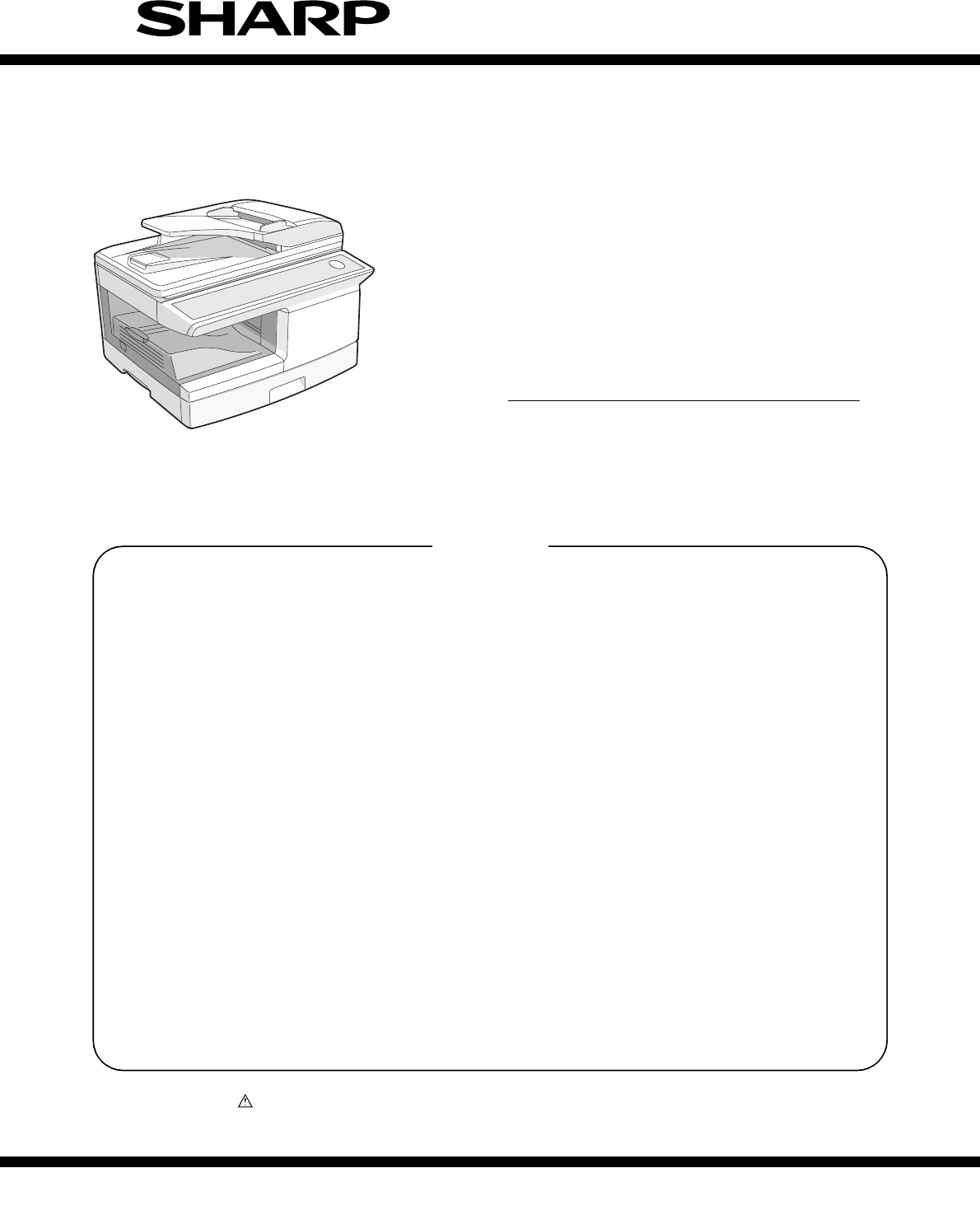
- SERVICE MANUAL 1
- CAUTION 2
- CONTENTS 4
- [1] GENERAL 6
- [2] SPECIFICATIONS 7
- 3. Copy performance 8
- 4. Network board 9
- 5. Printer 9
- 6. Scan function 9
- [3] CONSUMABLE PARTS 10
- 2. Environmental 11
- 1. Appearance 12
- 2. Internal 12
- 3. Operation panel 13
- 4. Motors and solenoids 14
- 5. Sensors and switches 15
- 6. PWB unit 16
- 7. Cross sectional view 17
- 1. Copier installation 18
- 2. Cautions on handling 18
- 4. Unpacking 19
- 7. Loading paper 19
- 8. Power to copier 20
- 9. Software 20
- B. Installing the software 21
- (2) Connecting a USB cable 22
- D. Setting up button manager 26
- 10. Interface 27
- 11. Moving 27
- C. Attachment method 28
- 20mm - 25mm 29
- [6] COPY PROCESS 32
- 2. Outline of print process 33
- 3. Actual print process 33
- About DC 5.2kV 34
- Semiconductor laser 35
- [7] OPERATIONAL DESCRIPTIONS 36
- 2. Scanner section 37
- 3. Laser unit 38
- 4. Fuser section 38
- A. General description 39
- Gear 20T 42
- Process detection switch 42
- Gear 38T 42
- 7. RSPF section 43
- D. RSPF open/close detection 44
- (book document detection) 44
- A. Initial state 44
- B. Front copy 44
- C. Back copy 44
- 9. Shifter 45
- [8] DISASSEMBLY AND ASSEMBLY 46
- 2. Operation panel section 47
- 3. Optical section 48
- 4. Fusing section 50
- PPD2 sensor 51
- Heater lamp 51
- Heat roller 52
- C. Assembly procedure 53
- B. Disassembly procedure 53
- PS semi-circuler 57
- 7. Rear frame section 61
- 8. Power section 62
- 9. Duplex motor section 62
- 10. Reverse roller section 63
- 11. RSPF section 63
- C. Document tray unit 64
- F. Drive unit 64
- G. Shutter solenoid 65
- I. Paper empty sensor 66
- J. PS roller 67
- K. Upper transport roller 67
- L. Paper sensor 68
- M. Lower transport roller 68
- N. Paper exit sensor 68
- [9] ADJUSTMENTS 69
- B. Image position adjustment 70
- B4 or 8 1/2″ × 14″ paper 71
- A4 size rear edge 71
- Paper rear edge 71
- Scale image 71
- 2. Copy density adjustment 72
- 3. High voltage adjustment 73
- 4. Duplex adjustment 74
- Document guide 75
- The trailing edge has a scale 75
- Table glass 75
- 2. Key rule 77
- 3. List of simulations 77
- (Example) 101
- (Main cassette paper feed) 102
- Chart back surface 106
- 5. Trouble codes 108
- [11] USER PROGRAM 112
- [12] ELECTRICAL SECTION 115
- 2. Actual wiring diagram 116
- RSPF UNIT 117
- 3. Signal name list 118
- [13] CIRCUIT DIAGRAM 120
- 2/14Memory section 121
- 3/14Buffer section 122
- 4/14Driver section 1 123
- 5/14Driver section 2 124
- 6/14Connector section 1 125
- 7/14Connector section 2 126
- 8/14Connector section 3 127
- 9/14Pull Up/Down section 128
- 11/14KronosII SDRAM section 130
- 13/14KronosII USB/LSU section 132
- 14/14Power Source section 133
- 1/3LED/LCD section 134
- 2/3KEY / Buzzer section 135
- 3/3Connector section 136
- LEAD-FREE SOLDER 137
- CAUTION FOR BATTERY DISPOSAL 138
- Trademark acknowledgements 139
Resumo do Conteúdo
Parts marked with “ ” are important for maintaining the safety of the set. Be sure to replace these parts withspecified ones for maintaining the safet
AL-2051 CONSUMABLE PARTS 3 - 1[3] CONSUMABLE PARTS1. Supply system tableA. BrazilB. LAGC. Europe SubsidiaryD. SCA/SCNZ/SBI/STCL/SRSE. SRHNo. Name Co
AL-2051 SIMULATION, TROUBLE CODES 10 - 2449 01 Flash ROM program writing mode[Function]When this simulation is executed, "DOWNLOAD MODE" i
AL-2051 SIMULATION, TROUBLE CODES 10 - 2550 01 Lead edge image position [Function]Used to adjust the copy image position and the lead edge void amou
AL-2051 SIMULATION, TROUBLE CODES 10 - 2650 06 Copy lead edge position adjustment (RSPF)[Function]Used to adjust the RSPF copy lead edge.When the ad
AL-2051 SIMULATION, TROUBLE CODES 10 - 2750 12 Document off-center adjustment[Function]Used to adjust document scan off-center adjustment.The adjust
AL-2051 SIMULATION, TROUBLE CODES 10 - 2850 19 Duplex copy rear edge void adjustment[Function]Used to adjust the rear edge void amount in duplex cop
AL-2051 SIMULATION, TROUBLE CODES 10 - 2953 08 RSPF scan position automatic adjustment[Function]Place a A4 paper (white chart) so that it covers the
AL-2051 SIMULATION, TROUBLE CODES 10 - 3063 02 Black level automatic correction[Function]Used to acquire the black level target value used for the b
AL-2051 SIMULATION, TROUBLE CODES 10 - 3164 01 Self print [Function]The status of the optical section is ignored and printing of one page is made. A
AL-2051 SIMULATION, TROUBLE CODES 10 - 325. Trouble codesA. Trouble codes listB. Details of trouble codesMain codeSub codeDetails of troubleE1 00 Ne
AL-2051 SIMULATION, TROUBLE CODES 10 - 33E1 82 Content Network board communication interface error (Overrun)Detail An overrun error occurs in commun
AL-2051 CONSUMABLE PARTS 3 - 22. EnvironmentalThe environmental conditions for assuring the copy quality and themachine operations are as follows:(1
AL-2051 SIMULATION, TROUBLE CODES 10 - 34F5 02 Content Copy lamp lighting abnormalityDetail The copy lamp does not turn on.Cause Copy lamp abnormali
AL-2051 SIMULATION, TROUBLE CODES 10 - 35L3 00 Content Scanner return troubleDetail When the mirror base is returned for the specified time (6 sec)
AL-2051 USER PROGRAM 11 - 1[11] USER PROGRAMThe user settings allow you to customize machine settings to better meet your needs.1. User programsThe
AL-2051 USER PROGRAM 11 - 2Print mode* The scanning speed increases when the USB 2.0 mode is set to "HI-SPEED", however, the printing spee
AL-2051 USER PROGRAM 11 - 32. Selecting a setting for a user program1) Press the [MENU] key and then press the [OK] key. In printer mode, the user p
AL-2051 ELECTRICAL SECTION 12 - 1[12] ELECTRICAL SECTION1. Block diagramA. Overall block diagramUni-polar stepping motorUni-polar stepping motorDC f
AL-2051 ELECTRICAL SECTION 12 - 22. Actual wiring diagramA. MCU PWBPPD2 harness PPD2 interface harnessPOD harnessLSU laser harness Polygon motor har
AL-2051 ELECTRICAL SECTION 12 - 3B. RSPF unitC. Network BoardCN30 DHAI-0533QSPZ DHAI-0541QSPZDHAI-0540QSPZDHAI-0539QSPZB24B-PNDZS-1/BCOMBBA/A24V12SR
AL-2051 ELECTRICAL SECTION 12 - 43. Signal name listSignal name Name Function/Operation Section(ADCLK) AFE AFE control signal Scanner unit sect
AL-2051 ELECTRICAL SECTION 12 - 5OP-CLK LED driver control Operation section OP-DATA LED driver control Operation section OP-LATCH LED dri
AL-2051 EXTERNAL VIEWS AND INTERNAL STRUCTURES 4 - 1[4] EXTERNAL VIEWS AND INTERNAL STRUCTURES1. Appearance2. Internal1 Document glass 2 Operation p
AL-2051 CIRCUIT DIAGRAM 13 - 1[13] CIRCUIT DIAGRAM1. MCU PWBABCD8765432112345678DCBA ABCD8765432112345678DCBA ABCD8765432112345678DCBA ABCD87654321
AL-2051 CIRCUIT DIAGRAM 13 - 2ABCD8765432112345678DCBA ABCD8765432112345678DCBA ABCD8765432112345678DCBA ABCD8765432112345678DCBA2/14Memory section
AL-2051 CIRCUIT DIAGRAM 13 - 3MIR/SPF Selector 3V35V level conversion OPE I/F circuitSchmitt Buffer5V33V level conversion/3V series BufferABCD87654
AL-2051 CIRCUIT DIAGRAM 13 - 4O.C.output (HV control)O.C.output (Solenoid/VFM/PR)3.3V/5V family O.C.output (Main Mirror)O.C.output (Polygon/SPF Mot
AL-2051 CIRCUIT DIAGRAM 13 - 5ABCD8765432112345678DCBA ABCD8765432112345678DCBA ABCD8765432112345678DCBA ABCD8765432112345678DCBA5/14Driver section
AL-2051 CIRCUIT DIAGRAM 13 - 6ABCD8765432112345678DCBA ABCD8765432112345678DCBA ABCD8765432112345678DCBA ABCD8765432112345678DCBA6/14Connector sect
AL-2051 CIRCUIT DIAGRAM 13 - 7ABCD8765432112345678DCBA ABCD8765432112345678DCBA ABCD8765432112345678DCBA ABCD8765432112345678DCBA7/14Connector sect
AL-2051 CIRCUIT DIAGRAM 13 - 8Circuit for through hall reliability checkABCD8765432112345678DCBA ABCD8765432112345678DCBA ABCD8765432112345678DCBA
AL-2051 CIRCUIT DIAGRAM 13 - 9Equal arrangement condenserABCD8765432112345678DCBA ABCD8765432112345678DCBA ABCD8765432112345678DCBA ABCD87654321123
AL-2051 CIRCUIT DIAGRAM 13 - 10ABCD8765432112345678DCBA ABCD8765432112345678DCBA ABCD8765432112345678DCBA ABCD8765432112345678DCBA10/14KronosII Loc
AL-2051 EXTERNAL VIEWS AND INTERNAL STRUCTURES 4 - 23. Operation panel126789 11 12 13 14 15 16 1718 19 20 211034 5READY TO COPY. 100% A4 0Di
AL-2051 CIRCUIT DIAGRAM 13 - 11ABCD8765432112345678DCBA ABCD8765432112345678DCBA ABCD8765432112345678DCBA ABCD8765432112345678DCBA11/14KronosII SDR
AL-2051 CIRCUIT DIAGRAM 13 - 12ABCD8765432112345678DCBA ABCD8765432112345678DCBA ABCD8765432112345678DCBA ABCD8765432112345678DCBA12/14KronosII Sca
AL-2051 CIRCUIT DIAGRAM 13 - 13ABCD8765432112345678DCBA ABCD8765432112345678DCBA ABCD8765432112345678DCBA ABCD8765432112345678DCBA13/14KronosII USB
AL-2051 CIRCUIT DIAGRAM 13 - 14ABCD8765432112345678DCBA ABCD8765432112345678DCBA ABCD8765432112345678DCBA ABCD8765432112345678DCBA14/14Power Source
AL-2051 CIRCUIT DIAGRAM 13 - 152. OPERATION PWBLCDRS#LCDDB7#LCDDB4#LCDDB6#LCDRS#LCDE#LCDE#LCDDB7#LCDDB4#LCDDB6#LCDDB5#LCDDB6LCDDB7LCDDB4LCDDB5#LCDD
AL-2051 CIRCUIT DIAGRAM 13 - 165V5V5VEN5VKEYSC1KEYSC2KEYSC3KEYINSELIN3SELIN2SELIN1PSWF-KEYSC2F-KEYSC3F-KEYSC1F-KEYIN1F-KEYIN2F-KEYIN3F-KEYIN4F-KEYI
AL-2051 CIRCUIT DIAGRAM 13 - 17DRSTDRSTLCDDB5LCDDB7LCDDB4LCDDB63.3V 5V 5VENPSLPSWKEYINOP-CLKOP-LATCHOP-DATASELIN1SELIN2KEYSC2KEYSC3LED_V3F-KEYIN1BZ
No part of this publication may be reproduced,stored in a retrieval system, or transmitted inany form or by any means, electronic, mechanical,photoco
(Danish) ADVARSEL !Lithiumbatteri – Eksplosionsfare ved fejlagtig håndtering.Udskiftning må kun ske med batteriaf samme fabrikat og type.Levér det br
SHARP CORPORATIONDocument Solutions GroupCS Promotion CenterYamatokoriyama, Nara 639-1186, Japan2010 December Produced in Japan for electronic Distri
AL-2051 EXTERNAL VIEWS AND INTERNAL STRUCTURES 4 - 34. Motors and solenoids111281425109367No. Name Control signal Function / Operation1 Main motor M
AL-2051 EXTERNAL VIEWS AND INTERNAL STRUCTURES 4 - 45. Sensors and switches1329111087654No. Name Signal Type Function / Operation Output1 Scanner un
AL-2051 EXTERNAL VIEWS AND INTERNAL STRUCTURES 4 - 56. PWB unit152863741029No. Name Function / Operation1 Exposure lamp invertor PWB Exposure lamp (
AL-2051 EXTERNAL VIEWS AND INTERNAL STRUCTURES 4 - 67. Cross sectional view678910111214 13201941 215 16 1753 18No. Name Function / Operation1 Scanne
AL-2051 UNPACKING AND INSTALLATION 5 - 1[5] UNPACKING AND INSTALLATION1. Copier installationImproper installation may damage the copier. Please note
AL-2051 UNPACKING AND INSTALLATION 5 - 24. UnpackingBe sure to hold the handles on both sides of the unit to unpack theunit and carry it to the inst
CAUTION This laser radiation is not a danger to the skin, but when an exact focusing of the laser beam is achievedon the eye’s retina, there is the d
AL-2051 UNPACKING AND INSTALLATION 5 - 33) Store the pressure plate lock which has been removed in step2). To store the pressure plate lock, rotate
AL-2051 UNPACKING AND INSTALLATION 5 - 4(2) Installation environment and usable softwareThe following table shows the drivers and software that can
AL-2051 UNPACKING AND INSTALLATION 5 - 5Installing the Utility Software11) When installing is finished, click the "Close" button.Caution:•
AL-2051 UNPACKING AND INSTALLATION 5 - 68) Click the "Standard" button of the "Connect via the network"menu.9) Click the "P
AL-2051 UNPACKING AND INSTALLATION 5 - 75) Read the message in the "Welcome" window and then click the"Next" button.6) Click the
AL-2051 UNPACKING AND INSTALLATION 5 - 8(5) Installing the printer status monitor1) Insert the "Software CD-ROM" (Disc 1) into your comput
AL-2051 UNPACKING AND INSTALLATION 5 - 94) Click the "Set Tray Status" button and select the size of paperthat is loaded in each tray.Sele
AL-2051 UNPACKING AND INSTALLATION 5 - 1010. InterfaceA. USBConnectorType-A connectorPin configurationThe pin numbers and signal names are listed in
AL-2051 UNPACKING AND INSTALLATION 5 - 11C. Attachment methodTurn the main switch to the "OFF" position and remove the powerplug from the
AL-2051 UNPACKING AND INSTALLATION 5 - 125) Attach the Optical right hole mylar B at the 2 positions shown inthe diagrams below which are at the top
The foregoing is applicable only to the 220Vmodel, 230V model and 240V model.VAROITUS! LAITTEEN KÄYTTÄMINEN MUULLAKUIN TÄSSÄ KÄYTTÖOHJEESSA MAINITULLA
AL-2051 UNPACKING AND INSTALLATION 5 - 138) Bend the edge of the Scanner motor lower mylar and sticktogether.9) Attach the Scanner motor lower mylar
AL-2051 UNPACKING AND INSTALLATION 5 - 14Cover the top and the right side of the fan housing when yousee the fan housing from the backside of the ma
AL-2051 COPY PROCESS 6 - 1[6] COPY PROCESS1. Functional diagram(Basic operation cycle)(20 microns thick)Aluminum drum Pigment layer (0.2to 0.3 micro
AL-2051 COPY PROCESS 6 - 22. Outline of print processThis printer is a non-impact printer that uses a semiconductorlaser and electrostatic print pro
AL-2051 COPY PROCESS 6 - 3Step-3: Developing (DC bias)A bias potential is applied to the MG roller in the two componentmagnetic brush developing met
AL-2051 COPY PROCESS 6 - 4Step-7: Optical discharge (Semiconductor laser)Before the drum rotation is stopped, the semiconductor laser isradiated ont
AL-2051 OPERATIONAL DESCRIPTIONS 7 - 1[7] OPERATIONAL DESCRIPTIONS1. Outline of operationThe outline of operation is described referring to the basi
AL-2051 OPERATIONAL DESCRIPTIONS 7 - 22. Scanner sectionA. Scanner unitThe scanner unit in the digital copier scans images.It is composed of the opt
AL-2051 OPERATIONAL DESCRIPTIONS 7 - 33. Laser unitThe image data sent from the MCU (image process circuit) is sentto the LSU (laser unit), where it
AL-2051 OPERATIONAL DESCRIPTIONS 7 - 4A. General descriptionGeneral block diagram (cross section)Top view(1) Heat rollerA Teflon roller is used for
CONTENTS[1] GENERAL1. Major functions. . . . . . . . . . . . . . . . . . . . . . . . . . . . . . . 1-1[2] SPECIFICATIONS1. Basic Specifications. . .
AL-2051 OPERATIONAL DESCRIPTIONS 7 - 5(1) Cassette paper feed operation1) The figure below shows the positions of the pick-up roller, thepaper feed
AL-2051 OPERATIONAL DESCRIPTIONS 7 - 6(2) Manual multi paper feed operation1) Before paper feed operation, the manual paper feed solenoid(MPFS) is t
AL-2051 OPERATIONAL DESCRIPTIONS 7 - 7(3) Conditions of occurrence of paper misfeeda. When the power is turned on:PPD or POD is ON when the power is
AL-2051 OPERATIONAL DESCRIPTIONS 7 - 87. RSPF sectionA. OutlineThe RSPF is installed.It automatically copies up to 50 sheets of documents of a sames
AL-2051 OPERATIONAL DESCRIPTIONS 7 - 9D. RSPF open/close detection (book document detection)RSPF open/close detection (book document) detection is p
AL-2051 OPERATIONAL DESCRIPTIONS 7 - 10Rotation copy mode:The front and the back are in upside down each other.Copy mode without rotation:The front
AL-2051 DISASSEMBLY AND ASSEMBLY 8 - 1[8] DISASSEMBLY AND ASSEMBLYThe disassembly and assembly procedures are described for thefollowing sections:
AL-2051 DISASSEMBLY AND ASSEMBLY 8 - 22) Clean the TC front guide and the TC holder with alcohol.3) Set the charger cleaner to the transfer unit,
AL-2051 DISASSEMBLY AND ASSEMBLY 8 - 32) Remove the screws (4 pcs.), the harness, and the operationpanel unit.3) Remove four screws, and remove th
AL-2051 DISASSEMBLY AND ASSEMBLY 8 - 45) Remove five screws. Remove the operation unit, and discon-nect the connector.6) Remove the right cabinet.
8. Power section . . . . . . . . . . . . . . . . . . . . . . . . . . . . . . 8-17A. List. . . . . . . . . . . . . . . . . . . . . . . . . . . . . .
AL-2051 DISASSEMBLY AND ASSEMBLY 8 - 5C. Assembly procedureCCD core1) Insert the CCD-MCU harness into the CCD PWB of the car-riage unit.2) Attach
AL-2051 DISASSEMBLY AND ASSEMBLY 8 - 64) Remove the screw and remove the resistor.Remove the screw and remove the U-turn guide.Note: When installi
AL-2051 DISASSEMBLY AND ASSEMBLY 8 - 79) Remove the spring, and remove the upper separation pawls (3pcs.).10) Remove the E-ring and remove the rev
AL-2051 DISASSEMBLY AND ASSEMBLY 8 - 87) Remove the parts from the heat roller.Note: Apply grease to the sections specified with ∗1.Grease: "
AL-2051 DISASSEMBLY AND ASSEMBLY 8 - 96) Remove each connector and four screws, and remove the MCUPWB and network PWB. (The shape of the MCU PWB d
AL-2051 DISASSEMBLY AND ASSEMBLY 8 - 1013) Remove the harness guide.14) Remove two screws and remove the toner motor.15) Remove three screws, and
AL-2051 DISASSEMBLY AND ASSEMBLY 8 - 1118) Remove four screws, and remove the lower paper guide unit.[Note for installation]Fit the lower paper gu
AL-2051 DISASSEMBLY AND ASSEMBLY 8 - 12[Note for assembling the LSU]When installing the LSU, turn the LSU clockwise and fix withscrews in order to
AL-2051 DISASSEMBLY AND ASSEMBLY 8 - 1330) Remove three screws and remove the TC front paper guide.31) Remove the screw and the connector, and rem
AL-2051 DISASSEMBLY AND ASSEMBLY 8 - 146. Manual paper feed sectionA. ListB. Disassembly procedureMulti unit1) Remove the screw and remove the mul
AL-2051 GENERAL 1 - 1[1] GENERAL1. Major functionsConfigurationsDescriptions of itemsCPM: Copy speed (Copies Per Minute)PPM: Print speed (Print Pe
AL-2051 DISASSEMBLY AND ASSEMBLY 8 - 155) Remove three E-rings and remove the manual paper feed rollerB9.6) Remove the pick-up roller.7) Cut the b
AL-2051 DISASSEMBLY AND ASSEMBLY 8 - 167. Rear frame sectionA. ListB. Disassembly procedure1) Remove four screws, and remove the rear cabinet and
AL-2051 DISASSEMBLY AND ASSEMBLY 8 - 178) Disconnect the connectors.9) Remove the five screws, and remove the MCU PWB. (Theshape of the MCU PWB di
AL-2051 DISASSEMBLY AND ASSEMBLY 8 - 1810. Reverse roller sectionA. ListB. Disassembly procedure1) Remove four screws.2) Remove the spring, and th
AL-2051 DISASSEMBLY AND ASSEMBLY 8 - 19C. Document tray unit1) Release the shaft on the front side.2) Remove the tray unit. Note for reassemblyUs
AL-2051 DISASSEMBLY AND ASSEMBLY 8 - 208) Remove four screws.9) Remove the transport unit. Note for reassemblyBefore assembly, be sure to check t
AL-2051 DISASSEMBLY AND ASSEMBLY 8 - 21H. Pickup roller, take-up roller(1) Paper feed unit removal1) Remove the E-ring.2) Slide the bearing.3) Rem
AL-2051 DISASSEMBLY AND ASSEMBLY 8 - 22(3) Paper empty sensor removal1) Disconnect one connector.2) Remove the paper empty sensor.J. PS roller(1)
AL-2051 DISASSEMBLY AND ASSEMBLY 8 - 23(2) Upper transport roller removal1) Remove the upper transport roller.L. Paper sensor1) Disconnect one con
AL-2051 ADJUSTMENTS 9 - 1[9] ADJUSTMENTS1. Optical sectionA. Copy magnification ratio adjustmentThe copy magnification ratio must be adjusted in the
AL-2051 SPECIFICATIONS 2 - 1[2] SPECIFICATIONS1. Basic Specifications2. Operation specificationsItemType DesktopCopy system Dry, electrostaticSegmen
AL-2051 ADJUSTMENTS 9 - 2c. Adjustment procedure1) Set the scale on the document table as shown below. (Use along scale for precise adjustment.)2) S
AL-2051 ADJUSTMENTS 9 - 3(1) Lead edge adjustment1) Set a scale to the center of the paper lead edge guide as shownbelow, and cover it with B4 or 8
AL-2051 ADJUSTMENTS 9 - 4(3) Center offset adjustment1) Set the self-made test chart for the center position adjustmentso that its center line is al
AL-2051 ADJUSTMENTS 9 - 5E. Copy density adjustment procedureUse SIM 46-1 to set the copy density for each copy mode.For selection of modes, use the
AL-2051 ADJUSTMENTS 9 - 6B. DV bias checkProcedures1) Set the digital multi meter range to DC500V.2) Set the positive side of the test rod to the co
AL-2051 ADJUSTMENTS 9 - 72)Print start position (Duplex back surface) (RSPF) 50-19(PHOTO)The size (length) of a document read from the RSPF isdetect
AL-2051 ADJUSTMENTS 9 - 86. RSPF mode sub scanning direction magnification ratio adjustmentNote: Before performing this adjustment, be sure to check
AL-2051 SIMULATION, TROUBLE CODES 10 - 1[10] SIMULATION, TROUBLE CODES1. Entering the simulation modeTo enter the serviceman simulation mode, press
AL-2051 SIMULATION, TROUBLE CODES 10 - 24. Descriptions of various simulations50 01 Lead edge image position06 Copy lead edge position adjustment (R
AL-2051 SIMULATION, TROUBLE CODES 10 - 32 02 RSPF sensor status display [Function]The ON/OFF status of the RSPF sensors can be checked with the LCD.
AL-2051 SPECIFICATIONS 2 - 23. Copy performance*1: The first-copy time is measured after the power save indicator turns off following power on, usin
AL-2051 SIMULATION, TROUBLE CODES 10 - 45 01 Operation panel display check[Function]<LED check mode (All ON/Individual ON)>When [ENTER]/[START
AL-2051 SIMULATION, TROUBLE CODES 10 - 56 01 Paper feed solenoid ON [Function]When [ENTER]/[START] key is pressed, the selected paper feed solenoid
AL-2051 SIMULATION, TROUBLE CODES 10 - 67 08 Shift to copy with the warm-up display[Function]Enter the simulation code, and warm-up is started and w
AL-2051 SIMULATION, TROUBLE CODES 10 - 79 04 Duplex motor rotation speed adjustment[Function]When this simulation is executed, the currently set val
AL-2051 SIMULATION, TROUBLE CODES 10 - 822 12 Drum counter display [Function]The drum counter is displayed.[Operation]13 CRUM type display14 ROM ver
AL-2051 SIMULATION, TROUBLE CODES 10 - 922 21 Scanner counter display [Function]The scanner counter is displayed.[Operation] 22 RSPF JAM counter [Fu
AL-2051 SIMULATION, TROUBLE CODES 10 - 1024 13 Scanner counter clear [Function]When [ENTER]/[START] key is pressed, the scanner counter value is cle
AL-2051 SIMULATION, TROUBLE CODES 10 - 1126 02 SPF/RSPF setup [Function]When this simulation is executed, the current set SPF/RSPF is displayed. Ent
AL-2051 SIMULATION, TROUBLE CODES 10 - 1226 20 Rear edge void setup [Function]When this simulation is executed, the current set rear edge void is di
AL-2051 SIMULATION, TROUBLE CODES 10 - 1326 42 Transfer ON timing control setup[Function][Operation]Main codeSub codeContents Details of function/op
AL-2051 SPECIFICATIONS 2 - 34. Network board∗ Multiple e-mail addresses (up to 100) can be stored as a group. Note that this may reduce the maximum
AL-2051 SIMULATION, TROUBLE CODES 10 - 1426 43 Side void setup [Function]When this simulation is executed, the currently set code of the side void q
AL-2051 SIMULATION, TROUBLE CODES 10 - 1530 01 Paper sensor status display [Function]The paper sensor status is displayed on the LCD.[Operation]41 0
AL-2051 SIMULATION, TROUBLE CODES 10 - 1643 01 Fusing temperature setting (Normal copy)[Function]Used to set the fusing temperature of 3rd or later
AL-2051 SIMULATION, TROUBLE CODES 10 - 1743 05 Fusing temperature setup in duplex copy[Function]In the case of duplex copy, the shift temperature se
AL-2051 SIMULATION, TROUBLE CODES 10 - 1846 01 Copy density adjustment (300dpi)[Function]Copy density is set for each mode.When this simulation is e
AL-2051 SIMULATION, TROUBLE CODES 10 - 1946 02 Copy density adjustment (600dpi)[Function]Copy density is set for each mode.When this simulation is e
AL-2051 SIMULATION, TROUBLE CODES 10 - 2046 19 Exposure mode setup [Function]<γ table setting>When this simulation is executed, the code numbe
AL-2051 SIMULATION, TROUBLE CODES 10 - 2146 29 Image contrast adjustment (600dpi)[Function]Contrast is set for each mode.When this simulation is exe
AL-2051 SIMULATION, TROUBLE CODES 10 - 2246 31 Image sharpness adjustment[Function]Used to adjust sharpening/blurring of image in each mode.When thi
AL-2051 SIMULATION, TROUBLE CODES 10 - 2348 01 Front/rear (main scanning) direction and scan (sub scanning) direction magnification ratio adjustment
Mais documentos para Impressora multifunções Sharp AL-2051

Manuais e produtos relacionados com Impressora multifunções Sharp AL-2051
 (48 páginas)
 (161 páginas)
(120 páginas)
(210 páginas)
(161 páginas)
(120 páginas)
(210 páginas)
© 2020, manymanuals-pt.com. Todos os direitos reservados. | 0.033 s |
 Manymanuals.com
 Manymanuals.de
 Manymanuals.fr
 Manymanuals.it
 Manymanuals.pl
 Manymanuals.cz
 Manymanuals.es
 Manymanuals-pt.com
Comentários a estes Manuais