Sharp HT-SB60 Especificações
Consulte online ou descarregue Especificações para Comutadores de vídeo Sharp HT-SB60. Sharp HT-SB60 Specifications Manual do Utilizador
- Página / 16
- Índice
- RESOLUÇÃO DE PROBLEMAS
- MARCADORES

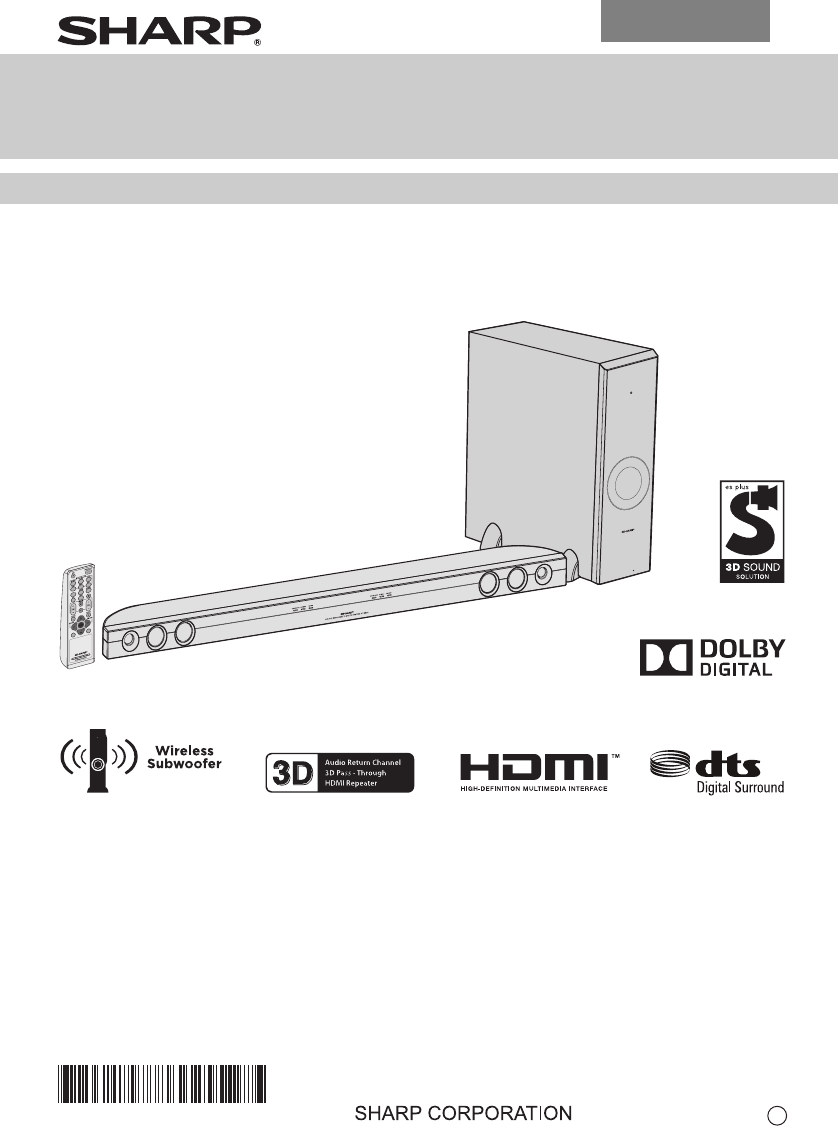
- OPERATION MANUAL 1
- Accessories 2
- Special Notes 2
- Precautions 3
- Controls and indicators 3
- Subwoofer 4
- FRONT VIEW 4
- REAR VIEW 4
- Sound Bar Rear Panel 4
- Remote Control 5
- Sound bar preparation 6
- Falling prevention 6
- AC INPUT 7
- PAIRING 7
- HDMI Connection 8
- Remote control 10
- General control 10
- General control (continued) 11
- 2012 September 5 12
- Troubleshooting chart 13
- Maintenance 14
- Error indicators and warnings 14
- Specifications 14
- 1300 135 022 15
- WARRANTY 16
Resumo do Conteúdo
12/8/30 EA417EN HT-SB60_Front.fmHT-SB60SOUND BAR HOME THEATER SYSTEMOPERATION MANUALMODELThank you for purchasing this SHARP product. To obtain the be
91765432192012 September 5HT-SB60E-10Caution:● Remove the battery if the sound bar will not be used fora long period of time. This will prevent potent
9876543219E-112012 September 5HT-SB60● When pairing is successful:Notes:● If a device such as microwave oven, wireless LAN card,Bluetooth device or an
91765432192012 September 5HT-SB60E-12Press and hold (MUTE) button on the remote controluntil “TV SPEAKER” or “SB SPEAKER” appears on thedisplay to t
9876543219E-132012 September 5HT-SB60Many potential problems can be resolved by the owner withoutcalling a service technician.If something is wrong wi
91765432192012 September 5HT-SB60E-14Periodically wipe the cabinet with a soft cloth.Caution:● Do not use chemicals for cleaning (petrol, paint thinne
EA417EN HT-SB60_Back.fm2012September18For Australia and New Zealand customersFOR LOCATION ENQUIRIES WITHINNEW ZEALANDREGARDING YOUR LOCALSHARP CORPORA
04/1/28 EA417EN HT-SB60_Back.fm2012September18SHARP CORPORATIONCongratulations on Your Purchase!This Sharp product is warranted against faults in mate
91765432192012 September 5HT-SB60E-2The following accessories are included.Warning:● When the ON/STAND-BY button is set at STAND-BYposition, mains vol
9876543219E-32012 September 5HT-SB60● Use the unit on a firm, level surface free from vibration.● Keep the unit away from direct sunlight, strongmagne
91765432192012 September 5HT-SB60E-4Reference Page1. Dolby Digital Indicator . . . . . . . . . . . . . . . . . . . . . 122. DTS Indicator . . . . . .
9876543219E-52012 September 5HT-SB60Reference page1. Remote Control Transmitter. . . . . . . . . . . . . . . . 102. TV ARC Button. . . . . . . . . .
91765432192012 September 5HT-SB60E-6Caution:● Be very careful to prevent the sound bar 3.6 kg from fallingwhen mounting on the wall.● Before mounting,
9876543219E-72012 September 5HT-SB60Installation image:Place the system as shown.Remove the protective film covering the sound bar andsubwoofer before
91765432192012 September 5HT-SB60E-8The illustration below shows the flows of the signals.1. Method 1This connection is for HDMI TV with ARC (Audio Re
9876543219E-92012 September 5HT-SB60The illustration below shows the flows of audio and video signals.Notes:● Refer to the operation manual of the equ
Manuais e produtos relacionados com Comutadores de vídeo Sharp HT-SB60
 (28 páginas)
© 2020, manymanuals-pt.com. Todos os direitos reservados. | 0.023 s |
 Manymanuals.com
 Manymanuals.de
 Manymanuals.fr
 Manymanuals.it
 Manymanuals.pl
 Manymanuals.cz
 Manymanuals.es
 Manymanuals-pt.com
Comentários a estes Manuais