Sharp ZQ-750M Especificações Página 29
- Página / 83
- Índice
- RESOLUÇÃO DE PROBLEMAS
- MARCADORES

- Introduction 2
- Contents 3
- Caring for the 5
- Organizer 5
- Getting Started 6
- Installing the batteries 7
- Initializing 8
- Setting the Display Contrast 9
- Setting the City 9
- Setting the Time and Date 9
- Setting the Start-up Display 10
- Setting the World City 10
- Auto power off 11
- Setting the LCD contrast 11
- Backlight 11
- Applications 12
- Menu operations 12
- Pop-up menus 12
- Display Symbols 13
- The keyboard 13
- General Operation 14
- View mode 15
- Edit mode 15
- Creating a New Entry 16
- Editing an Existing Entry 17
- Editing Techniques 17
- The cursor 18
- Typing in text 18
- Moving around the Display 18
- Deleting Text 19
- Working with Blocks of Text 19
- Scrolling the Display 19
- Using Index Mode 19
- Using Keywords 20
- Deleting Entries 21
- Checking the Memory 22
- Checking the Time and Date 22
- Basic Utilities 23
- Time Management 24
- The Schedule Application 25
- Setting a Schedule alarm 26
- Clearing a set alarm 26
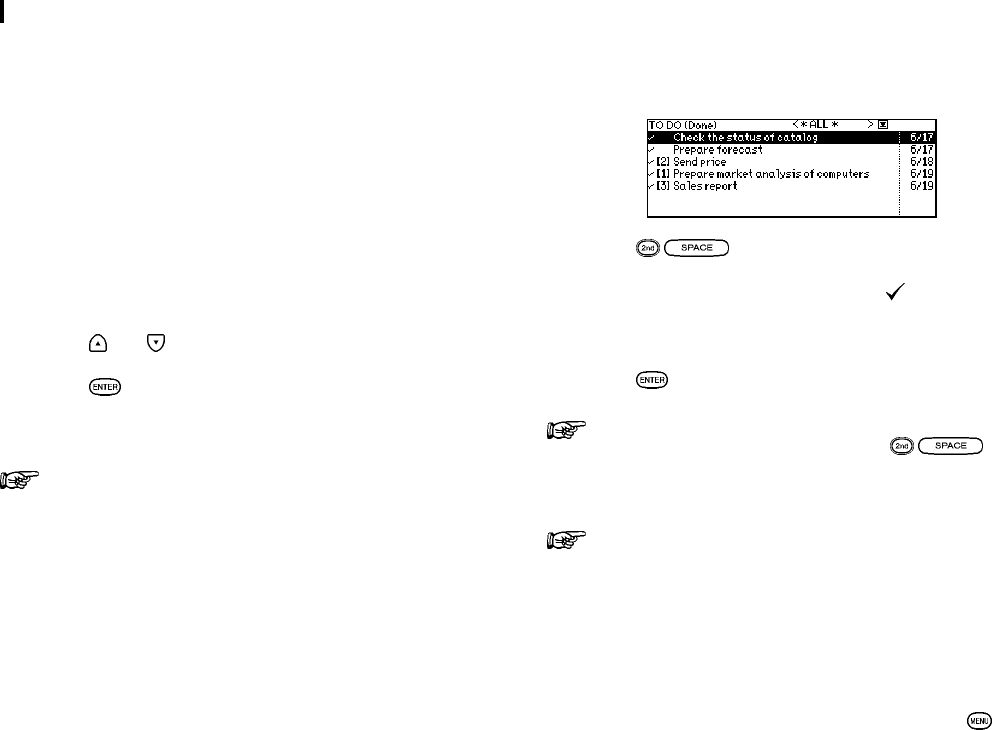
- The To Do application 27
- Updating the Category list 29
- Using the Index Mode 30
- Creating Your 32
- Own Database 32
- The Tel application menu 33
- The Memo Application 34
- Finding entries 35
- Desk Accessories 36
- Calculation examples 37
- Conversion function 37
- The Clock Application 39
- Setting the time and date 40
- Checking the time in a city 41
- Daylight Saving Time (DST) 42
- Setting daily alarms 42
- Turning alarms on and off 43
- Disabling all alarms 43
- The Clock application menu 43
- Entering Expense Record 44
- Expense Report 45
- Expense application menu 47
- Features and 48
- Utilities for Added 48
- Copying or Moving Entries 49
- Special Characters 49
- Data Transfer 52
- Computer 53
- Personalizing 56
- Your Organizer 56
- Locking the Organizer 57
- Accessing Secret entries 58
- Automatic Relocking 59
- Setting up the weekly format 60
- Setting up the date format 60
- Setting the time system 60
- Selecting the Large Font View 61
- How to use the 62
- My Programs application menu 63
- Appendices 64
- B. Battery Replacement 65
- C. Specifications 66
- Product Support 73
- Troubleshooting 74
- 1-800-237-4277 75
- Electronic Organizer 76
- Quick Reference Guide 76
Manuais e produtos relacionados com Tablets Sharp ZQ-750M
 (36 páginas)
(46 páginas)
(32 páginas)
(11 páginas)
(529 páginas)
 (32 páginas)
(40 páginas)
(54 páginas)
(35 páginas)
(91 páginas)
York SAPHIR CEL20 manuali
Manuali dei proprietari e guide per l'utente per no York SAPHIR CEL20.
We fornisce 1 manuali pdf York SAPHIR CEL20 per scaricare gratuitamente in base al tipo di documento: Manuale Utente

York SAPHIR CEL20 Manuale Utente (4 pagine)
Marchio: York | Categoria: No info | Dimensione: 0.51 MB |
Più prodotti e manuali per no York
| Modelli | Tipo di Documento |
|---|---|
| S1-33101975102 |
Manuale Utente
York S1-33101975102 User's Manual,
1 pagine
|
| F*FP | Manuale Utente York F*FP User's Manual [fr] , 16 pagine |
| Y9USC |
Manuale Utente
York Y9USC User's Manual,
2 pagine
|
| TCGD12 | Manuale Utente York TCGD12 User's Manual, 18 pagine |
| STYLE A YCWS |
Manuale Utente
York STYLE A YCWS User's Manual,
52 pagine
|
| YCUL0016 | Manuale Utente York YCUL0016 User's Manual, 124 pagine |
| SUPPLEMENTAL H4CE180A40 |
Manuale Utente
York SUPPLEMENTAL H4CE180A40 User's Manual,
1 pagine
|
| 69-1659 UV100A |
Manuale Utente
York 69-1659 UV100A User's Manual,
8 pagine
|
| HD | Manuale Utente York HD User's Manual, 16 pagine |
| P3HU |
Manuale Utente
York P3HU User's Manual,
4 pagine
|
© 2020, manymanuals-pt.com. Todos os direitos reservados. | 0.041 s |
 Manymanuals.com
 Manymanuals.de
 Manymanuals.fr
 Manymanuals.it
 Manymanuals.pl
 Manymanuals.cz
 Manymanuals.es
 Manymanuals-pt.com
Comentários a estes Manuais