Sharp Z-830 Guia do Utilizador
Consulte online ou descarregue Guia do Utilizador para Smartphones Sharp Z-830. Sharp Z-830 User guide Manual do Utilizador
- Página / 48
- Índice
- MARCADORES

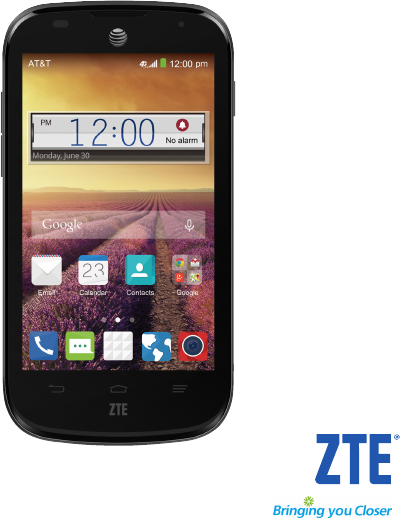
- User Guide 1
- Contents 3
- Getting Started 6
- Powering Your Phone On/Off 7
- Get to Know Your Phone 8
- Getting Around 8
- Key Functions 9
- Status and Notification icons 10
- Using the Notifications Panel 11
- Phone Calls 12
- Adjusting Your Call Settings 13
- Contacts 15
- Entering Text 16
- Google Voice Typing 17
- TouchPal X Keyboard 17
- Choosing Touch Input Settings 18
- Messaging 19
- Creating an Email Account 20
- Receiving Email 20
- Deleting an Email Account 21
- Email Settings 21
- Connecting to the Internet 22
- Browsing the Internet 23
- Bluetooth 24
- Entertainment 25
- Sharing a Picture 26
- Opening Your Gallery 26
- Adjusting Your Video Settings 27
- Adjusting Other Settings 27
- Sharing a Video 27
- Playing Your Videos 27
- Adding Music to Your Phone 28
- Playing Your Music 28
- Making Memorable Memos 29
- Applications 30
- Google Applications 31
- Google Play Store 32
- Accessing Calendar Settings 33
- Phone Settings 34
- Security Settings 35
- Managing Applications 36
- Factory Reset 36
- Managing Other Settings 37
- For Your Safety 38
- FCC Regulations 39
- RF Exposure Information (SAR) 39
- Distraction 42
- Product Handling 42
- Electrical Safety 44
- Interference 44
- Specifications 45
- Warranty 46
- How to Get Warranty Service 47
- Other Warranty Programs 47
Resumo do Conteúdo
User GuideZTE Compel™
Getting Started Getting Started Tap OK (for Gallery images) or Set wallpaper.Note: Live wallpapers and Photos are not available for the lock scr
Getting Started Getting StartedIndicator What it means Indicator What it means New SMS/MMSmicroSDHC card removedNew email Upcoming event New Gmail m
Phone CallsCalling from Your Call History From the home screen, tap . Tap next to the number you want to call.Calling from a Text MessageIf a
Tap Mute to turn your microphone off. To turn your microphone back on, tap Mute again.Putting a Call on HoldDuring a call, you can put it on hold by t
Adjusting Your Call Settings (continued)TTY modeChoose a TTY mode after connecting the TTY device to the phone’s headset port.A TTY device can allow p
ContactsYou can add contacts on your phone and synchronize them with the contacts in your Google account or other accounts that support contact syncin
Contacts Tap next to the contact’s name.Searching for a Contact Tap the search box at the top of the Contacts screen. Enter the contact nam
Entering Text• Tap to delete any text you have entered.• Tap to select numbers and symbols. You can then tap to access more. • Tap to ent
The T12 layoutTap a key repeatedly until the desired letter or symbol appears. If word prediction is enabled ( ), just tap the keys once and choose t
MessagingMessagingYour SMS (text message) and MMS (multimedia message) are combined into one menu under .Message BoxInstead of an inbox and outbox yo
Devices purchased for use on AT&T’s system are designed for use exclusively on AT&T’s system. You agree that you won’t make any modifications t
Display settings:• Bubble and background: Set the appearance of message bubble and background.Notification settings:• Notifications: Show message no
EmailComposing and Sending an EmailAfter creating an email account, you can compose and send email messages. From your inbox, tap . Tap the
Connecting to the InternetYour phone’s impressive networking capabilities allow you to access the Internet or your corporate network with ease. You ca
Browsing the InternetYour phone has two options for Internet access. Use the Browser or Google Chrome to view web pages and search for information.Fro
Tap and hold the bookmark you want to delete until the shortcut menu pops up. Tap Delete bookmark OK.Changing Browser SettingsPress Settings f
Notes: • The Bluetooth passkey may be fixed for certain devices, such as headsets or hands-free car kits. You can try entering 0000 or 1234 (the most
EntertainmentAdjusting Camera Settings (continued)Picture size Choose the size of the photo.Shutter toneTurn the shutter tone on or off.Sharing a Pi
Shooting Video with Your Camcorder From the home screen, tap . Zoom in or out by pressing either Volume Key. Tap to begin recording and
Adding Music to Your PhoneYou can add music to your phone’s internal storage or to a removable microSDHC card (see Phone Setup).Note: Steps may vary d
Creating PlaylistsPlaylists help you organize your music files. Tap next to the song in the music library. Tap Add to playlist. Tap New. Typ
Getting Started ...1Phone Setup ... 1Powering Your
ApplicationsClock From the home screen, tap Clock. Tap a default alarm to configure it or tap to create a new alarm. Set up the alarm opti
ApplicationsTip: If your phone is running slow, close applications you are not using by pressing and holding and swiping left or right on application
Google ApplicationsGmailGmail is a web-based email service that’s configured when you sign in to your Google account. Depending on your synchronization
Using Google CalendarFrom the home screen, tap Calendar to use Google Calendar, Google’s time management application. You can use the calendar to sche
Phone SettingsMobile Network ServicesFrom the home screen, press System settings Mobile networks to enable or disable data service, allow data servic
• Unmount/Mount SD card: You can unmount the microSDHC card to safely remove it, or mount the card.• Erase external SD card: Erase all data on the
From the home screen, press System settingsSecurity Screen lock. Draw the screen unlock pattern or enter the PIN/password you have created.
WARNING! All your personal information and downloaded applications on your phone will be erased after resetting the phone. Managing Other SettingsSear
For Your SafetyGeneral Safety Don’t make or receive handheld calls while driving. And never text while driving. Don’t use at gas stations. Keep your p
FCC RegulationsThis mobile phone complies with part 15 of the FCC Rules. Operation is subject to the following two conditions: (1) This device may not
Bluetooth® ... 37Using Bluetooth ... 37Entertainment
Bulletin 65 Supplement C, and Canada RSS 102. This device has been tested, and meets the FCC, IC RF exposure guidelines when tested with the device di
It is important to try the different features of this phone thoroughly and in different locations, using your hearing aid or cochlear implant, to dete
adapters, products that bear the USB-IF logo or products that have completed the USB-IF compliance program. DistractionDrivingFull attention must be g
Electrostatic Discharge (ESD)Do not touch the SIM card’s metal connectors.AntennaDo not touch the antenna unnecessarily.Normal Use PositionWhen placin
Phone HeatingYour phone may become warm during charging and during normal use.Electrical SafetyAccessoriesUse only approved accessories.Do not connect
AircraftPower off your wireless device whenever you are instructed to do so by airport or airline staff.Consult the airline staff about the use of wir
WarrantyZTE offers you a limited warranty that the enclosed subscriber unit and its enclosed accessories will be free from defects in material and wor
INCREASED COSTS OR EXPENSES OR FOR ANY INDIRECT, OR SPECIAL OR CONSEQUENTIAL LOSS OR DAMAGE. TO THE EXTENT PERMITTED BY APPLICABLE LAW, ZTE’S LIABILIT
Notes84
vContentsiv ContentsTwitter®. . . . . . . . . . . . . . . . . . . . . . . . . . . . . . . . . . . . . . . . . . . . . . . . . . . . . . . . . 50Voice
Getting StartedPhone SetupInstalling the micro-SIM Card and BatteryPower off your phone before installing or replacing the battery or micro-SIM card.
If prompted, follow on-screen instructions to connect to a Wi-Fi network. Configure the Google location options and tap . You will be pro
Get to Know Your PhoneHeadset jackGetting AroundTouch ControlUse the touch screen to control your phone. The controls on your touchscreen change dynam
Getting Started Getting StartedKey Functions Key Function Power Key Press and hold to turn phone on/off, change sound setting to silent/vibration/sou
Manuais e produtos relacionados com Smartphones Sharp Z-830
 (178 páginas)
(134 páginas)
(133 páginas)
(415 páginas)
(178 páginas)
(134 páginas)
(133 páginas)
(415 páginas)
© 2020, manymanuals-pt.com. Todos os direitos reservados. | 0.031 s |
 Manymanuals.com
 Manymanuals.de
 Manymanuals.fr
 Manymanuals.it
 Manymanuals.pl
 Manymanuals.cz
 Manymanuals.es
 Manymanuals-pt.com
Comentários a estes Manuais