Sharp FO-K01 Especificações Página 34
- Página / 272
- Índice
- RESOLUÇÃO DE PROBLEMAS
- MARCADORES

- Operating Manual 1
- For Using Your Camera Safely 3
- Caution 4
- Warning 4
- Small Children 5
- About the Battery and Charger 6
- Cleaning Your Camera 7
- Storing Your Camera 7
- Other Precautions 7
- Before Using Your Camera 15 9
- Getting Started 37 9
- Contents 9
- Basic Operations 55 10
- Shooting Functions 67 10
- Shooting Settings 125 11
- Connecting to a Computer 207 13
- Using the Flash 215 13
- Appendix 225 14
- Indicates useful information 16
- 1 Before Using Your 17
- Checking the Contents of the 18
- Before Using Your Camera 19
- Capture Mode 20
- Playback Mode 22
- Monitor Display 24
- Control panel 26
- Still picture capture mode 26
- Using the Histogram 31
- Guide Indicators 32
- Using the Direct Keys 33
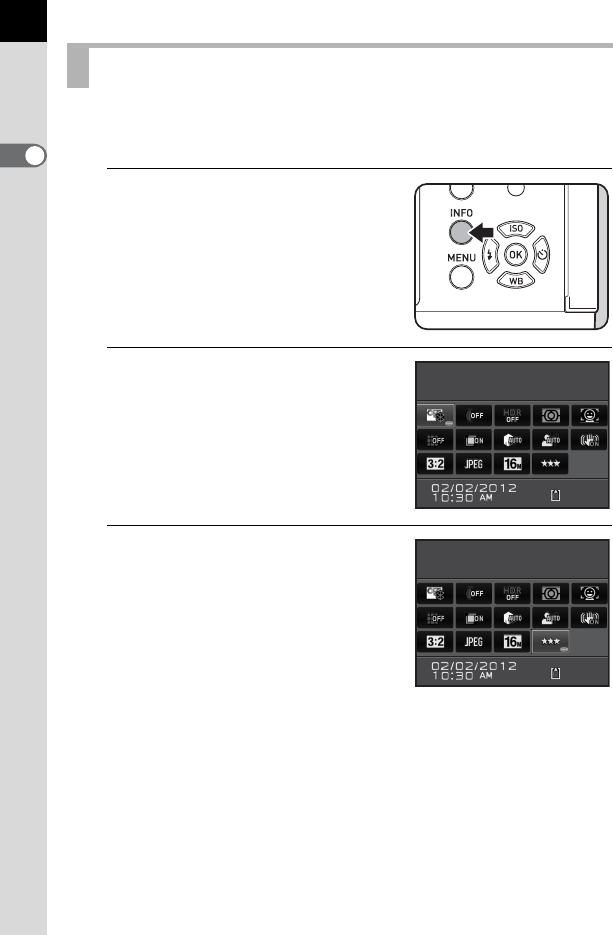
- Using the Control Panel 34
- Using the Menus 35
- Press the 3 button 37
- 2 Getting Started 39
- Attaching the Strap 40
- Inserting the Battery 41
- The battery cover opens (2) 42
- Battery Level Indicator 43
- Battery) 44
- Getting Started 45
- Open the card cover in the 47
- Close both covers properly 48
- Attaching a Lens 49
- Remove the front lens cap 50
- Turning the Camera On and Off 51
- Initial Settings 52
- Setting the Date and Time 54
- 3 Basic Operations 57
- Basic Shooting Operation 58
- Basic Operations 59
- Turn the e-dial 63
- Compensating Flash Output 63
- Shooting with Auto Flash 64
- Shooting with Manual Flash 65
- Reviewing Images 66
- Deleting a Single Image 67
- 4 Shooting Functions 69
- How to Operate the Shooting 70
- Rec. Mode Menu Items 71
- Movie Menu Items 73
- Custom Setting Menu Items 74
- Dial indicator 76
- Auto Picture Modes 77
- Scene Modes 78
- Exposure Modes 80
- Setting the Exposure 81
- Changing the Exposure Mode 83
- When set to a or L mode 84
- Set the mode dial to p 85
- Bulb Shooting 85
- Adjusting the Exposure 86
- (Exposure Bracketing) 87
- (AE Lock) 89
- Selecting the Metering Method 90
- Focusing 94
- Setting the Autofocus Method 95
- Checking the Focus 97
- Focusing Using the =/L Button 98
- Manually adjust the focus 100
- Press the d (G/R) button 101
- Function 102
- 4 button 103
- Shooting with the Self-timer 104
- Shooting Functions 105
- Taking Pictures Continuously 108
- Interval Shooting 110
- Multi-exposure 113
- Take the picture 114
- Recording Movies 115
- Connecting a Microphone 117
- Movie recording starts 120
- Movie recording stops 120
- Interval Movie 121
- Playing Back Movies 123
- Editing Movies 125
- 5 Shooting Settings 127
- Setting a File Format 128
- File Format 129
- JPEG Recorded Pixels 130
- JPEG Quality 131
- Color Space 131
- Setting the White Balance 132
- Shooting Settings 134
- Correcting Images 135
- The control panel appears 136
- HDR Capture 137
- Lens Correction 140
- Custom Image 142
- Press the 4 button 144
- Digital Filter 146
- Automatic Exposure 149
- Playback Functions and 155
- Image Editing 155
- Functions 156
- Playback Menu Items 157
- (default setting) 158
- Magnifying Images 159
- Displaying Multiple Images 160
- Starting the Slideshow 163
- Rotating Images 164
- Deleting Multiple Images 165
- Deleting All Images 166
- Processing Images 167
- → Four-way controller (2345) 168
- Developing RAW Images 176
- 7 Changing Additional 185
- Set-up Menu Items 186
- Camera Settings 188
- Changing Additional Settings 189
- List of World Time Cities 191
- Bright/Dark Area 192
- (Memory) 197
- Resetting the Camera Settings 198
- File Management Settings 201
- Creating New Folders 203
- Does not embed copyright 204
- Setting the DPOF Settings 206
- 8 Connecting to a 209
- Computer 210
- Saving Images on a Computer 211
- Connecting to a Computer 212
- Using the Provided Software 213
- 9 Using the Flash 217
- Using the Built-in Flash 218
- Using the Flash 219
- Lens Name 221
- Lens Name Restrictions 221
- Using the P-TTL Auto Flash 223
- Extension Cord 225
- 10 Appendix 227
- Default Settings 228
- O (On) Yes 230
- P (Off) Yes 230
- [A Custom Setting] Menu 233
- Lens Combinations 234
- Lens names and mount names 235
- Lens and Built-in Flash 235
- Setting the Focal Length 236
- Using the Aperture Ring 237
- Appendix 238
- Cleaning the CMOS Sensor 239
- Removing Dust with a Blower 240
- Optional Accessories 242
- Flash Accessories 243
- Remote Control 244
- GPS Unit O-GPS1 245
- Camera Case/Strap 245
- Using the GPS Unit 246
- Error Messages 247
- Troubleshooting 249
- Main Specifications 252
- WARRANTY POLICY 265
- Declaration of Conformity 268
Manuais e produtos relacionados com Câmaras de segurança Sharp FO-K01
 (41 páginas)
© 2020, manymanuals-pt.com. Todos os direitos reservados. | 0.044 s |
 Manymanuals.com
 Manymanuals.de
 Manymanuals.fr
 Manymanuals.it
 Manymanuals.pl
 Manymanuals.cz
 Manymanuals.es
 Manymanuals-pt.com
Comentários a estes Manuais