Sharp UX-B800SE Manual do Utilizador Página 46
- Página / 76
- Índice
- RESOLUÇÃO DE PROBLEMAS
- MARCADORES

- UX-B800SE 1
- Table of Contents 3
- Introduction 4
- Important safety information 6
- A Look at the Operation Panel 7
- Letter keys 8
- 1. Installation 9
- Approx. 200 sheets 10
- 1. Installation 11
- Approx. 480 letter pages 11
- Approx. 800 letter pages 11
- FUNCTION 13
- Speaker volume 15
- Handset receiver volume 15
- Ringer volume 15
- 2. Fax to E-mail 16
- Connecting the Machine 18
- ♦ If [IP ADDRESS/DHCP: FAIL] 18
- E-mail Settings 20
- SPEED DIAL 21
- RESOLUTION/ 23
- RECEPTION MODE 23
- Fax to E-mail Transmission 24
- 3. Sending Faxes 26
- Removing a document from the 27
- Resolution settings 27
- Contrast settings 27
- Sending a Fax: Normal Dialing 28
- Using an auto-dial number to 31
- Automatic redialing 32
- 4. Receiving Faxes 34
- 5. Making Copies 36
- 6. Special Functions 37
- 33/G1 34/G2 38
- Display messages 40
- Caller ID list 40
- Deleting calls from the list 40
- (Requires Service) 41
- Receive Fax to E-mail 44
- Printing forwarded faxes 44
- Printing a report 44
- Setting a secure code 45
- Activating Secure Receive 45
- Printing received faxes 45
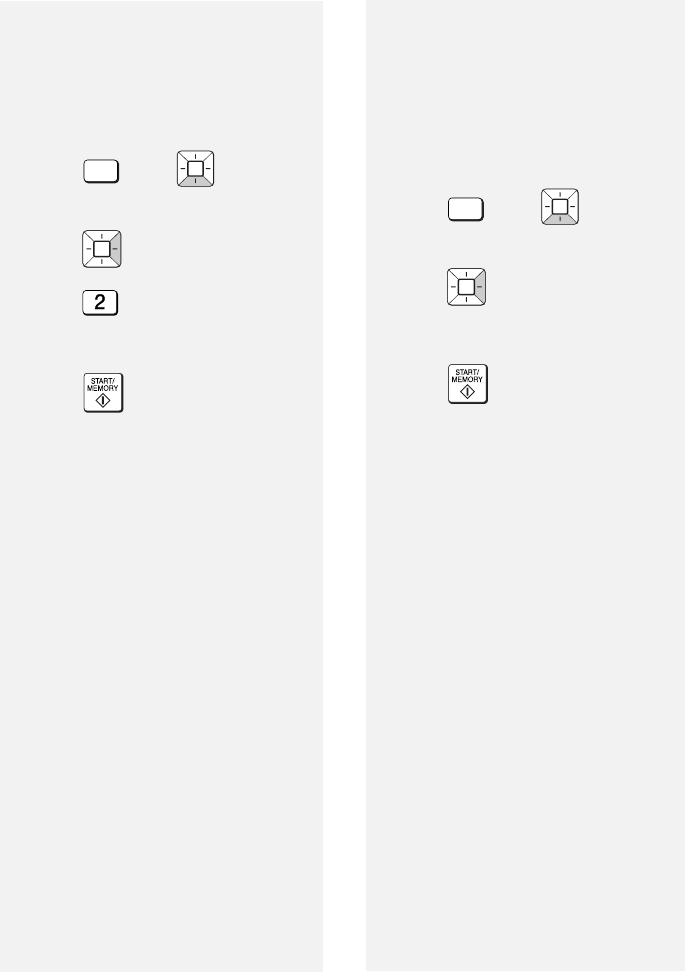
- Deactivating Secure Receive 46
- Clearing the secure code 46
- Option Settings 48
- 7. Option/Print 49
- Settings 49
- Print Settings 50
- 8. Printing Lists 52
- Transaction Report 53
- 9. Maintenance 54
- Wiping the print nozzles and 56
- Cleaning the cartridge holder 57
- 10. Troubleshooting 58
- Problems and Solutions 59
- 10. Trouble 59
- Messages and Signals 61
- Clearing a jammed document 64
- Ordering Parts 65
- FCC Regulatory Information 66
- S H A R P 67
- Quick Reference Guide 70
- Guía de referencia rápida 71
- Web page in machine, 17 74
- LIMITED WARRANTY 75
- SHARP ELECTRONICS CORPORATION 76
Manuais e produtos relacionados com Impressoras Sharp UX-B800SE
 (220 páginas)
(248 páginas)
(8 páginas)
(2 páginas)
(152 páginas)
(36 páginas)
(54 páginas)
(130 páginas)
(56 páginas)
(183 páginas)
(172 páginas)
(6 páginas)
(2 páginas)
(4 páginas)
(220 páginas)
(248 páginas)
(8 páginas)
(2 páginas)
(152 páginas)
(36 páginas)
(54 páginas)
(130 páginas)
(56 páginas)
(183 páginas)
(172 páginas)
(6 páginas)
(2 páginas)
(4 páginas)
 (12 páginas)
(2 páginas)
(2 páginas)
(2 páginas)
(2 páginas)
(12 páginas)
(12 páginas)
(2 páginas)
(2 páginas)
(2 páginas)
(2 páginas)
© 2020, manymanuals-pt.com. Todos os direitos reservados. | 0.034 s |
 Manymanuals.com
 Manymanuals.de
 Manymanuals.fr
 Manymanuals.it
 Manymanuals.pl
 Manymanuals.cz
 Manymanuals.es
 Manymanuals-pt.com
Comentários a estes Manuais