Sharp FO-150 Especificações Página 1
Consulte online ou descarregue Especificações para Máquinas de fax Sharp FO-150. Sharp FO-150 Specifications Manual do Utilizador
- Página / 162
- Índice
- RESOLUÇÃO DE PROBLEMAS
- MARCADORES


- FACSIMILE 1
- Introduction 2
- Important safety information 4
- Table of Contents 5
- A Look at the Operation Panel 7
- 1. Installation 9
- Connections 10
- 1 Press once and once 11
- 2 Press once and 3 times 11
- 3 Press once 11
- 4 Select the dial mode: 11
- 5 Press to exit 11
- Extension phone (optional) 13
- Loading the Imaging Film 14
- 5 Insert the green gears 15
- Loading Printing Paper 16
- 2 Press once and twice 17
- 4 Select the print contrast: 17
- 1 Press once and twice 18
- 2 Press once 18
- 7 Press 19
- Setting the Date and Time 20
- 8 Press to start the clock 21
- Setting the Reception Mode 22
- Volume Adjustment 23
- 1 Press or 24
- 2. Sending Faxes 25
- Loading the Document 26
- Resolution settings 27
- 1 Load the document(s) 28
- 4 Press 30
- 6 Press 31
- 2. Sending 32
- 8 Press 33
- Automatic redialling 35
- Sending a Fax From Memory 36
- Memory transmission 37
- If the memory becomes full 37
- 3. Receiving Faxes 38
- Using A.M. Mode 39
- Using FAX Mode 40
- Using TEL Mode 41
- Optional Reception Settings 43
- 4. Making Copies 47
- 2 Press once and once 48
- Changing the outgoing message 50
- Optional A.M. Mode Settings 51
- 2 Press once and 5 times 52
- 2 Press once and 6 times 53
- 2 Press once and 7 times 54
- 6. Special Functions 55
- How Caller ID operates 56
- Display messages 56
- Viewing the Caller ID list 56
- 1 Press twice 57
- Priority Call 58
- Blocking voice calls 59
- Service) 60
- ANTI JUNK # 61
- 1=SET, 2=CLEAR 61
- ENTRY MODE 61
- 7. Printing Lists 62
- Caller-ID List 63
- Transaction Report 63
- 8. Maintenance 65
- Scanning glass and rollers 66
- The housing 67
- 9. Troubleshooting 68
- Problems and Solutions 69
- Answering machine connection 71
- General problems 72
- Messages and Signals 73
- Audible signals 75
- Clearing Paper Jams 76
- Quick Reference Guide 78
- 1=TONE, 2=PULSE 91
- O"T 92
- ?/@A_?/@Aö÷ 92
- <MD 96
- _"T¾ 98
- Mÿ563 99
- START/MEMORY 100
- ®¯°ñ?®¯¥¾ 101
- 01-JAN 10:30 102
- 01-JAN 10:30 102
- ®¯°ñ?®¯: 104
- K "#"T 105
- &'!_xy! 107
- "#"T 109
- "#"T 110
- zST5956 111
- _¨¾ 112
- ¾ 113
- º"#"T 114
- RESOLUTION/ 115
- RECEPTION MODE 115
- "#"T 116
- z5956 117
- 118
- G̸7:~ 119
- 7"T:~ 120
- G´°²7fg:~ 121
- "TÓý 122
- "T 123
- "T¾ 124
- ¨¡Æ¤ 125
- ¢£Æ¼ 126
- COPY/HELP 127
- NUMBER OF RING 128
- 129
- ¤TÂ7ÅÆ 130
- PG̸7:~¿ÀÁ 131
- ¨¡A_o_ Â7.¤ 132
- ¨¡A_o_Â7.¤ 133
- ®¯°ñ?ý®¯ 135
- §´®¯¨`©ßª 136
- «3¬¨`©ßª 140
- "T 141
- FUNCTION 144
- _"# 149
- "#"T 158
- 158
- (TINSQ4241XHTZ) 162
Resumo do Conteúdo
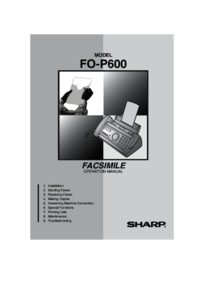
MODELFO-P600OPERATION MANUALFACSIMILE 1. Installation 2. Sending Faxes 3. Receiving Faxes 4. Making Copies 5. Answering Machi
Connections91. InstallationConnectionsConnecting the handsetConnect the handset as shown and place it on the handset rest.♦ The ends of the handset co
!¤ ¿À}~_$%1$WG%&$GGDWb2#$WG G_G GWb3$WG G4lmY}~D_Â7E;b*G}GG•0VW"ß· ñ¼VW,="!"M0H×/FU
!KE5lmYD_Â7EYEKY¡KY¢¡Vu£¤:b*GG6lm7¥_:b*KEEGGGGG7lmY$D_Â7EE;K:V¦Y6§D_Â7EE;¤:b*¤wKGGGG8$W
ÆK ¿À|}~ÿ567Ì©^Æ5956 ´µ:̪7"T::ÈÉÿ$±§Æ56"ß¡ºã/567ñSTÆÉÊ$Æ59Ô§56/´°²7fg::ãhû±&Æ/ÿ>¨Ð±ã§Æ56&qu
e3KK6jÑCÿ¨Ð±½þ½¸½þ½¸§eèéëì¦3/1$WG2$WG G èG,ZcYdcYXÑC«¬bG•#Ï· ´ôèé/®1945 67802 3®¯°ñ?®¯:SPEAKER:HIGHSPEAKER:MIDDLESPEAKER:LOW7®GGGGG
e3K 1$WG GèG b7Ûí±$WGÓý4±²³´#/0=qÄm-.b:•ëì¦ñ¡3gëìÏ"!"®¯°ñg2 !/2þQOP(µ¶Gµ¶z°wG·G¸7120*R¹ò"º:Û$WG bSTART/MEM
KK "#"T"#-.no_Cÿ¡ºÏ<M@äÏ<Mi@"ñ±ÿ ¨Ý9D¦ì<MÝ=Cg/*"#ñ?ÝOh×äi/"TÝ»¼st½¾¿À=Âb 210 mm
<MÝKK "#"T]é{♦ ¦ÎÏj¥kdqlkmdälndAü/♦ñÝ9MÝ9D¦þ¾"ÝAüqüoKsp/♦ñÝ<M9D¦þ¾"ª©qirqsr sKÝZ/{"567¨
eK6j&'!_xy!È©"ÿ¨59Ýþ¾e/*¤$û±&59Ý"&ÆÝÎ/&'!¿ÀÁ±´Ì¶¹Ì¹ 7Å: &Ý"
eKK "#"T*ÈÉÿбÀ'Ò¿ab.äÆ)пpÀ'Ò¿gb.59Ý"Æþ567Ì©+«/{"ÿ567ñSTб2hû±¨¡¤/1Äm-.b•ÿ<
z5956KF1Äm-.b•È©"ß· ] ä/2²³Óýè$WG bÏÓÑb3t$Wºv|}="T¾b4«Ð|b7Ñó|}="T¿ÀÁOÝÓZ"Tèx=|ÓRÑb•ÈÉþÆî&quo
Connections10Connecting the telephone line cordInsert one end of the line cord into the socket on the back of the machine marked TEL. LINE. Insert the
zST5956K¤K "#"Tt"#"Tÿhi¨567ìÕÖ012ST56ä´µ3/♦ST3"ß· \W®¯°ª3"!"· /Ý"T_fg¾Ö×Z
zST5956E5t$WE-º7þWXXY:VlmÝbOlmGGEÂ7þQOqÊlmÝÛ,|3;TUG:b:ÆrApÐXffffBBLfff f♦ÅYM¨«·¸2Ø×Ù"ßMZ×Ù"·/♦M
zST5956K "#"Tßà_¨¾ÈÉÿþ¾ÕÖST3äk3"ßæ`ïð:1#$WG G_G GWb2$WG GèG,ZcYdÏ>Oßà訾b3$WG4P(G°¹µ´7ßà:èG²°Ì7¨
zST5956K8$WG9|dTUGKGVßàè¨ÞE¾è$WG GV|d}~_$%cYdbSTART/MEMORYSTOP¾¡ÕÖ56ä´µ3"ÿ#¨Ð±Y5956ä´µ/1þQO"#"TÛÄm-.b•È©"ß
zST5956K "#"Tt,|$º"#"Tÿ¨Ð±×¸§MÝ3"!"· ¸Nã/ÈÉÿΨ56¾ þµ"ÿ¨Ð±ãþÏÝ3/START/MEMORY1Äm-.b•È©
zST59561þQO"#"TÛÄm-.b•È©"ß· ] ä/2$WG bcYdÏÝ>Gæ°¹µÌ²ç7ÛÜ:%&>&v¾bÛí>¾ROv¾b
z5956K "#"Tt"#"Tÿ¨ñݼ567ì"!"z59Ý/P¨µw59Z$$ÿzæ`é©#¨ñ5659¼i2¥ý/59ª«""Ýñ?STk
z5956"#ÿ>¨zñ5659¼2ý3/59¼&1ý3 "ãÍ?ÿµ{üÜI®:ÿΨWé©Ýe"#Z¯0çÝ">¨Ð9D¦°Q!§Ô`FGé©/6ÅêÍÎ"#$Û$WG b• ±
|}"T |}"TG´°²I̪7fg I "T:~P(G´°²I̪7fg I "T:~Û$WG,ZcYdÏðñ¬»G ´°²I̪7fg I "T:bRESOLUTION/RECEPTION MODEÆ
бA_o_Â7.F2$WG%&$GG¥Wb3$WG b4lmVWXîò$%OÂ*GG5$WG GV|d}~_$%cYdb;Æ¿- ;[01Æ¿- 01[O1Æ¿- O1[L1Æ¿- L1[STOP1234G̸7:~¡º
Connections111. InstallationComments:♦ The fax machine is not designed for use on a line which has call waiting, call forwarding, or certain other spe
бÀAÁ56.¤ |}"TÆ?ÀAÁ56. "567ñ?ëì"STÆÉÊ"$Æ59Ô§56/♦ÈÉÿ567Æîþ¾`îï"ÿ¨þµ$]äÆ56ÈòB1@б(¿¬Ã´µÄªí
б(¿¬´µ.E2$WG b3$WG b4lmX127<GKG;GGÿÂ:b*GR12G5$WG GV|d}~_$%cYdb*ÈÉÿб«3¬"ÎÆí¤È"567ñ?ëì"ÆîÉÊ/3STOPG´°²7
б(¿¬´µ. |}"T1Þ"T12$²³Óýb2þQOÓZ"TÛ«ZcYdÏcYG°°µúµ¶z7xÞ|}:û&üÝÓýÄdÙÚb3þQx=_OýíÓg%&þ"#"TÛÞÓg&$WG
¨¡Æ¤K2þQOÓZ"TÛ«Ð"Tdr76Ý»dr:%&þÏÓýb3þQ"T»drèx=_OÓg&þ"#"TÛÞ6Ï$W%&$DWG 7eóÑ)fg:bJÝÓ"
¨¡Æ¤ |}"T3$WG b4$WG G VÍ!]^è$WGVÝ]ò"bGG5$WG GV|d}~_$%cYdb12STOP®¯°ñ?ý®¯ÿ¡º"!"®¯:CALLER-ID1=YES, 2=NOâøù!"T
¨¡Æ¤|}y567S s?STævÆWÝ=C"]öD=C/PI¨H?ÍÝOhfÎ/È©"ÿ¨´ôãÍ"$ÏÐÜvÆWÝ/♦ÈÉÝ|ѽX]öDÜv"½¾}Çñò@/P
¢£Æ¼ |}"T|};ÎÏÈ567ÎDq¨³ä³D."59Ô§56ñ?Ƽì/ÿñÝƼ "®¯°ñ?ÀAÁpÁ'Òo¿oÑp56sƼì.²"$
wÿ567>¨±§¹Ý/ÿ¨Ð±567¹ÇäiÇÝ÷Ç0çÝhi¨¹MMÇ."Pÿ567ÕÌÖ<±¹7Í/1Ý-.xlWÄm7GEGL:b• È©"ß· ] ä/¹×
¹ w1#$WG G_G GWb2#$WG G_G GWb3$WG b4$WG GVÝ=w¿ÀZGÈ°±7R-.Ýqvw:è$WG GVÝ=w¿ÀZG¶7¹ÝvwÞS¡L:b5$WG GV|d}~_$%cYdbFUNCTION12STOP
F ||È©"ÿ¨ñÂ7ÅƼ567´°²±°´7fg¿À:/Pñ$ÿz ÆÂ56/♦ÙÚ*ÈÉFñÂ7ÅƼ567´°²±°´7fg¿À:Ȫ¯."èéñÎÏ01æ`/17WG´°²±°´7f
Connections12Extension phone (optional)If desired, you can connect an extension phone to the TEL. SET socket on the fax.♦ To connect an answering mach
¤TÂ7ÅƤ â>ûÿxÂ7z²¸Ñºo¹"5956§´Ø·GNã¸/È"ÿ¨¦Ù²:ÃÿÁ"P/AI-</Î÷Æîÿ§´/ß"Âä·ÿ567
¨¡A_o_Â7.¤E~=ÿz "ÿ Â7ñ?Æ§´"$²<z²/§´Ø¨Â/P¨ !("567ñâããýöÈ·ä/ÈÉÿ567bW56äyz^[åâ !"Yñ?èæ·$NãÆ
¨¡A_o_ Â7.¤ ¨¡ºåâ !?¼1[/S âëb !s?B[/ã¤ñÐÜiÂ7ìWhç/_"ÿ¨¨íÂ7ì !§eã¤/¿Â7 !¨l1àZ&äî&
¨¡A_o_Â7.¤KôõÍÎ$%ÿ¨Ð±ã¤§4ð¤Tâëb !Í/È"ÈÉÿÂ7z²NãùM !H567ñýbW56"ÿ¨Ð±ã¤§4ðåâbNã"P567?|bW !Xèæ·
¨¡A_o_ Â7.¤ >¥¦N¤ãÍ""ÈÉÂ7õ&¿|ÎÏ;ëì"Æ"ñ?õ567Æî/P¨Hÿ#ÐÂ7óGs¦¼($"äÂ7ç©N¤ "ô¨
]^fcY7ÞíÛ:ÈÉÿ½´<©ß§´®¯ª"ÿ¨567ëì ®¯§´Ø 3/ÙÚ*♦бãÍ"ÿ½´<©ß§´®¯ª/♦ÿ567¨ÎÏ¿§´®¯ªööб/1#$WG G_G G
§´®¯¨`©ßª. ]^fcY]^=ÿÆÉÊ "®¯°ñNãòëì¾~"²¢§´Ø´µ3/ãf?\®¯"\W·ì?®/*¿§´®¯ª¨?µ{§´Ø/P"®¯°
§´®¯¨`©ßª.1$GGDWb2$WG GèG GVB¡b3þQOv¡=$E¾ÛB¡,ZcYdÏ>¾b•"T*ÈÉÿ 5956"ß<MÝ"!"· /567ñ?Nã59/•vfg*ÈÉÿ
§´®¯¨`©ßª. ]^1$WG%&$GGDWb2#$WG G_G GWb3$WG b4$WG GVÖ×¾b7¨OÖ×¾Û$WG%&3;TUGb:5t$Wºlm¾7lmGKEG_:bG6$WG GVÖ×7è¨:
§´®¯¨`©ßª.FÆÇ|}ØÑfN¤§´®¯Í""ÿ¨Ð±çcì®Æ56ªí%ÜÆ56Í"®Æ§Sÿ¼%ÜÆ3þa3§´56/P"ÈÉWa3§´ä56§Sÿs¼?Ãûü3Ë3"
Loading the Imaging Film131. InstallationLoading the Imaging FilmYour fax uses a roll of imaging film to create printed text and images. The print hea
«3¬¨`©ßª.¤ ]^Ñ7ÞíÛ:ÈÉÿбõýþ´ÿ¸r³j³j (µµ³k¹ µ {r³kµLäÀµLª"ÿN¤«3¬Í/N¤õÍ""567?©a3§´
®Æ56E1$WG%&$GGDWb2$WG%&$GGDWb3$WG b4$WG GVÖש{|}¾è$WG GV¨OÖ×¾7þQO¨¾Û3;TUG:b5$WºVlm"T¾7GKEG_:bG6$WG%&$WG
vw¡ vw¡ÿ¨¨®¯sM567¤fþ¡/P¿¡ñuÅat/¡"ßæ`ïð/1#$WG G_G GWb2$WG b3$WG GèG G,ZcYdÏ>X¡b4$WG b5$WG GVvw¡bFUNCTIO
¡KfcY¡ã¡®¯©´ÿhûW012ÉÊþfã¡$ÿб§´®¯Í Ψб./ìí)*567èéÝe"?STæ`"{ÿªÉ/567S ?$ÊVW Îã/♦ÿÎÏ4 æ`/ìí)*(±°¶¹°I
¡ vw¡ìí)*vw:.ÿ¨æ`ÊÝ/ßæ`ïð/1#$WG G_G GWb2$WG%&$GGDWb3$WG b4$W<GG;GGÂVP(vw:.b5$WG GV|d}~_$%cYdb̲ÐÌȱG·µ¶´7M$vw:÷Ï59q
F ¢£wÂñß&1× "Hdehç/*× þ¾"ß{D|}ìZDE/1#Wfgh_fh%&vÍ7$WG➊:b2<vwW=7>4Ý]ÄÞL/Ïb3345è67È89wÂñb×ØU•
òKF ¢£4ÝÄdvwW=b5Yùú,ZA[%&\Ï7$WDVí]^mÀ_:bst:_`Cß&1 !"H59|ç"©hç/* !þ¾"ß{D|}ìZDE/
òK2;Í<5`CDF5=b3>?89st:7_ó<5`CW:_`Cb• Hskª©#$%Èo."|?#$%ñ?59|çie&\Ê/þQst:@VAÈÉÿÊ'k#"ÿ¨åÐ
¤ ¥¦§¨¤ ¥¦§¨C(_&Ñ=¼hiC(&Ñ=¼®¯°¬'Ò¿¿ppÑp·VW.²/åg2æ`èé/ÈÉVW4!Ö"ßÇP:• ÇPÅÆ/´°²²µ¶°7fghi:WÅÆxyz<=/• H
¯°±þÏF_"#C(C(&Ñ=¼ÿ`îïä·¸ îW3/• HîïÅÆsÅƼ0H/ߧ=òM@ÅÆîï/ÎÏ/• H´Ës0HM´Ë/• H´µ·s0HÅƼ´°²²µ¶°7fghi:/• Hsñ56
Loading the Imaging Film144 Remove the new roll of imaging film from its packaging.• Cut the band that holds the rolls together.5 Insert the green gea
¯°±þϤ¤ ¥¦§¨|}_wC(C(&Ñ=¼´ËsN¤"_ÎÏÆ/• H´µsM ´°²²µ¶°7fghi:"X´°²±°´7fg¿À:/åÆÝ "§Q9@/• HõÝs0H<M59þ5679
¯°±þÏE|C(&Ñ=¼Â7ÅÆÎÏ01èé/• H567Æs? A_o_ Â7./• H567 ´°²²µ¶°7fghi:sÅƼ/H567´°²±°´7fg¿À:sÅƼÂ7´µ·XlÂ787./•
¯°±þϤ ¥¦§¨C(C(&Ñ=¼Ð±èé üÜý/•ÈÉÿèéù&N¤äA ñîï<Vù"¨?V3üÜý./xyV3"ßñîï<Vùþ¾´ôèé·./ÎÏ567ìÕÖST3/• H
²Kû_cYdû*ÈÉÿsN¤§´j¥Í"ߧ=ò;;@de§´j¥+´®¯°²/AÐAпpÒ]Ðp¿ÆÆÆ(Ap(H¿R@DE$ ] ·Æ(Ap(ÃNãĸ.²¢².ßÇPD/ÈÉ|}Q"ßR@DE&q
²¤ ¥¦§¨o¿oÑp'ÆÀ)¬¬]Æ¿¿oAÒ)A¬s¼]ߧ=èéêë.²¢².s¼/ÈÉsÆfÎziX567EÎÏî ñF§"Æ56 ¨?ã²/ÈÉ567ÎÏ568@²?¼õ¯
²R)ÅY30[ ߯59qÆ乪«/!H30Ï.;[ë["[.߯59qÆä¹Ý/àZ!H30;[ë1_f["1_0[.߯îïFÇ/
k³D¤ ¥¦§¨¨,/¨,@-.ÈÉ0çÝ59ä¹ ç©0H9M"䮯°Ñ-)o¿Ò(ÓAoo¿Ý@³ø.²"ßå· /ÈÉÝÎÏ¢"ß·ÞªíZÝ/ÙÚ*ÈÉF·ÞªíEN@³øÝ"ß
k³D1vÍ7$W➊:b2<"T=eeãA>,/4ívwWEè`CÏqFG/Hb3Yùú,ZA[%&\Ï7$WDVí]^mÀ_:b¨I,@vw/4$W<5`CDF5=bYùú,ZA[%&
© ª«¬"#"TñÝhi1@.0u8<MÝ9D¦/ÒÓG_`îïä· /L_563/0_ÚÆ ÈÉ©÷Æî"ßþ·F567Nã¸./B_· /_· ä \W®¯°þ£
F-ÂA_o_Â7.ÆNBMÀAÁ56.ÆNLN0MÀAÁ56.ÆëìÏN0M(¿¬_¬'Ò¿´µ·.N1(¿¬_Æ¿(´µ.NLNBG(¿¬]ÀAÁ´µ ] 56.ÆN0f(µ]À´µ ] 56
Loading Printing Paper151. Installation1 Fan the paper, and then tap the edge against a flat surface to even the stack. Make sure the stack edges are
KI¤¢'J<MÝNL;<MDEN;NLO´ËNMÂ7ÅÆÌÍLkNf1ÅÆNBG¤TNBMÂ7ÌÍN;0â3bNã !N;Lâëb !N;1´µ3ßNO´µN1¢¥JNLf¢JNLGSTN0L\
JKÐ(TINSQ4241XHTZ)SHARP CORPORATION
Loading Printing Paper16Print contrast settingYour fax has been set at the factory to print at normal contrast. If desired, you can change the print c
Entering Your Name and Fax Number171. InstallationEntering Your Name and Fax NumberOnce you enter this information, it will automatically appear at th
Entering Your Name and Fax Number184 Enter your fax number by pressing the number keys (max. 20 digits). • To insert a space between digits, press .
1Introduction*Based on Sharp Standard No.1 Chart at standard resolution is Sharp special mode, excluding time for protocol signals (i.e., ITU-T phase
Setting the Date and Time191. InstallationSetting the Date and Time1 Press once and twice.2 Press once and once.3 Press once.4 Enter a two-di
Setting the Date and Time205 Enter a two-digit number for the month (“01” for January, “02” for February, “12” for December, etc.).Example: January
Setting the Reception Mode211. InstallationSetting the Reception ModeYour fax has four modes for receiving incoming faxes:FAX mode:Select this mode wh
Volume Adjustment22Volume AdjustmentYou can adjust the volume of the speaker and ringer using the up and down arrow keys.1 Press 2 Press or until
Volume Adjustment231. Installation1 Press or . (Make sure has not been pressed, the handset is not lifted and a document is not loaded in the feede
242. Sending FaxesTransmittable DocumentsSize and weightThe size and weight of documents that you can load in the document feeder depend on whether y
Loading the Document252. Sending FaxesOther restrictions♦ The scanner cannot recognise yellow, greenish yellow, or light blue ink.♦ Ink, glue, and cor
Adjusting the Resolution and Contrast26Adjusting the Resolution and ContrastIf desired, you can adjust the resolution and contrast before sending a do
Adjusting the Resolution and Contrast272. Sending FaxesNote: In order to transmit in FINE or SUPER FINE resolution, the receiving fax machine must als
Sending a Fax by Normal Dialling281 Load the document(s).• If desired, press to set the resolution and/or contrast.2 Pick up the handset or press .
2As a part of our policy of continuous improvement, SHARP reserves the right to make design and specification changes for product improvement without
Sending a Fax by Automatic Dialling292. Sending FaxesSending a Fax by Automatic DiallingYou can store up to 30 fax or phone numbers in the machine for
Sending a Fax by Automatic Dialling305 Enter a name by pressing number keys for each letter as shown in the chart below. Up to 15 characters can be en
Sending a Fax by Automatic Dialling312. Sending FaxesEditing and clearing auto-dial numbersIf you need to make changes to a previously stored auto-dia
Sending a Fax by Automatic Dialling328 Press 9 Return to Step 2 to edit or clear another number, or press to return to the date and time display.STA
Sending a Fax by Automatic Dialling332. Sending FaxesSending a fax by Direct Keypad DiallingYou can also enter a full number with the number keys and
Sending a Fax by Automatic Dialling341 If you are sending a fax, load the document(s).• If desired, press to set the resolution and/or contrast.2 Pr
Sending a Fax From Memory352. Sending FaxesSending a Fax From MemoryYou can scan a document into the fax’s memory and send the document from memory. T
Sending a Fax From Memory36Memory transmissionYou can also send a fax through memory when sending to a single location. This is convenient when sendin
373. Receiving Faxes3. Receiving FaxesUsing TEL/FAX ModeTo select TEL/FAX mode, press until the arrow in the display points to TEL/FAX.RESOLUTION/RE
Using A.M. Mode382 Press once and 4 times.3 Press once.4 Enter a number as follows for the desired duration: 5 Press to return to the date and
3Important safety informationDo not disassemble this machine or attempt any procedures not described in this manual. Refer all servicing to qualified
Using FAX Mode393. Receiving FaxesWhen the reception mode is set to FAX, the fax machine will automatically answer all calls on two rings and receive
Using TEL Mode402 Press once.3 Press once.4 Enter the desired number of rings (any number from 2 to 5).Example: 3 rings 5 Press to return to the
Using TEL Mode413. Receiving Faxes1 When the fax machine rings, pick up the handset.2 If you hear a fax tone, wait until the display shows RECEIVING a
Optional Reception Settings422 If you hear a soft fax tone, wait until your fax responds (the extension phone will go dead), then hang up.3 If the fax
Optional Reception Settings433. Receiving Faxes3 Press once.4 Press to turn on the function, or to turn it off. 5 Press to return to the date
Optional Reception Settings44Reception RatioThe fax has been set at the factory to automatically reduce the size of received documents to fit the size
Substitute Reception to Memory453. Receiving FaxesSubstitute Reception to MemoryIn situations where printing is not possible, such as when your fax ru
464. Making CopiesYour fax machine can also be used to make copies. Single and multiple copies (up to 99 per original) can be made, enabling your fax
Making Copies474. MakingCopies1 Press once and once.2 Press once and once.3 Press once.4 Press to set copy cut-off to YES (the remaining pa
485. Answering Machine ConnectionConnecting an Answering MachineIf desired, you can connect an answering machine to your fax machine's TEL. SET
4Table of ContentsA Look at the Operation Panel 61. Installation 8Unpacking Checklist . . . . . . . . . . . . . . . . . . . . . . . . . . . . . . . .
Activating the Answering Machine Connection495. Answering MachineChanging the outgoing messageThe outgoing message (OGM) of your answering machine sho
Optional A.M. Mode Settings50How answering machine mode operatesWhile you are out, all of your incoming calls will be answered by your answering machi
Optional A.M. Mode Settings515. Answering MachineTime selections for the period of silence are 1 to 10 seconds. Quiet Detect Time has been set to 4 se
Optional A.M. Mode Settings52Quiet Detect Start TimeThis setting can be used to delay the start of the Quiet Detect Time function. For example, if you
Optional A.M. Mode Settings535. Answering MachineOn A.M. FailureWhen this function is turned on, your fax will answer the call after 5 rings if the an
546. Special FunctionsCaller ID (Requires Subscription to Service)If you subscribe to a caller identification service from your telephone company, yo
Caller ID (Requires Subscription to Service)556. Special FunctionsHow Caller ID operatesWhen you receive a call, the name and phone number of the call
Caller ID (Requires Subscription to Service)561 Press twice.2 Press or to scroll through the list.3 If you want to dial one of the numbers in th
Caller ID (Requires Subscription to Service)576. Special Functions1 Press once and twice.2 Press once and once.3 Press once.4 Press to stor
Caller ID (Requires Subscription to Service)58Blocking voice callsWith Caller ID turned on, you can use the Anti Junk Fax function described in Blocki
Table of Contents56. Special Functions 54Caller ID (Requires Subscription to Service) . . . . . . . . . . . . . . . . . . 54Duplex Ringing (Require
Duplex Ringing (Requires Subscription to Service)596. Special FunctionsDuplex Ringing (Requires Subscription to Service)If you are a subscriber to Ho
Blocking Reception of Unwanted Faxes601 Press once and twice.2 Press once and twice.3 Press once.4 Press to store an Anti Junk number, or
617. Printing Lists7. Printing ListsYou can print out lists showing settings and information entered in the fax machine. The lists are described belo
Printing Lists62Caller-ID ListThis list shows information about your 30 most recent calls. (This list is only available if you are using the Caller ID
Printing Lists637. Printing ListsTransaction Report print conditionYou can change the condition under which a Transaction Report is printed out. Follo
648. MaintenancePrint headClean the print head frequently to ensure optimum printing performance.Note: Remove the paper from the paper tray before cl
Maintenance658. Maintenance4 Place the imaging film back in the print compartment.5 Rotate the front gear until the film is taut, and then close the o
Maintenance662 Flip up the green levers on each side of the white roller.3 Wipe the scanning glass (under the white roller) and rollers with a cotton
679. Trouble-shooting9. TroubleshootingProblems and SolutionsLine errorProblem SolutionLINE ERROR appears in the display.Try the transaction again. I
Problems and Solutions68Dialling and transmission problemsProblem SolutionNo dial tone when you pick up the handset or press the key.• Make sure the
6DisplayDisplay messages to help you operate the machine.RESOLUTION / RECEPTION MODE keyWhen a document is in the feeder, press this key to adjust the
Problems and Solutions699. Trouble-shootingReception and copying problemsProblem SolutionThe power is on, but no reception takes place.• Make sure the
Problems and Solutions70Reception/copying is interrupted.• If reception or copying takes place continuously for a long time, the print head may overhe
Problems and Solutions719. Trouble-shootingGeneral problemsProblem SolutionA loud howling sound occurs when the speaker is used.• Feedback (a loud how
Messages and Signals72Messages and SignalsDisplay messagesNote: If you have turned on the Caller ID function, see page 55 for display messages related
Messages and Signals739. Trouble-shootingMEMORY IS FULL/SEE MANUAL(alternating messages)The memory is full. This may occur during fax reception if too
Messages and Signals74Audible signalsContinuous tone 3 seconds Indicates the end of transmission, reception, or copying.Intermittent tone (3 beeps)5 s
Clearing Paper Jams759. Trouble-shootingClearing Paper JamsClearing a jammed documentIf the original document doesn’t feed properly during transmissio
Clearing Paper Jams761 Open the operation panel (press ➊).2 Gently pull the jammed paper out of the machine, making sure no torn pieces of paper remai
77Quick Reference GuideSending FaxesPlace your document (up to 10 pages) face down in the document feeder.Normal Dialling 1. Lift the handset or press
78AA.M. reception mode, 49Answering machine connectionActivating, 49Connecting, 48On A.M. Failure, 53Quiet Detect Start Time, 52Quiet Detect Time, 50T
7COPY/HELP keyWhen a document is in the feeder, press this key to make a copy. At any other time, press this key to print out the Help List, a quick r
Index79Paper, loading, 15Power cord, 9Print contrast setting, 16Print head, cleaning, 64-65Priority Call, 57Pseudo Ring Duration, 37RReception modeA.M
all.bookPage80Monday,October1,200110:01AM
* !"#$%&'()*(+,- !./0123 456789.:;1<=>?;1@AB=CDE.F89.:
K""`/K?¡¢£¤/2¥7¦§¨©ª«/cYdO,¬-®¯°efghi<±²³´µ¶·jBk'()*(¸--'((¹º0
ßàáâã567äåæ`çèéêëìFíîïð/ßñ567ª©òóôé²õöòó÷øùú/ßà8û©üýþäÿÙ âäб567/È"qqqqÙýtä8ûб567/ßàñW567/ÈÉÊ
1 Fá¡ __________________________GÅÆ ______________________________MâM ___
¥¦ ]^ §´®¯¨`©ßª.________________ ;B«3¬¨`©ßª.________________ ;M®Æ56______________
cYd㮯°ñ?®¯+´²µ¯"¶ÿèé567/°±²³´µ¶I°°·´µ¶G¸¹°7&'! I |}~:º9D¦â©Ý "·ã¸e56ä¹/FG"·ã¸¡ºÆ®¯°» ñ?
·ÈIÉ°²·7w I ÊË:º9D¦â©Ý "·ã¸¹Ý/FG"·ã¸Þ¶ßèé567àZ§á¼â./±´Ì´I¸°¸È7ÍÎ I :º"·ã¸Nã5956/¾·ã¸z5956/³¶´
F ÔÕÖx¡×ØÙÚÛÜÝ"TÄÅÞßà,|áâã=bÛÜÝ"TÄÅÞäåæçÅèé6¿êã=bÜ"TëÏ8ìb íî"TïðñbòóôõÈÉñ567Xÿýþ¼Xuýþ"567¨©&qu
81. InstallationUnpacking ChecklistPoints to keep in mind when setting upDo not place the machine in direct sunlight.Do not place the machine near he
ÅƤ ||ÓýÅÆîïȪ¯.$ñF=&îï}/♦îïÅÆr K+«"|ãY¨M2/ÛíÝÓý|hm"TqÓýUOÓývfgèp"#_|}"Tb|fhñ´Ë
ÅÆE|fghñ´µrM567u?´°²²µ¶°7fghi:"!"ñrM´µ/~*567s?3/ÈÉÿ0б·"ÿñ567?/ß·èéuÚ·¸Èª¯.:1#$WG
ÅÆ Ã*♦ç567±&Ì©§´Úq§´Æäÿ´µ<µ{¿FGÒ媷/ÈÉÿåñ567ªÐ±"¨?59 Æ56² !W¯°/♦ç5673´µ"#+$/♦ÈÉÿªý%&1Ê}
ÅÆKfg67P:È©"ÿ¨ñ´µ87ÅƼ567´°²±°´7fg¿À:/♦ñÂ7ÅƼÿ567"ߧ=òBG@/17W8ÞG´°²±°´7fg¿À:9:b2Ý6fgh|;G´°²±°´7fg¿À:bTEL.LINETEL.SE
âM m567бe×/567ì ?e>?@mÐABWD/ßæ`ïðâMä³/1<?/@A=7>/L?@¬»ÏAÍ7$WG➊:b27>_éBCb37WBCÏDEF5ùúb•GÜHIJ
âM4<V=7>[b• CñDEFG/5mF5ùúb6ÝmvwWb7þXXYYùú,ZA[b8\Ï7D$WVí]^mÀ_:bGÝ`ýab^ÞúCÏíùú^m`ýabW=bc`ýÄÞ&=
<MD 1d5/L%&Þ)Ïef/ghiV]jkb2Ý/gÄm@A=vwlWb•ÈÉ|}ìÜ©DE"ßñFZ$2DEúev/•ß0H<MDE"IDEvwuÔ`/luÔ`¨?QJJK
<MD¿Àvwxy!ÿ567S s?01/È©"ÿ¨ñ¤?¬'ºr(T./"ß··¸:1#$WG G_G GWb2$WG%&$GGDWb3$WG b4P(vwxy!*
Mÿ563 lmO_"T¾OlmuÝ>ÞO"#L-.ObbÞÍÎ"#"TOOlmO_"T7fg:¾buO¿À}~_$%bGFUNCTIONSTART/MEMO
Mÿ563F4t$WºlmO"T¾7GKEG_:bG•×þ!MQ"ß· /M ÃUË"ß· /•kVW"ß· /5$WG GVÝ"T¾lm=b6t$WE-º7þ
Mais documentos para Máquinas de fax Sharp FO-150

Manuais e produtos relacionados com Máquinas de fax Sharp FO-150
 (152 páginas)
(76 páginas)
(152 páginas)
(76 páginas)


 (100 páginas)
(88 páginas)
(108 páginas)
(104 páginas)
(80 páginas)
(100 páginas)
(88 páginas)
(108 páginas)
(104 páginas)
(80 páginas)
 (130 páginas)
 (120 páginas)
 (198 páginas)
(107 páginas)
(12 páginas)
(116 páginas)
(91 páginas)
(114 páginas)
(198 páginas)
(107 páginas)
(12 páginas)
(116 páginas)
(91 páginas)
(114 páginas)
© 2020, manymanuals-pt.com. Todos os direitos reservados. | 0.093 s |
 Manymanuals.com
 Manymanuals.de
 Manymanuals.fr
 Manymanuals.it
 Manymanuals.pl
 Manymanuals.cz
 Manymanuals.es
 Manymanuals-pt.com
Comentários a estes Manuais