Sharp UX-600M Guia de Configuração Página 14
- Página / 118
- Índice
- MARCADORES

- OPERATION MANUAL 1
- MULTIFUNCTION 1
- FACSIMILE 1
- UX600MU FCC-1Laser 2
- Quick Reference Guide 3
- Introduction 8
- Important safety information 9
- Table of Contents 10
- Unpacking Checklist 13
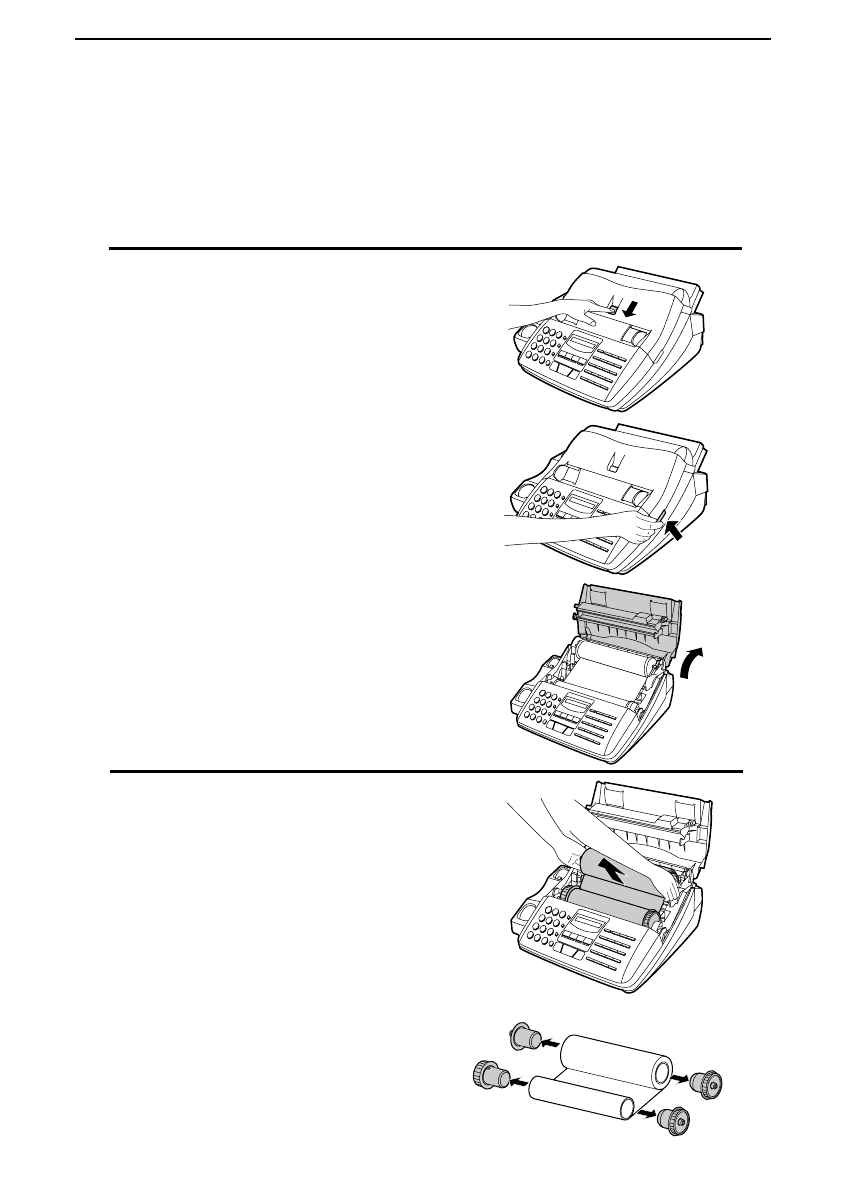
- Loading the Imaging Film 14
- 1 tab 15
- 2 tabs 15
- FUNCTION 17
- Connections 18
- Wall jack 19
- Attachments 24
- Loading Printing Paper 25
- Letter Legal 26
- Regular High quality 26
- Setup Guide 27
- A Look at the Operation Panel 28
- <P=002> 29
- Chapter 2 Initial Settings 29
- (Example) 30
- (Example: SHARP) 30
- Entering Letters for Names 31
- Symbol list 32
- Setting the Date and Time 33
- Daylight Saving Time 34
- Selecting the Reception Mode 35
- Selecting the receiving unit 36
- Distinctive Ring 37
- Storing numbers 39
- Step 3 or 40
- Clearing numbers 41
- Making changes 41
- Storing numbers in Group Keys 42
- Volume Adjustment 43
- Transmittable Documents 44
- Loading the Document 45
- Resolution 46
- Contrast 46
- Cover Sheet 47
- Batch Page Numbering 48
- Dialing and Transmission 49
- Direct Keypad Dialing 50
- Example: 51
- Using the HOLD/SEARCH key 52
- Automatic redialing 53
- Using the REDIAL key 53
- Using Auto Mode 54
- Using Manual Mode 54
- 2 in 1 Print 56
- Reception Ratio 56
- Originals 57
- Not sorted 57
- Copy Cut-off 59
- Telephone Calls 60
- Chapter 62
- Using the Hookup 62
- How the hookup operates 64
- If you have problems 65
- If it still doesn’t work 66
- Optional Hookup Settings 68
- Functions 70
- Substitute reception 73
- Broadcasting 74
- Step 4 or 78
- Timer Operations 79
- To cancel an operation 80
- Entering and Using Programs 81
- Transmission 82
- (Example: 9:25) 83
- Clearing a Program key 84
- Using a Program key 85
- Optional 86
- Settings 86
- Printing 90
- Reports and Lists 90
- Explanation of headings 91
- Transmission errors 91
- Timer list 92
- Telephone Number List 93
- Passcode List 93
- Option Setting List 93
- Anti Junk Number List 94
- Program and Group List 94
- Print Setup List 95
- Transaction Report 95
- Maintenance 96
- Scanning glass and rollers 97
- The housing 97
- Problems and Solutions 98
- Messages and Signals 101
- Audible signals 102
- Clearing Paper Jams 103
- Specifications 105
- MATERIAL SAFETY DATA SHEET 107
- FCC Regulatory Information 109
- Guia de Consulta Rapida 110
- 1-800-BE SHARP 117
- SHARP ELECTRONICS CORPORATION 117
Manuais e produtos relacionados com Máquinas de fax Sharp UX-600M
 (103 páginas)
(123 páginas)
(76 páginas)
(99 páginas)
(20 páginas)
(156 páginas)
(101 páginas)
(80 páginas)
(12 páginas)
(136 páginas)
(156 páginas)
(128 páginas)
(150 páginas)
(104 páginas)
(92 páginas)
(4 páginas)
(138 páginas)
(98 páginas)
(104 páginas)
(103 páginas)
(123 páginas)
(76 páginas)
(99 páginas)
(20 páginas)
(156 páginas)
(101 páginas)
(80 páginas)
(12 páginas)
(136 páginas)
(156 páginas)
(128 páginas)
(150 páginas)
(104 páginas)
(92 páginas)
(4 páginas)
(138 páginas)
(98 páginas)
(104 páginas)
© 2020, manymanuals-pt.com. Todos os direitos reservados. | 0.049 s |
 Manymanuals.com
 Manymanuals.de
 Manymanuals.fr
 Manymanuals.it
 Manymanuals.pl
 Manymanuals.cz
 Manymanuals.es
 Manymanuals-pt.com
Comentários a estes Manuais