Sharp AL-1661CS Especificações
Consulte online ou descarregue Especificações para Máquinas de fax Sharp AL-1661CS. Sharp AL-1661CS Specifications Manual do Utilizador
- Página / 100
- Índice
- MARCADORES

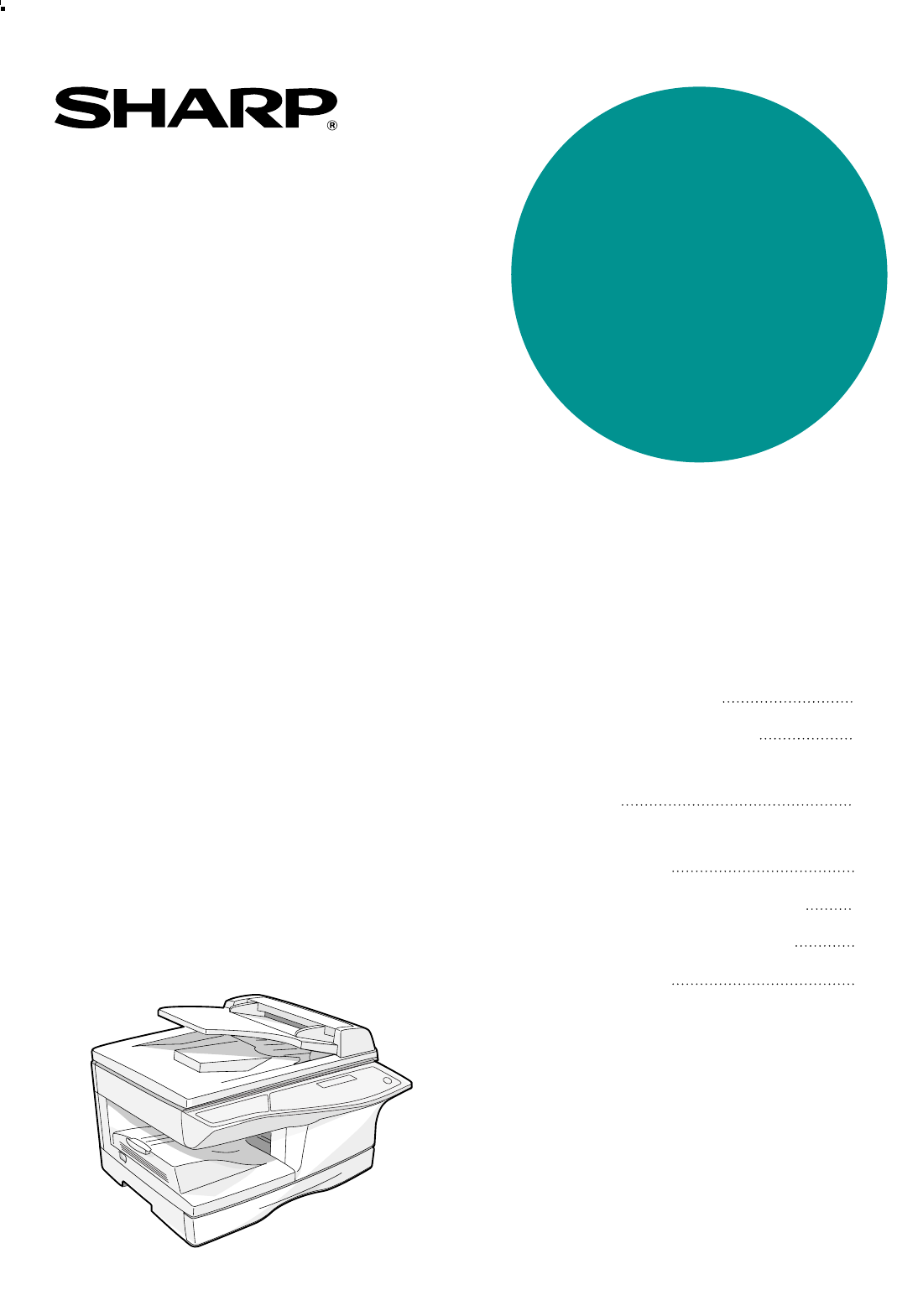
- AL-1661CS 1
- For users in the USA 2
- WARNING: 2
- INTRODUCTION 3
- TYPE OF SERVICE 3
- Important safety information 3
- FCC Notice to users: 4
- TABLE OF CONTENTS 5
- SPECIAL FUNCTIONS 6
- TROUBLESHOOTING 6
- APPENDIX 6
- QUICK REFERENCE GUIDE 7
- Sending a fax 8
- Receiving a fax 9
- LIST OF FAX FUNCTIONS 10
- INSTALLATION 15
- FINAL PREPARATIONS 16
- Comments: 16
- PART NAMES 17
- 272624 2523 19
- USING THE ARROW KEYS 20
- ADJUSTING THE BEEP VOLUME 20
- ADJUSTING THE RINGING VOLUME 21
- "4:USER PROGRAM" 22
- "17:BEEP LENGTH" 22
- "19:BEEPER VOLUME" 23
- FAX SETUP 24
- "2:ENTRY MODE" 25
- "1:SET" 25
- SETTING THE DATE AND TIME 26
- "1:TIME FORMAT" 27
- "2:DATE FORMAT" 28
- Daylight Saving Time Setting 29
- MEMORY indicator 30
- SELECTING THE RECEPTION MODE 31
- SETTING THE DIAL MODE 34
- When the line is busy 35
- SETTING THE RECALL INTERVAL 37
- SETTING THE INDEX FUNCTION 39
- SETTING RESOLUTION PRIORITY 40
- "15:FAX SIGNAL RCV" 41
- DISTINCTIVE RINGING 44
- Storing numbers 45
- "1:FAX NUMBER" 47
- "2:CLEAR" 47
- "3:GROUP KEY" 48
- Press the [ENTER] key 49
- USING THE MACHINE WITH AN 51
- ANSWERING MACHINE 51
- ANSWERING MACHINE BACKUP 52
- ORIGINALS SUITABLE FOR FAXING 53
- UNSUITABLE ORIGINALS 54
- HOW TO USE THE FAX FUNCTION 55
- ORIGINAL SIZE 56
- OPTIONAL TRANSMISSION 57
- SETTINGS 57
- RESOLUTION 58
- CONTRAST 58
- COVER SHEET 59
- MESSAGE FUNCTION 60
- Original face up 61
- DIALING AND TRANSMITTING 62
- CHAIN DIALING 63
- USING THE SEARCH KEY 64
- REDIALING 64
- IF THE MEMORY BECOMES FULL 65
- WHILE SCANNING AN ORIGINAL 65
- CANCELING (DELETING) A 65
- STORED FAX JOB 65
- RECEIVING FAXES 66
- OPTIONAL RECEPTION SETTINGS 67
- RECEIVE REDUCE 68
- WHEN USING MANUAL SENDING 69
- AND RECEIVING 69
- DATA TRANSFER 71
- "1:DATA TRANSFER" 72
- "1:YES" 72
- TRANSMISSION RESERVATION 73
- BROADCASTING 74
- "8:POLLING MODE" 76
- SERIAL POLLING 77
- Selection 78
- "1:ON" 80
- "4:PASSCODE # MODE" 81
- TIMER OPERATIONS 82
- ANTI JUNK FAX 84
- "5:ANTI JUNK FAX" 85
- "2:JUNK FAX #" 85
- OPERATION IN COPY, PRINTER 87
- SCANNER, AND FAX MODES 87
- 5. PASSCODE LIST: 89
- 6. JUNK FAX # LIST: 89
- 7. USER PROGRAM LIST: 90
- ACTIVITY REPORT AUTO LISTING 91
- PRINTING TRANSACTION REPORTS 92
- MESSAGES AND SIGNALS 94
- SPECIFICATIONS 95
- Special functions 98
- Storing/settings 98
- INDEX BY PURPOSE 98
- Fax setup 98
- Faxes, sending and receiving 98
- NOTICE FOR USERS IN 99
- AVIS POUR NOS 99
- UTILISATEURS AU CANADA 99
Resumo do Conteúdo
MODELAL-1661CSOPERATION MANUAL (for facsimile)• INSTALLATION• INITIAL SETTINGS • CHOOSING SUITABLE MEDIA• HOW TO USE THE FAX FUNCTION• SPECIAL FUN
6LIST OF FAX FUNCTIONSThe FAX MAIN MENU is used to configure settings for the fax function and program information such as the fax number of the machi
PRINTED IN CHINA2003L KS➀TINSE1144QSZZPrinted on 100% post-consumer recycled paperAL-1661CSSHARP ELECTRONICS CORPORATIONSharp Plaza, Mahwah, New Jerse
76 : AUTO LISTING Enable automatic printing of the Activity Report when information on a total of 50 fax transmissions/receptions accumulates.1 : ON2
816 : RCV REDUCE When a fax is received that is larger that the printing paper, enable reduction of the fax to the size of the paper to avoid the fax
95 :ANTI JUNK FAX1 : ANTI JUNK SELECT Enable the anti junk function to block fax reception from specified fax numbers.1 : ON2 : OFF802 : JUNK FAX # Pr
10SELECTING SETTINGS FOR THE FUNCTIONThe general procedure for configuring settings for the fax function is explained below. Follow this procedure to
111Chapter 1INSTALLATIONCONNECTIONSCONNECTING THE TELEPHONE LINE CORDPlug one end of the telephone line cord into the jack on the machine marked "
12FINAL PREPARATIONSCONNECTING OTHER DEVICESIf desired, an answering machine or external telephone can be connected to the machine through the telepho
132Chapter 2INITIAL SETTINGSPART NAMESThe following illustration shows the part names of the AL-1661CS.Document glassOperation panelFront coverPaper t
14A LOOK AT THE FAX OPERATION PANELRapid keysPress one of these keys to dial a fax or telephone number automatically.[MEMORY] key / indicatorUsed for
15INITIAL SETTINGS2[REPORT] keyPress this key to print out a report of a fax transaction and also when receiving a confidential fax.[SPEAKER] keyPress
Caution• Use only the line cable that was provided with the machine.• To reduce the risk of fire, use only UL-Listed No.26 AWG or larger telecommunica
16ABOUT THE LIQUID CRYSTAL DISPLAYThe machine is equipped with a two-line liquid crystal display (LCD) on the operation panel for displaying various m
172ADJUSTING THE RINGING VOLUMEAdjust the ringing volume of the machine using the procedure below.1Press the [MENU] key.2Press the [ ] key ( ) or [ ]
18SETTING THE LENGTH OF ALARM BEEPSYou can select the length in seconds of the alarm beeps (emitted at the end of transmission and reception) followin
192ADJUSTING THE ALARM BEEP VOLUMEAdjust the volume of alarm beeps (emitted at the end of transmission and reception) using the procedure below.1Press
20FAX SETUPHOW TO ENTER CHARACTERSYou can enter letters with the numeric keys. Letters are marked above each of the numeric keys [2] through [9]. To e
21INITIAL SETTINGS2ENTERING YOUR NAME AND FAX NUMBERTo have your name and fax number printed at the top of every page you transmit, program them by pr
22INITIAL SETTINGS8Press the [ENTER] key.9Press the [ ] key ( ) or [ ] key ( ) until "2:ENTRY MODE" appears, and then press the [ENTER] key.
23INITIAL SETTINGS2To change the display format to 12-hour or 24-hour format, follow the steps below:1Press the [MENU] key.2Press the [ ] key ( ) or [
24INITIAL SETTINGSTo change the order of display of the date, follow the steps below:1Press the [MENU] key.2Press the [ ] key ( ) or [ ] key ( ) until
25INITIAL SETTINGS2Daylight Saving Time SettingEnable this setting to have the internal clock automatically move forward and backward at the beginning
iINTRODUCTIONTYPE OF SERVICEThis equipment may not be used on coin service provided by the telephone company. Connection to party lines is subject to
26INITIAL SETTINGSSELECTING THE TRANSMISSION MODEThe machine has two modes for sending faxes: memory transmission and direct transmission. To change m
27INITIAL SETTINGS2SELECTING THE RECEPTION MODEYour machine has three modes for receiving incoming calls and faxes:● AUTO mode:Select this mode when y
28INITIAL SETTINGSSETTING THE NUMBER OF RINGS FOR AUTO RECEPTIONYou can set the number of rings before the machine answers in AUTO mode using the proc
29INITIAL SETTINGS2SETTING THE NUMBER OF RINGS FOR MANUAL RECEPTIONThe number of rings before the machine answers in MANUAL mode can also be set. If y
30INITIAL SETTINGSSETTING THE DIAL MODEThe machine can be used with both touch-tone and pulse telephone lines. Touch-tone uses tones of different pitc
31INITIAL SETTINGS2SETTING THE NUMBER OF RECALL TIMESThe machine will automatically reattempt transmission when a transmission is not successful becau
32INITIAL SETTINGSWhen a communication error occursYou can select the number of recall attempts made when a communication error occurs. If "0&quo
33INITIAL SETTINGS2SETTING THE RECALL INTERVALThe machine will automatically reattempt transmission when a transmission is not successful because the
34INITIAL SETTINGSWhen a communication error occursYou can select the interval between recall attempts when a communication error occurs. An interval
35INITIAL SETTINGS2SETTING THE INDEX FUNCTIONYou can print an index mark along the edge of the pages in each job. This makes it easy to separate diffe
iiFCC Notice to users:This equipment complies with Part 68 of the FCC rules and the requirements adopted by the ACTA.On this equipment is a label that
36INITIAL SETTINGSSETTING RESOLUTION PRIORITYFor most faxing jobs, you will most likely want to specify the resolution. However, you can also set a de
37INITIAL SETTINGS2SETTING UP THE MACHINE FOR USE WITH A PC MODEMThe machine is set to automatically begin reception if you pick up from an extension
38INITIAL SETTINGSUSING THE REMOTE RECEPTION FUNCTIONThe machines Remote Reception feature is designed to allow you to activate fax reception from an
39INITIAL SETTINGS2Setting a Fax Remote Number:1Press the [MENU] key.2Press the [ ] key ( ) or [ ] key ( ) until "4:USER PROGRAM" appears, a
40INITIAL SETTINGSDISTINCTIVE RINGINGDistinctive ringing is a service offered by some telephone companies that allows you to use up to six different t
41INITIAL SETTINGS2STORING NUMBERS FOR AUTOMATIC DIALINGAutomatic Dialing is a quick and convenient way to dial by using only a Rapid key (Rapid Key D
42INITIAL SETTINGS10Enter the name of the destination with the numeric keys.Enter the name of the location or party by pressing numeric keys as descri
43INITIAL SETTINGS2Use the following procedure to clear numbers:1Press the [MENU] key.2Press the [ ] key ( ) or [ ] key ( ) until "2:ENTRY MODE&q
44INITIAL SETTINGSSTORING NUMBERS UNDER GROUP KEYSGroup keys allow you to dial a group of fax numbers by simply pressing the appropriate Group key onc
45INITIAL SETTINGS210Enter a name for the Group Key with the numeric keys.Enter the name of the group by pressing numeric keys as described in "H
1TABLE OF CONTENTSTABLE OF CONTENTS...
46INITIAL SETTINGSDeleting numbers from Group Keys:1Press the [MENU] key.2Press the [ ] key ( ) or [ ] key ( ) until "2:ENTRY MODE" appears,
472USING THE MACHINE WITH AN ANSWERING MACHINEQUIET DETECT TIMEQuiet Detect Time is the function that enables the machine to be used along with an ans
48INITIAL SETTINGSIf Quiet Detect Time is not working properly...With some answering machines, there is simply no Quiet Detect Time that will allow bo
493Chapter 3CHOOSING SUITABLE MEDIAORIGINALS SUITABLE FOR FAXINGMake sure that the originals you want to fax meet specifications and guidelines listed
50CHOOSING SUITABLE MEDIAUNSUITABLE ORIGINALSGeneral guidelines:● All clips, staples, and pins should be removed from originals before they are used.
514Chapter 4HOW TO USE THE FAX FUNCTIONThe stand alone fax component of your machine offers a range of sophisticated features that allow you to contro
52HOW TO USE THE FAX FUNCTIONWhen placing the Original on the document glass:1Confirm that there are no original(s) in the RSPF, and open the RSPF.2Pl
534OPTIONAL TRANSMISSION SETTINGSThere are several transmission settings that you can make before dialing and transmitting an original.ORIGINAL SIZETh
54HOW TO USE THE FAX FUNCTIONRESOLUTIONTo do this, press the [RESOLUTION] key one or more times until the desired resolution settings appear in the di
55HOW TO USE THE FAX FUNCTION4COVER SHEETYou can have your fax generate a cover sheet and send it as the last page of the transmission. The cover shee
24HOW TO USE THE FAX FUNCTIONSENDING ORIGINALS ... 51● SETTING THE ORIGINAL ...51OPTIONAL TR
56HOW TO USE THE FAX FUNCTIONMESSAGE FUNCTIONOne of the following messages can be selected: "CONFIDENTIAL", "PLS. DISTRIBUTE", &qu
57HOW TO USE THE FAX FUNCTION4TWO-SIDED ORIGINAL TRANSMISSION FUNCTIONThe RSPF can be used to automatically fax a two-sided original. If desired, the
58DIALING AND TRANSMITTINGOnce you have set the original (either in the RSPF or on the document glass), and have selected the desired transmission set
59HOW TO USE THE FAX FUNCTION4CHAIN DIALINGThe Chain Dialing function allows you to combine a Rapid Key or Speed Dial number (See "STORING NUMBER
60HOW TO USE THE FAX FUNCTIONUSING THE SEARCH KEYIf you do not remember the Rapid key or Speed Dial number in which you have stored a particular fax n
614IF THE MEMORY BECOMES FULL WHILE SCANNING AN ORIGINALIf the memory becomes full while scanning an original, "MEMORY FULL ERROR" will appe
62RECEIVING FAXESYou can set the machine to one of three modes of reception, AUTO, MAN. , or A.M. (Answering Machine). To select the reception mode, p
634OPTIONAL RECEPTION SETTINGSThe machine has various optional settings for the reception of faxes.TWO-SIDED RECEPTIONThis function is used to print a
64HOW TO USE THE FAX FUNCTIONRECEIVE REDUCEYou may on occasion receive faxes that are larger than the paper loaded in the machine. To ensure that you
654WHEN USING MANUAL SENDING AND RECEIVINGYou need to use the [SPEAKER] key or an extension telephone to perform manual sending and receiving. For inf
3QUICK REFERENCE GUIDEThe following quick reference guide provides brief explanations the operation of the machine. Selecting the transmission modeMem
665Chapter 5SPECIAL FUNCTIONSMEMORYYour machine has a memory area that can be used to store both incoming faxes and outgoing originals.● Approximately
675DATA TRANSFERIf there is a problem with the machine, you can use the Data Transfer function to have received faxes read into memory and then sent t
68SPECIAL FUNCTIONSFollow these steps to use the fax transfer function:1Press the [MENU] key.2Press the [ ] key ( ) or [ ] key ( ) until "0:RX DA
695TRANSMISSION RESERVATIONWhen your fax is busy receiving an original or transmitting an original from memory, you can "reserve" a transmis
70BROADCASTINGThis function allows you to send the same original to as many as 100 different locations with just one operation. Once the original is l
71SPECIAL FUNCTIONS5Broadcasting using a Group keyIf the fax machines to which you want to broadcast have all been programmed into one Group key, you
72POLLINGPolling allows you to request another fax machine to send an original to your fax machine. In other words, the receiving fax machine, not the
73SPECIAL FUNCTIONS5SERIAL POLLINGYou can poll several fax machines one at a time with a single serial polling operation.A maximum of 100 fax machines
74SPECIAL FUNCTIONSPOLLING TRANSMISSION (MEMORY POLLING)This function is used to transmit an original that has been scanned into memory to a fax machi
75SPECIAL FUNCTIONS5Adding a original to polling memory:Use this procedure to add an original to another original that has already been scanned into p
4Sending a faxDialing methodsSearch by fax numbers.Speed Dial number or Rapid Key set for Chain Dialing when stored.Dial with the numeric keys and the
76SPECIAL FUNCTIONSRESTRICTING POLLING MACHINES (POLLING SECURITY)If you wish to allow only specified fax machines to poll your fax machine, enable po
77SPECIAL FUNCTIONS5Programming/deleting passcode numbers:1Press the [MENU] key.2Press the [ ] key ( ) or [ ] key ( ) until "2:ENTRY MODE" a
78TIMER OPERATIONSThe timer function allows you to set a transmission or polling operation to be performed automatically at a time you specify. Up to
79SPECIAL FUNCTIONS56Press the [ ] key ( ) or [ ] key ( ) to select the day of the week and press the [ENTER] key.7Press the [ ] key ( ) or [ ] key (
80ANTI JUNK FAXYou can avoid wasting fax paper by using the Anti Junk Fax function. This function blocks reception of faxes from up to ten specified p
81SPECIAL FUNCTIONS5To store junk fax numbers, use the following procedure:1Press the [MENU] key.2Press the [ ] key ( ) or [ ] key ( ) until "5:A
82SPECIAL FUNCTIONSTo clear junk fax numbers, use the following procedure:1Press the [MENU] key.2Press the [ ] key ( ) or [ ] key ( ) until "5:AN
835OPERATION IN COPY, PRINTER, SCANNER, AND FAX MODESSome operations cannot be performed simultaneously when the machine is being used in printer mode
846Chapter 6TROUBLESHOOTINGPRINTING OUT REPORTSThe machine is capable of printing a range of reports on faxing activities as well as various settings
85TROUBLESHOOTING65. PASSCODE LIST: You can print a list of your fax information and polling security information.6. JUNK FAX # LIST: Fax numbers desi
5BROAD-CASTSending a fax to multiple destinations (Broadcasting)Place the original.Dial.Adjust the resolution and contrast.CONTRASTRESOLU-TIONAutomati
86TROUBLESHOOTING7. USER PROGRAM LIST: Currently activated USER PROGRAM settings.Use the following procedure to print out reports:1Press the [REPORT]
87TROUBLESHOOTING6ACTIVITY REPORT AUTO LISTINGThis setting is used to automatically print the Activity Report for transmissions and receptions. The Ac
88TROUBLESHOOTINGPRINTING TRANSACTION REPORTSThe machine can be set to print a transaction report after each transmission, reception, and/or error. Th
896TROUBLESHOOTINGProblem Cause and solution PageDialing cannot be done.The telephone line cord is not correctly connected to the machine and the wall
90MESSAGES AND SIGNALSDISPLAY MESSAGESAUDIBLE SIGNALSMessage Cause and remedy PageFRONT OR SIDE COVER OPEN.CLOSE COVERS.The cover is open. Close the c
917Chapter 7APPENDIXSPECIFICATIONS* As a part of our policy of continuous improvement, SHARP reserves the right to make design and specification chang
92INDEXAAlarm beeps- Alarm beep volume ... 19- Length of alarm beeps ... 18An
93RReceiving faxes... 62- Receive reduce ... 64- Two-
94Fax setupConnecting the telephone line cord... 11Daylight saving time setting ... 25Dial mode
NOTICE FOR USERS IN CANADA"NOTICE : This product meets the applicable IndustryCanada technical specifications.""NOTICE : The Ringer Equ
Manuais e produtos relacionados com Máquinas de fax Sharp AL-1661CS
 (11 páginas)
(98 páginas)
(155 páginas)
(166 páginas)
(114 páginas)
(124 páginas)
(152 páginas)
(92 páginas)
(116 páginas)
(152 páginas)
(11 páginas)
(98 páginas)
(155 páginas)
(166 páginas)
(114 páginas)
(124 páginas)
(152 páginas)
(92 páginas)
(116 páginas)
(152 páginas)
 (8 páginas)
(137 páginas)
(156 páginas)
(36 páginas)
(8 páginas)
(137 páginas)
(156 páginas)
(36 páginas)
© 2020, manymanuals-pt.com. Todos os direitos reservados. | 0.058 s |
 Manymanuals.com
 Manymanuals.de
 Manymanuals.fr
 Manymanuals.it
 Manymanuals.pl
 Manymanuals.cz
 Manymanuals.es
 Manymanuals-pt.com
Comentários a estes Manuais