Sharp XL-DV75HMKII Especificações
Consulte online ou descarregue Especificações para Leitores de DVD Sharp XL-DV75HMKII. Sharp XL-DV75HMKII Specifications Manual do Utilizador
- Página / 36
- Índice
- RESOLUÇÃO DE PROBLEMAS
- MARCADORES

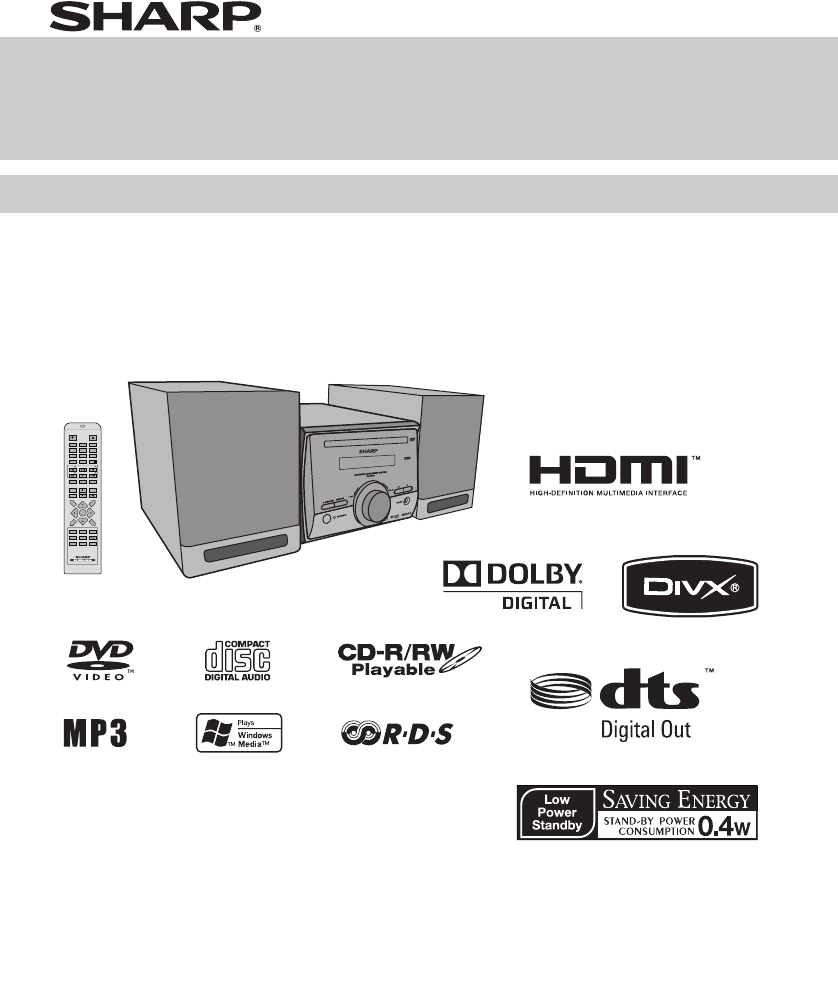
- XL-DV75HMKII 1
- Accessories 2
- Special Notes 2
- Special Note 2
- Precautions 4
- Controls and indicators 4
- Types of playable discs 6
- Description of discs 7
- System connections 8
- Remote control 9
- XL-DV75HMKII_EN_7pt.fm 10
- Changing the setup menu 10
- General control 15
- DVD playback 16
- Basic operation 17
- Useful operation 18
- Various settings 20
- CD operation 24
- MP3 and JPEG disc operation 25
- Listening to the radio 29
- Enhancing your system 32
- Troubleshooting chart 32
- Maintenance 34
- Specifications 34
- 1300 135 022 35
- XL-DV75HMKII_Back.fm 36
Resumo do Conteúdo
XL-DV75HMKII_Front.fm2009November24Thank you for purchasing this SHARP product. To obtain the best performance from this product, please read this man
XL-DV75HMKII_EN_7pt.fm102009November 2487654321Changing the setup menuTurn on the TV, and switch the input to the “VIDEO 1”,“VIDEO 2”, etc. accordingl
XL-DV75HMKII_EN_7pt.fm112009November 24Changing the setup menu (continued)Setup menuSelectable parameters (* indicates default setting) DescriptionAud
XL-DV75HMKII_EN_7pt.fm122009November 2487654321Changing the setup menu (continued)(*1)Selects the dynamic range compression to fit the individual list
XL-DV75HMKII_EN_7pt.fm132009November 24Changing the setup menu (continued)Note:When playing the disc with a fixed video format, it will notchange even
XL-DV75HMKII_EN_7pt.fm142009November 2487654321Changing the setup menu (continued)1 Select “PREFERENCES” on the setup menu screen(see steps 1 - 3 on p
XL-DV75HMKII_EN_7pt.fm152009November 24General controlIn the stop mode of DVD/CD operation, the main unitenters the stand-by mode after 15 minutes of
XL-DV75HMKII_EN_7pt.fm162009November 2487654321DVD playback Note:During operate FM/AUX, OPEN/CLOSE CD tray willchange to DVD function.To interrupt pla
XL-DV75HMKII_EN_7pt.fm172009November 24Basic operationYou can move to other tracks with simple operations.When playing SVCD or VCD, cancel the P.B.C.
XL-DV75HMKII_EN_7pt.fm182009November 2487654321Basic operation (continued)In the playback modeNotes:● Direct play feature is disabled on some discs.●
XL-DV75HMKII_EN_7pt.fm192009November 24Useful operation (continued)Note:On some discs, the slow-motion play functions aredisabled.You can change the a
XL-DV75HMKII_EN_7pt.fm22009November 249876543219Special NotesWARNINGS●When the ON/STAND-BY button is set at STAND-BY position, mainsvoltage is still p
XL-DV75HMKII_EN_7pt.fm202009November 2487654321Useful operation (continued)You can play the desired portion repeatedly by specifyingit during playback
XL-DV75HMKII_EN_7pt.fm212009November 24Various settings (continued)You can select an audio channel.Note:The audio channel may not be changed on some d
XL-DV75HMKII_EN_7pt.fm222009November 2487654321Video CD and Super Video CD playbackThe following playback functions are the same as DVDor CD operation
XL-DV75HMKII_EN_7pt.fm232009November 24Video CD and Super Video CD playback (continued)The tracks on the disc(s) can be played in random orderautomati
XL-DV75HMKII_EN_7pt.fm242009November 2487654321CD operationThis system can play back a standard CD, CD-R/RW in theCD format and CD-R/RW with MP3 or WM
XL-DV75HMKII_EN_7pt.fm252009November 24MP3 and JPEG disc operationMP3:
XL-DV75HMKII_EN_7pt.fm262009November 2487654321MP3 and JPEG disc operation (continued)Repeat play on the JPEG menu screen:Condition AYou can play all
XL-DV75HMKII_EN_7pt.fm272009November 24MP3 and JPEG disc operation (continued)You can rotate images.You can enjoy to see images of JPEG files whilst l
XL-DV75HMKII_EN_7pt.fm282009November 2487654321MP3/WMA folder mode (only for MP3/WMA files) To play back MP3/WMA (Windows Media Audio) fileThere are m
XL-DV75HMKII_EN_7pt.fm292009November 24Listening to the radioNotes:● When radio interference occurs, auto scan tuning maystop automatically at that po
XL-DV75HMKII_EN_7pt.fm32009November 24PageGeneral InformationPrecautions . . . . . . . . . . . . . . . . . . . . . . . . . . . . . . . . . . 4Contro
XL-DV75HMKII_EN_7pt.fm302009November 2487654321Using the Radio Data System (RDS)RDS is a broadcasting service which a growingnumber of FM stations pro
XL-DV75HMKII_EN_7pt.fm312009November 24Using the Radio Data System (RDS) (continued)To specify programmed types and select stations(PTY search):You ca
XL-DV75HMKII_EN_7pt.fm322009November 2487654321Using the Radio Data System (RDS) (continued)Enhancing your system● Before plugging in or unplugging th
XL-DV75HMKII_EN_7pt.fm332009November 24Troubleshooting chart (continued)Sudden temperature changes, storage or operation in anextremely humid environm
XL-DV75HMKII_EN_7pt.fm342009November 2487654321MaintenancePeriodically wipe the cabinet with a soft cloth and a dilutedsoap solution, then with a dry
XL-DV75HMKII_Back.fm2009November24FOR LOCATION ENQUIRIES WITHINAUSTRALIAREGARDING YOUR LOCALSHARP APPROVED SERVICE CENTREVISIT OUR WEBSITE ATwww.sharp
XL-DV75HMKII_Back.fm2009November2492L410DM81206109D R MW 1SHARP CORPORATION
XL-DV75HMKII_EN_7pt.fm42009November 2487654321Precautions● Please ensure that the equipment is positioned in awell-ventilated area and ensure that the
XL-DV75HMKII_EN_7pt.fm52009November 24Controls and indicators (continued)Reference page1. Remote Control Transmitter . . . . . . . . . . . . . . . .
XL-DV75HMKII_EN_7pt.fm62009November 2487654321Types of playable discsThe DVD player can play back discs bearing any of thefollowing marks:● For unplay
XL-DV75HMKII_EN_7pt.fm72009November 24Description of discs● The discs above cannot be played at all, or no sound isheard although images appear on the
XL-DV75HMKII_EN_7pt.fm82009November 2487654321System connectionsSupplied FM aerial:Connect the FM aerial wire to the FM ANTENNA 75 OHMSsocket and posi
XL-DV75HMKII_EN_7pt.fm92009December 2System connections (continued)Connect the black wire to the minus (–) terminal, and thered wire to the plus (+) t
Mais documentos para Leitores de DVD Sharp XL-DV75HMKII

Manuais e produtos relacionados com Leitores de DVD Sharp XL-DV75HMKII
 (24 páginas)
(131 páginas)
(74 páginas)
(36 páginas)
(44 páginas)
(24 páginas)
(131 páginas)
(74 páginas)
(36 páginas)
(44 páginas)
 (24 páginas)
(36 páginas)
(10 páginas)
(28 páginas)
(49 páginas)
(56 páginas)
(56 páginas)
(71 páginas)
(52 páginas)
(24 páginas)
(36 páginas)
(10 páginas)
(28 páginas)
(49 páginas)
(56 páginas)
(56 páginas)
(71 páginas)
(52 páginas)


 (36 páginas)
(40 páginas)
(74 páginas)
(36 páginas)
(40 páginas)
(74 páginas)
© 2020, manymanuals-pt.com. Todos os direitos reservados. | 0.044 s |
 Manymanuals.com
 Manymanuals.de
 Manymanuals.fr
 Manymanuals.it
 Manymanuals.pl
 Manymanuals.cz
 Manymanuals.es
 Manymanuals-pt.com
Comentários a estes Manuais