Sharp AR-P350 Manual do Proprietário Página 84
- Página / 112
- Índice
- RESOLUÇÃO DE PROBLEMAS
- MARCADORES

- LASER PRINTER 1
- Operation manual 1
- Warranty 2
- Trademark Acknowledgments 2
- INSTALLATION REQUIREMENTS 3
- Moving this machine 4
- CAUTIONS 5
- Cautions on laser 6
- FACSIMILE FEATURE 8
- CONTENTS 10
- CHAPTER 1 11
- INTRODUCTION 12
- MAIN FEATURES 13
- PART NAMES AND FUNCTIONS 14
- Interior 15
- LOADING PAPER 26
- Specifications of paper trays 27
- ADDING TONER 35
- STORAGE OF SUPPLIES 35
- CHAPTER 2 37
- SOFTWARE FOR WINDOWS 38
- CONNECTING TO A COMPUTER 38
- UNINSTALLING PRINTER DRIVERS 39
- AND PRINTER UTILITIES 39
- Before installation 40
- SETTING THE PRINTER DRIVER 41
- PRINTER CONFIGURATION 42
- THROUGH THE NETWORK 42
- JOB CONTROL 45
- Hold job list 46
- Printer account control 48
- USING THE MACHINE AS A POST 49
- SCRIPT PRINTER 49
- ■ Selecting the printer 53
- ■ Paper setting 54
- ■ Print condition setting 54
- CHAPTER 3 57
- MAKING CONFIGURATION SETTING 58
- Default settings 60
- PCL settings 60
- PostScript settings 60
- CUSTOM SETTINGS 61
- Setting items 63
- CHAPTER 4 65
- MISFEED REMOVAL 66
- INFORMATION 67
- Photoconductive drum 70
- Roller rotating knob B 70
- Misfeed in the duplex module 71
- TROUBLESHOOTING 72
- USER MAINTENANCE 75
- CHAPTER 5 77
- DUPLEX MODULE 78
- Copying in the duplex mode 80
- MAIL-BIN STACKER 82
- Setting in the printer driver 83
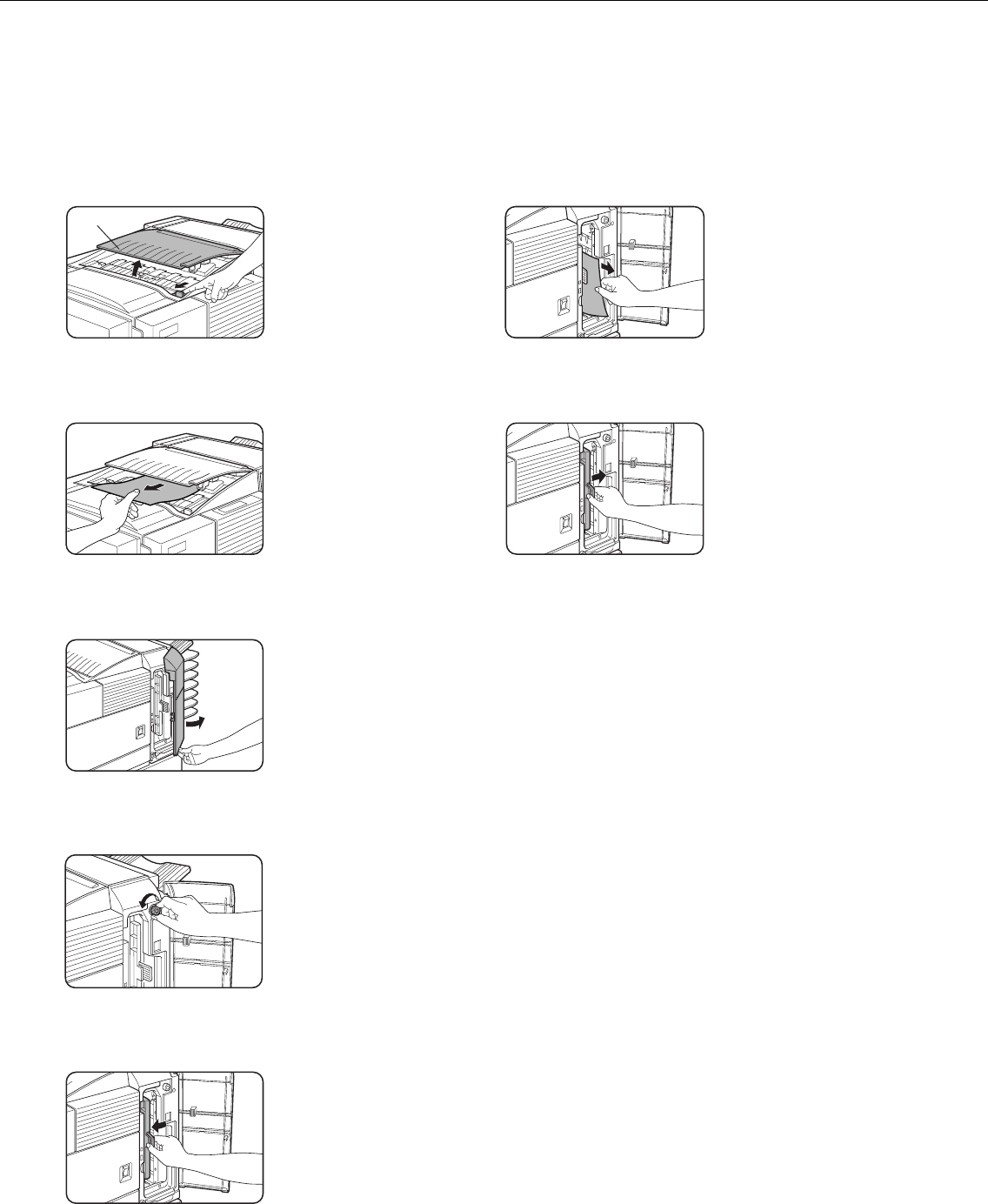
- Top cover 84
- FINISHER 85
- Finisher functions 86
- Using the finisher functions 87
- Staple cartridge replacement 88
- ■ Checking the staple unit 89
- Misfeed in the finisher 90
- Supplies 94
- Roller rotating knob A 99
- Staple unit 99
- Roller rotating 100
- SADDLE STITCH FINISHER 101
- CHAPTER 6 105
- PRINTER SPECIFICATIONS 106
- NOTICE PAGE PRINTING 109
- PRINT AREA 110
- SHARP CORPORATION 112
Manuais e produtos relacionados com Copiadoras Sharp AR-P350
 (184 páginas)
(12 páginas)
(24 páginas)
(28 páginas)
(38 páginas)
(12 páginas)
(372 páginas)
(88 páginas)
(8 páginas)
(116 páginas)
(200 páginas)
(8 páginas)
(12 páginas)
(12 páginas)
(120 páginas)
(2 páginas)
(24 páginas)
(84 páginas)
(2 páginas)
(184 páginas)
(12 páginas)
(24 páginas)
(28 páginas)
(38 páginas)
(12 páginas)
(372 páginas)
(88 páginas)
(8 páginas)
(116 páginas)
(200 páginas)
(8 páginas)
(12 páginas)
(12 páginas)
(120 páginas)
(2 páginas)
(24 páginas)
(84 páginas)
(2 páginas)
© 2020, manymanuals-pt.com. Todos os direitos reservados. | 0.070 s |
 Manymanuals.com
 Manymanuals.de
 Manymanuals.fr
 Manymanuals.it
 Manymanuals.pl
 Manymanuals.cz
 Manymanuals.es
 Manymanuals-pt.com
Comentários a estes Manuais