Sharp CD-E800W Especificações Página 1
Consulte online ou descarregue Especificações para Leitores de cassetes Sharp CD-E800W. Sharp CD-E800W Specifications Manual do Utilizador
- Página / 36
- Índice
- RESOLUÇÃO DE PROBLEMAS
- MARCADORES

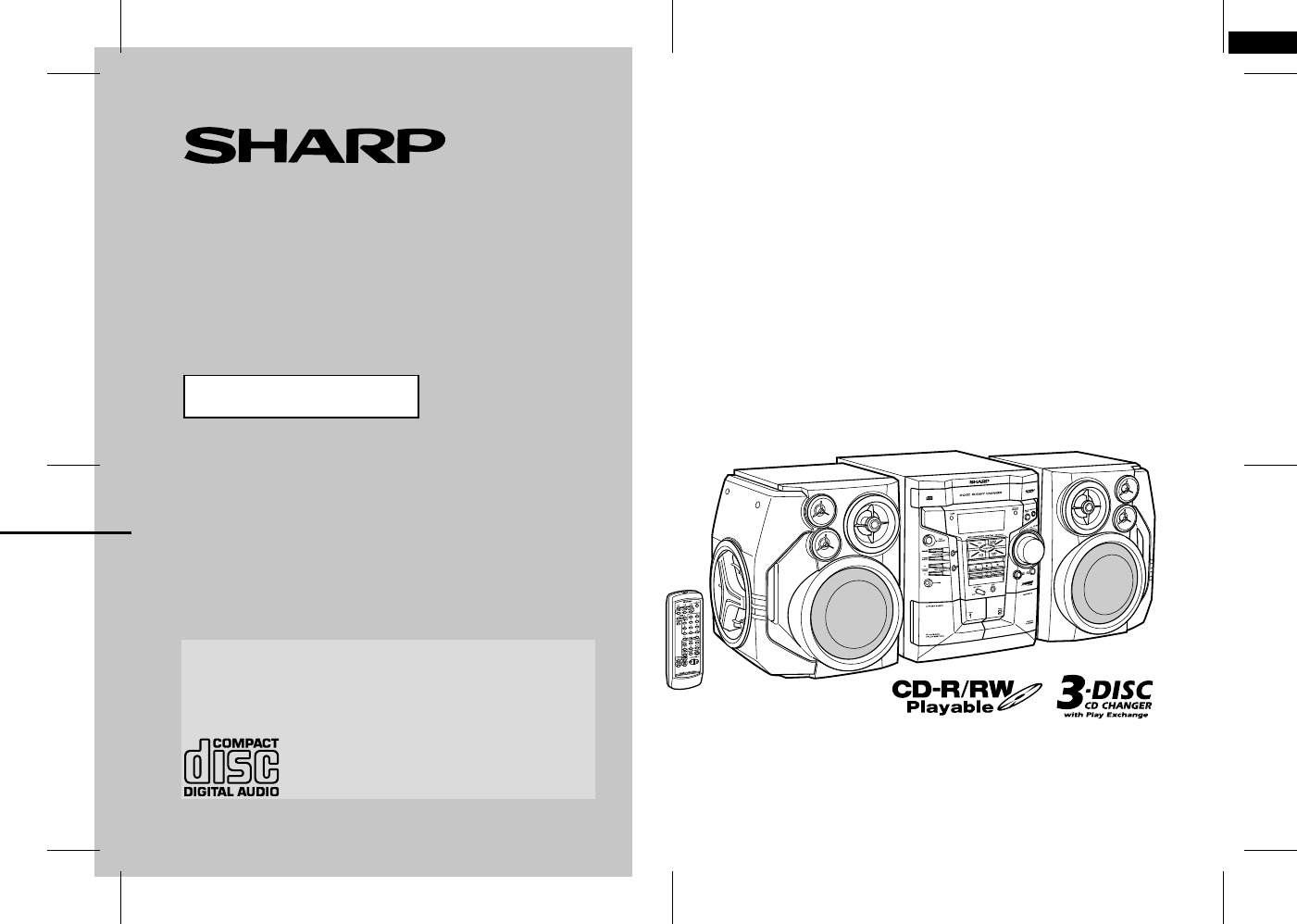
- CD-E800W 1
- Special notes 2
- Accessories 3
- Contents 3
- Precautions 4
- Controls and indicators 5
- General Information 6
- System connections 8
- Preparation for Use 10
- Remote control 11
- Sound control 12
- Setting the clock 13
- Listening to a CD (CDs) 14
- CD Playback 15
- Advanced CD playback 16
- Listening to the radio 18
- Tape Playback 20
- Playing karaoke 22
- STEREO L-CH 23
- V-CANCEL 23
- Recording to a cassette tape 24
- Tape Recording 25
- Timer and sleep operation 26
- Advanced Features 27
- Enhancing your system 29
- Troubleshooting chart 30
- References 31
- Maintenance 32
- Specifications 32
- 03/8/27 CD-E800W(A)MEMO.fm 34
- TINSE0908AWZZ 34
- WARRANTY 35
- AUSTRALIA 36
- 1 300 135 022 36
- NEW ZEALAND 36
- 09 - 573 0111 36
Resumo do Conteúdo
03/8/27 CD-E800W(A)FR.fmTINSE0908AWZZCD-E800W(A) TINSE0908AWZZ1OPERATION MANUALMODELThank you for purchasing this SHARP product.To obtain the best per
9CD-E800W03/8/27 CD-E800W(A)1.fmTINSE0908AWZZPreparation for UseSystem connections (continued)! Setting the FM/AM span selector The International Tele
10CD-E800W03/8/27 CD-E800W(A)1.fmTINSE0908AWZZPreparation for UseRemote control! Battery installation Precautions for battery use:"Replace all ol
11CD-E800W03/8/27 CD-E800W(A)2.fmTINSE0908AWZZBasic OperationSound control ! Volume controlMain unit operation:When the VOLUME control is turned clock
12CD-E800W03/8/27 CD-E800W(A)2.fmTINSE0908AWZZBasic OperationSetting the clockIn this example, the clock is set for the 24-hour (0:00) display.To conf
13CD-E800W03/8/27 CD-E800W(A)2.fmTINSE0908AWZZCD PlaybackListening to a CD (CDs)This system can also play audio CD-R and CD-RW discs, but can-not reco
14CD-E800W03/8/27 CD-E800W(A)2.fmTINSE0908AWZZCD Playback To interrupt playback:Press the CD button on the remote control.To resume playback from th
15CD-E800W03/8/27 CD-E800W(A)2.fmTINSE0908AWZZCD PlaybackAdvanced CD playback! Direct search of the trackBy using the direct search buttons, the desir
16CD-E800W03/8/27 CD-E800W(A)2.fmTINSE0908AWZZCD Playback ! Programmed playYou can choose up to 32 selections for playback in the order youlike.Adding
17CD-E800W03/8/27 CD-E800W(A)2.fmTINSE0908AWZZRadioListening to the radio ! TuningTo receive an FM stereo transmission:Press the TUNER (BAND) button t
18CD-E800W03/8/27 CD-E800W(A)2.fmTINSE0908AWZZRadio ! Memorising a stationYou can store 40 AM and FM stations in memory and recall them atthe push of
1CD-E800W03/8/27 CD-E800W(A)1.fmTINSE0908AWZZImportant InstructionSpecial notesWarning:!When the ON/STAND-BY button is set at STAND-BY position,mains
19CD-E800W03/8/27 CD-E800W(A)2.fmTINSE0908AWZZTape PlaybackListening to a cassette tape (TAPE 1)Before playback: To stop playback:Press the button.N
20CD-E800W03/8/27 CD-E800W(A)2.fmTINSE0908AWZZTape PlaybackListening to a cassette tape (TAPE 2) To stop playback:Press the button.Fast forward/rew
21CD-E800W03/8/27 CD-E800W(A)3.fmTINSE0908AWZZKaraokePlaying karaokeYou can enjoy karaoke to CDs, radio, cassettes, and other externaldevices by conne
22CD-E800W03/8/27 CD-E800W(A)3.fmTINSE0908AWZZKaraoke " To change the audio modeSound of the playback source can be switched among the STE-REO, L
23CD-E800W03/8/27 CD-E800W(A)3.fmTINSE0908AWZZTape RecordingRecording to a cassette tapeBefore recording:!When recording important selections, make a
24CD-E800W03/8/27 CD-E800W(A)3.fmTINSE0908AWZZTape Recording Note:Whilst recording, OPEN/CLOSE button is deactivated. It is recom-mended to perform
25CD-E800W03/8/27 CD-E800W(A)3.fmTINSE0908AWZZAdvanced FeaturesTimer and sleep operationTimer playback:The unit turns on and plays the desired source
26CD-E800W03/8/27 CD-E800W(A)3.fmTINSE0908AWZZAdvanced Features To reset or change the timer setting:Perform "Timer playback or timer recording&q
27CD-E800W03/8/27 CD-E800W(A)3.fmTINSE0908AWZZAdvanced FeaturesTimer and sleep operation (continued)! Sleep operationTo cancel the sleep operation:Pre
28CD-E800W03/8/27 CD-E800W(A)3.fmTINSE0908AWZZAdvanced FeaturesEnhancing your systemThe connection lead is not included. Purchase a commercially avail
2CD-E800W03/8/27 CD-E800W(A)1.fmTINSE0908AWZZGeneral InformationAccessoriesPlease confirm that the following accessories are included.Note:Only the ab
29CD-E800W03/8/27 CD-E800W(A)3.fmTINSE0908AWZZReferencesTroubleshooting chartMany potential problems can be resolved by the owner without call-ing a s
30CD-E800W03/8/27 CD-E800W(A)3.fmTINSE0908AWZZReferences ! Karaoke ! Remote control ! If trouble occursWhen this product is subjected to strong extern
31CD-E800W03/8/27 CD-E800W(A)3.fmTINSE0908AWZZReferencesMaintenance! Cleaning the tape-handling parts"Dirty heads, capstans or pinch rollers can
32CD-E800W03/8/27 CD-E800W(A)3.fmTINSE0908AWZZReferences ! CD player ! Tuner ! Cassette deck! SpeakerType 3-disc multi-play compact disc playerSignal
03/8/27 CD-E800W(A)MEMO.fmTINSE0908AWZZMEMO
03/8/27 CD-E800W(A)WA.fmTINSE0908AWZZWARRANTYConsumer Electronic ProductsCongratulations on Your Purchase!This Sharp product is warranted against faul
03/8/27 CD-E800W(A)BA.fmTINSE0908AWZZSHARP CORPORATION9906IMPORTANTDO NOT RETURN THIS PAGE TO SHARPFor your reference, please enter the particulars of
3CD-E800W03/8/27 CD-E800W(A)1.fmTINSE0908AWZZGeneral InformationPrecautions" General!Please ensure that the equipment is positioned in a well ven
4CD-E800W03/8/27 CD-E800W(A)1.fmTINSE0908AWZZGeneral InformationControls and indicators" Front panelReference page1. Disc Tray . . . . . . . . .
5CD-E800W03/8/27 CD-E800W(A)1.fmTINSE0908AWZZGeneral InformationControls and indicators (continued)" Display1. CD Pause Indicator2. Extra Bass In
6CD-E800W03/8/27 CD-E800W(A)1.fmTINSE0908AWZZGeneral Information ! Remote controlReference page1. Remote Control Transmitter . . . . . . . . . . . .
7CD-E800W03/8/27 CD-E800W(A)1.fmTINSE0908AWZZPreparation for UseSystem connections! Aerial connectionSupplied FM aerial:Connect the FM aerial wire to
8CD-E800W03/8/27 CD-E800W(A)1.fmTINSE0908AWZZPreparation for Use ! Speaker connectionConnect the black wire to the minus (-) terminal, and the red wir
Mais documentos para Leitores de cassetes Sharp CD-E800W
Manuais e produtos relacionados com Leitores de cassetes Sharp CD-E800W

 (37 páginas)
(40 páginas)
(104 páginas)
(56 páginas)
(52 páginas)
(32 páginas)
(37 páginas)
(40 páginas)
(104 páginas)
(56 páginas)
(52 páginas)
(32 páginas)
 (160 páginas)
© 2020, manymanuals-pt.com. Todos os direitos reservados. | 0.044 s |
 Manymanuals.com
 Manymanuals.de
 Manymanuals.fr
 Manymanuals.it
 Manymanuals.pl
 Manymanuals.cz
 Manymanuals.es
 Manymanuals-pt.com
Comentários a estes Manuais