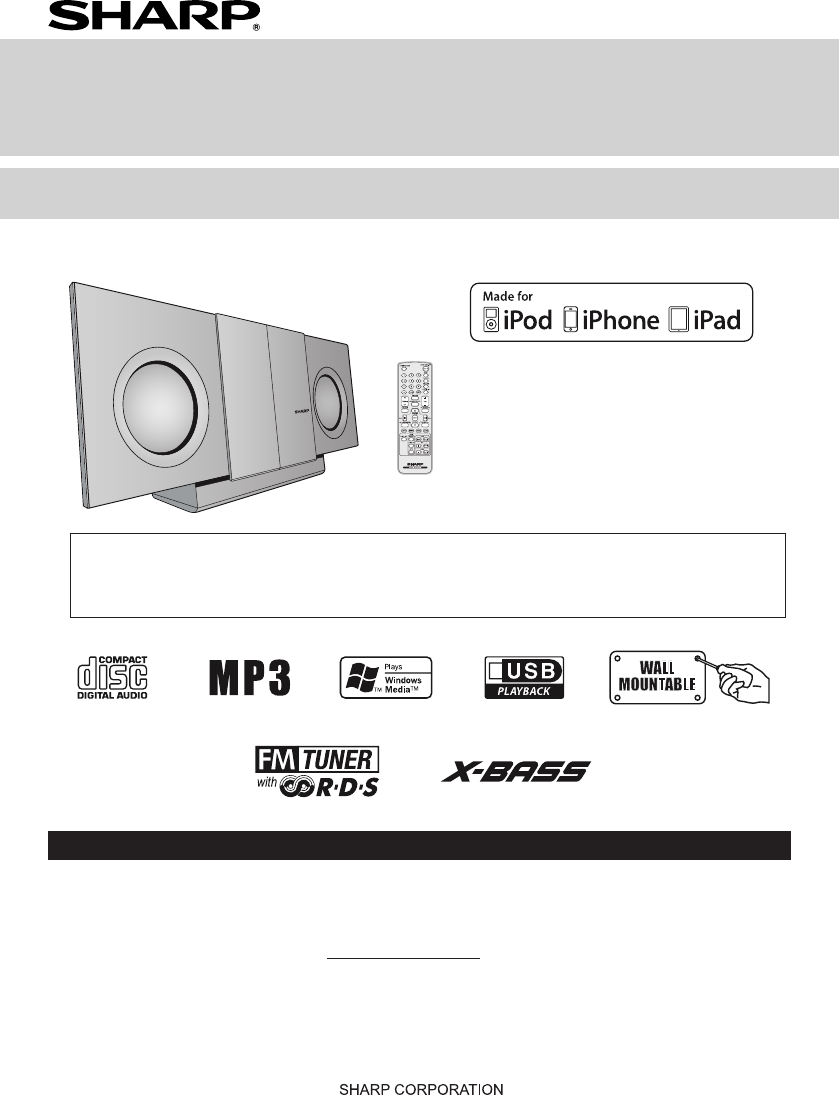
Sharp DK-KP82PH Especificações
Consulte online ou descarregue Especificações para Estações de ancoragem para dispositivos móveis Sharp DK-KP82PH. Sharp DK-KP82PH Specifications Manual do Utilizador
- Página / 28
- Índice
- RESOLUÇÃO DE PROBLEMAS
- MARCADORES

- Point Size 10 : 1
- Special Notes 2
- Accessories 2
- Precautions 3
- Controls and indicators 3
- Wall mount preparation 5
- System connections 6
- Remote control 7
- General control 8
- (continued) 11
- Advanced CD or MP3/WMA disc 12
- Advanced USB playback 15
- Listening to the radio 16
- No PS No PTY 17
- FM 98.80 MHz 17
- To recall stations in memory■ 18
- Enhancing your system 21
- Troubleshooting chart 21
- Maintenance 23
- Specications 23
- 1300 135 022 24
- TERMS OF GUARANTEE 28
Resumo do Conteúdo
iPad, iPhone, iPod, iPod classic, iPod nano, and iPod touch are trademarks of Apple Inc., registered in the U.S. and other countries. Lightning
9iPhone playback Sound will only switch from iPhone to the main unit after authentication process is completed in approximately 10 secon
10Listening to the iPod, iPhone or iPad (continued)To disconnect iPod, iPhone or iPad Simply remove the iPod or iPhone from the docking statio
11Listening to a CD or MP3/WMA disc (continued)Caution:Do not place two discs in the disc compartment.Do not play discs of special shapes (heart, o
12Random play The tracks on the disc can be played in random order automatically.To random play all tracks:Press and hold the PLAY MODE
13Advanced CD or MP3/WMA disc playback (continued)Procedure to playback MP3/WMA disc with folder mode on To play back CD-R/RW.Press the CD/USB button
14Listening to USB mass storage device/MP3 player (continued)To play back USB/MP3 player with folder mode on Press the CD/USB button on the remo
15Tuning Press the ON/STAND-BY button to turn the power on.Press the FUNCTION button on the main unit or TUNER button on the remote contr
16RDS is a broadcasting service which a growing number of FM stations provide. These FM stations send additional signals along with
17Notes for radio text:The rst 14 characters of the radio text will appear for 4 seconds and then they will scroll across the display.If you tune
18Using the Radio Data System (RDS) (continued)SOCIALProgrammes about people and things that inuence them individually or in groups. Includ
1AccessoriesThe following accessories are included.Remote control x 1(RRMCGA272AWSA)“AA” size battery (UM/SUM-3, R6, HP-7 or similar) x 1FM aerial x 1
19Timer playback:The unit turns on and plays the desired source (CD, TUNER, USB, iPod, AUDIO IN) at a preset time.This unit has 2 types of ti
20Timer and sleep operation (Remote control only) (continued)Sleep operation The radio, compact disc, iPod, USB, Audio In can all be turned off automa
21CD player Symptom Possible causePlayback does not start.Playback stops in the middle or is not performed properly.●●Is the disc loaded face down?Doe
22Troubleshooting chart (continued)Care of compact discs Compact discs are fairly resistant to damage, however mistracking can occur due to an
23FOR LOCATION ENQUIRIES WITHINNEW ZEALANDREGARDING YOUR LOCALSHARP CORPORATION OF NEW ZEALAND LIMITEDVISIT OUR WEBSITE ATSHARP CUSTOMER SERVICESTELEP
24FOR LOCATION ENQUIRIES WITHINNEW ZEALANDREGARDING YOUR LOCALSHARP CORPORATION OF NEW ZEALAND LIMITEDVISIT OUR WEBSITE ATSHARP CUSTOMER SERVICESTELEP
25NOTES FOR USERS IN THE U.K. AND IRELANDThe mains lead of this product is tted with a non-rewireable(moulded) plug incorporatinga10A fuse. Should the
26NOTES FOR USERS IN THE U.K. AND IRELANDThe mains lead of this product is tted with a non-rewireable(moulded) plug incorporatinga10A fuse. Should the
27TERMS OF GUARANTEESharp Electronics (UK) Ltd. (“Sharp”) guarantees to provide for the repair, or at its option the replace-ment, of this product sub
2General Please ensure that the equipment is positioned in a well ventilated area and ensure that there is at least 10 cm (4”) of free
3Controls and indicatorsRemote control Remote Control TransmitterOpen / Close ButtonNumeric ButtonsX-Bass ButtonTuning Up / Down ButtonBass / Treble
4To mount the unit on the wallCaution:Be very careful to prevent the unit [2.45 kg (5.4 lbs.)] from falling when mounting on the wall.Before mounting
5Aerial connection Supplied FM aerial:Connect the FM aerial wire to the FM 75 OHMS socket and position the FM aerial wire in the direction where the
6Battery installation Open the battery cover.Insert the supplied battery according to the terminal indicated in the battery compartment.When insert
7To turn the power on Press the ON/STAND-BY button to turn the power on.After use:Press the ON/STAND-BY button to enter the power stand-by mode.Displa
8Made for:iPhone 5iPhone 4SiPhone 4iPhone 3GSiPhone 3GiPhoneiPad (4th generation)iPad miniiPad (3rd generation)iPad 2iPadiPod touch (5th generation)iP
Manuais e produtos relacionados com Estações de ancoragem para dispositivos móveis Sharp DK-KP82PH
 (16 páginas)


 (27 páginas)
© 2020, manymanuals-pt.com. Todos os direitos reservados. | 0.026 s |
 Manymanuals.com
 Manymanuals.de
 Manymanuals.fr
 Manymanuals.it
 Manymanuals.pl
 Manymanuals.cz
 Manymanuals.es
 Manymanuals-pt.com
Comentários a estes Manuais