Sharp CD-CH1500H Especificações
Consulte online ou descarregue Especificações para Leitores de cassetes Sharp CD-CH1500H. Sharp CD-CH1500H Specifications [en] Manual do Utilizador
- Página / 124
- Índice
- RESOLUÇÃO DE PROBLEMAS
- MARCADORES

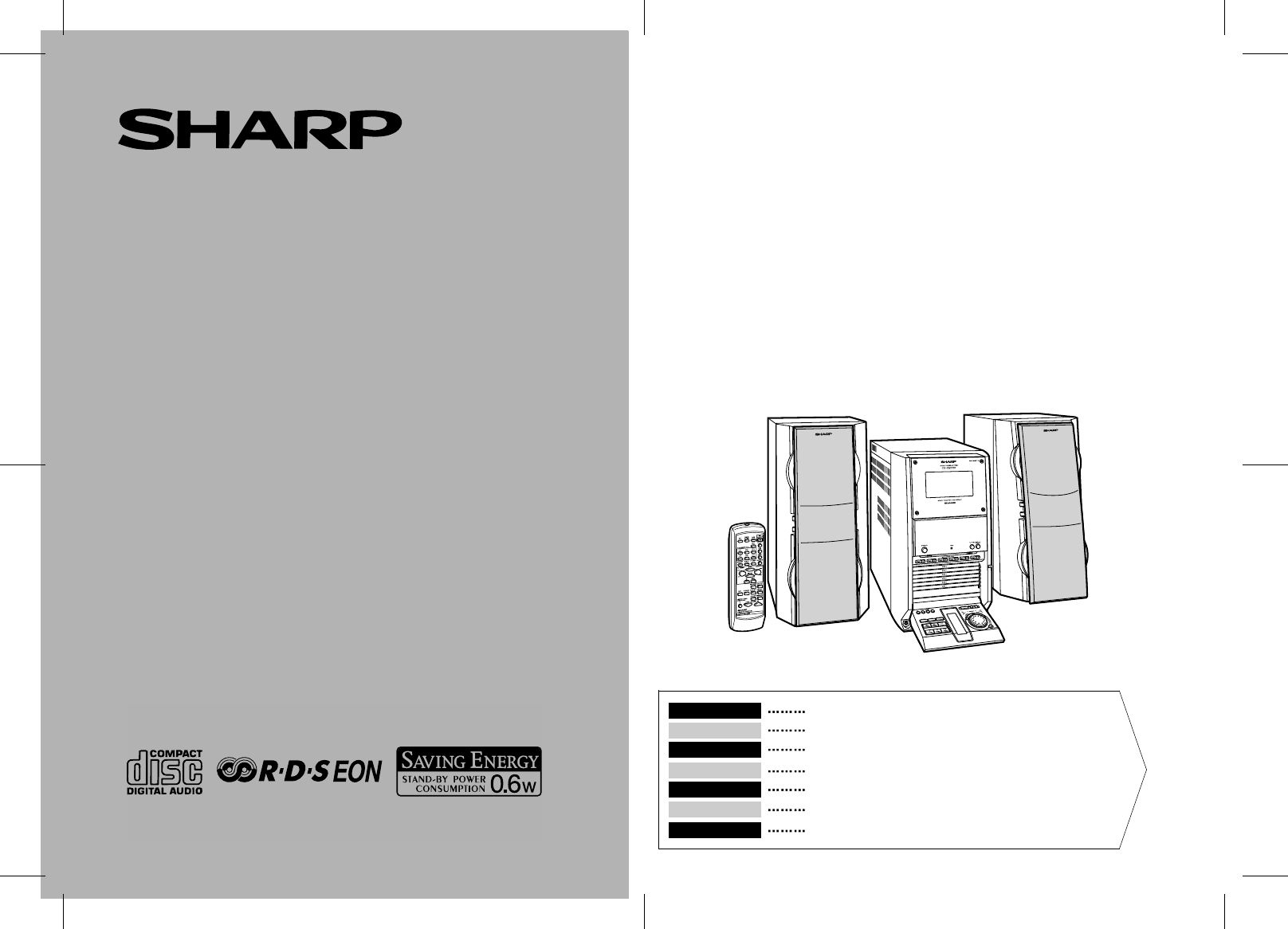
- CD-CH1500H 1
- COMMON_1500.fm00/12/29 2
- Einführung 7
- Zur Beachtung 8
- Allgemeine Informationen 10
- Anschluß des Systems 14
- D1.fm01/1/9 15
- -Anschluß des Systems 15
- Fernbedienung 16
- Allgemeine Regelung 17
- Klangregelung 18
- Einstellen der Uhr 19
- CD-Wiedergabe 20
- Bestimmen einer abzuspie 22
- Umschalten der Zeitanzeige 22
- Wiederholte Wiedergabe und 22
- Zufallswiedergabe 22
- Programmierte Wiedergabe 23
- Rundfunkempfang 24
- Rundfunk 25
- RDS-Rundfunk 26
- Cassettenwiedergabe 34
- Aufnahme von CD auf Cassette 35
- Aufnahme 36
- Timer- und Sleep-Funktion 37
- Fortgeschrittene Funktionen 38
- Line-Ausgang 40
- Zur OPTICAL/ 41
- LINE IN-Buchse 41
- Fehlersuchtabelle 42
- Referenzen 43
- Technische Daten 44
- Introduction 45
- Table des matières 45
- Précautions 46
- Accessoires 47
- Commandes et voyants 48
- Informations générales 49
- Raccordement du système 52
- Bleu Noir Rouge 53
- Télécommande 54
- Commande générale 55
- Réglage du son 56
- Réglage de l'horloge 57
- Écoute de CD 58
- Lecture CD 59
- Affichage de temps 60
- Répétition et lecture au 60
- Lecture avancée de CD 61
- Écoute de la radio 62
- FRANÇAIS 63
- Radio Data System (RDS) 64
- Radio RDS 65
- Écoute de la cassette 72
- Enregistrement 73
- Fonctions avancées 75
- Vers la prise de 78
- Vers la prise 79
- OPTICAL/LINE IN 79
- Dépannage 80
- Entretien 81
- Fiche technique 82
- Important Instruction 83
- -Introduction/Contents 83
- General Information 84
- -Precautions 84
- Accessories 85
- Controls and Indicators 86
- -Controls and Indicators 87
- Preparation for Use 90
- -System Connections 90
- Left speakerRight speaker 91
- Blue Black Red 91
- -Remote Control 92
- Basic Operation 93
- -General Control 93
- -Sound Control 94
- -Setting the Clock 95
- CD Playback 96
- -Listening to a CD (CDs) 96
- Advanced CD Playback 98
- -Programmed Play 99
- -Listening to the Radio 100
- E2.fm01/1/9 101
- RDS Radio 102
- NO PS NO PTY 102
- FM 98.00 MHz NO CT 102
- Tape Playback 110
- PUSH EJECT 110
- Recording 111
- Advanced Features 113
- -Timer and Sleep Operation 113
- References 118
- -Troubleshooting Chart 118
- -Maintenance 119
- -Specifications 120
- MEMO_1500.fm00/12/29 121
- SHARP CORPORATION 124
Resumo do Conteúdo
MODELLMODÈLEMODELOMODELLMODELLOMODEL MODELBEDIENUNGSANLEITUNGMODE D’EMPLOIMANUAL DE MANEJOBRUKSANVISNINGMANUALE DI ISTRUZIONIGEBRUIKSAANWIJZINGOPERATI
D-4D1.fm01/1/9DEUTSCHAllgemeine Informationen-Bedienungselemente und Anzeigen-Bedienungselemente und Anzeigen!FrontplatteBezugsseite1.Cassettenfach
E-18E2.fm01/1/9ENGLISHRadio-Listening to the Radio-Listening to the Radio1Press the ON/STAND-BY button to turn the power on.2Press the TUNER (BAND) bu
E-19E2.fm01/1/9ENGLISHRadio-Listening to the Memorised Station-Listening to the Memorised Station„Memorising a stationYou can store 40 AM and FM stati
E-20E3.fm01/1/9ENGLISHRDS Radio-Using the Radio Data System (RDS)-Using the Radio Data System (RDS)RDS is a broadcasting service which a growing numbe
E-21E3.fm01/1/9ENGLISHRDS Radio-Using the Radio Data System (RDS)- Descriptions of the PTY (Programme Type) codes, TP (Traffic Programme) andTA (Traff
E-22E3.fm01/1/9ENGLISHRDS Radio-Using the Radio Data System (RDS)-Using the Radio Data System (RDS) (continued)„Using the Auto Station Programme Mem-o
E-23E3.fm01/1/9ENGLISHRDS Radio-Using the Radio Data System (RDS)- „To recall stations in memoryTo specify programmed types and select stations (PTY s
E-24E3.fm01/1/9ENGLISHRDS Radio-Using the Radio Data System (RDS)-Using the Radio Data System (RDS) (continued)„To automatically play the desired pro-
E-25E3.fm01/1/9ENGLISHRDS Radio-Using the Radio Data System (RDS)- „To automatically play the traffic informa-tion (EON-TI)When the traffic informatio
E-26E3.fm01/1/9ENGLISHRDS Radio-Using the Radio Data System (RDS)-Using the Radio Data System (RDS) (continued)„Notes for RDS operationIf any of the f
E-27E3.fm01/1/9ENGLISHRDS Radio-Using the Radio Data System (RDS)- „To set the internal clock by the RDS time signalYou can set the internal clock usi
D-5D1.fm01/1/9DEUTSCHAllgemeine Informationen-Bedienungselemente und Anzeigen- !Multifunktions-LCD-Anzeige1.Funktionsanzeige2. Extrabaßanzeige3.Zufall
E-28E3.fm01/1/9ENGLISHTape Playback-Listening to a Cassette Tape-Listening to a Cassette Tape1Press the ON/STAND-BY button to turn the power on.2Press
E-29E3.fm01/1/9ENGLISHRecording-Recording to a Cassette Tape from a CD-Recording to a Cassette Tape from a CDzWhen recording important selections, mak
E-30E3.fm01/1/9ENGLISHRecording-Recording to a Cassette Tape from the Radio-Recording to a Cassette Tape from the Radio1Tune in to the desired station
E-31E4.fm01/1/9ENGLISHAdvanced Features-Timer and Sleep Operation-Timer and Sleep OperationTimer playback:The unit turns on and plays the desired sour
E-32E4.fm01/1/9ENGLISHAdvanced Features-Timer and Sleep Operation-Timer and Sleep Operation (continued)6Turn the jog dial to specify the minute and wi
E-33E4.fm01/1/9ENGLISHAdvanced Features-Timer and Sleep Operation- „Sleep operation1Play back the desired sound source.2Press the MENU button.3Turn th
E-34E4.fm01/1/9ENGLISHAdvanced Features-Enhancing Your Stereo System-Enhancing Your Stereo SystemThe connection lead is not included. Purchase a comme
E-35E4.fm01/1/9ENGLISHAdvanced Features-Enhancing Your Stereo System- The connection lead is not included. Purchase a commercially available lead assh
E-36E4.fm01/1/9ENGLISHReferences-Troubleshooting Chart-Troubleshooting ChartMany potential "problems" can be resolved by the owner without c
E-37E4.fm01/1/9ENGLISHReferences-Maintenance- „If trouble occursWhen this product is subjected to strong external interference (mechanical shock,exces
D-6D1.fm01/1/9DEUTSCHAllgemeine Informationen-Bedienungselemente und Anzeigen-Bedienungselemente und Anzeigen (Fortsetzung)!FernbedienungBezugsseite1.
E-38E4.fm01/1/9ENGLISHReferences-Specifications-SpecificationsAs part of our policy of continuous improvement, SHARP reserves the right to makedesign
MEMO_1500.fm00/12/29MEMORANDUM/MÉMORANDUM/MEMORÁNDUM/ANTECKNINGAR/ANNOTAZIONI/MEMORANDUM/MEMO
MEMO_1500.fm00/12/29 MEMORANDUM/MÉMORANDUM/MEMORÁNDUM/ANTECKNINGAR/ANNOTAZIONI/MEMORANDUM/MEMO
MEMO_1500.fm00/12/29 MEMORANDUM/MÉMORANDUM/MEMORÁNDUM/ANTECKNINGAR/ANNOTAZIONI/MEMORANDUM/MEMO
BACK_1500.fm00/12/29SHARP CORPORATION9906TINSZ0653AWZZA0101.YT
D-7D1.fm01/1/9DEUTSCHAllgemeine Informationen-Bedienungselemente und Anzeigen- !Lautsprechersystem1. Tieftöner2. Hochtöner3. Sub-Tieftöner4. Sub-Tieft
D-8D1.fm01/1/9DEUTSCHVorbereitung für die Inbetriebnahme-Anschluß des Systems-Anschluß des SystemsRechterLautsprecherLinkerLautsprecherUKW-AntenneWand
D-9D1.fm01/1/9DEUTSCHVorbereitung für die Inbetriebnahme-Anschluß des Systems- !Entfernen der Transportsicherungs-schraubeVor dem Einschalten der Stro
D-10D1.fm01/1/9DEUTSCHVorbereitung für die Inbetriebnahme-Fernbedienung-Fernbedienung!Einsetzen der Batterien1Den Batteriefachdeckel entfernen.2Die mi
D-11D2.fm01/1/9DEUTSCHGrundbedienung-Allgemeine Regelung-Allgemeine Regelung !Demonstrations-BetriebsartWenn das Gerät zum ersten Mal angeschlossen wi
D-12D2.fm01/1/9DEUTSCHGrundbedienung-Klangregelung-Klangregelung !LautstärkeregelungZum Erhöhen der Lautstärke die VOLUME -Taste drücken; zum Vermind
D-13D2.fm01/1/9DEUTSCHGrundbedienung-Einstellen der Uhr-Einstellen der Uhr In diesem Beispiel ist die Uhr für die 24-Stunden-Anzeige (0:00) eingestell
iCOMMON_1500.fm00/12/29 BESONDERE ANMERKUNGENREMARQUES SPÉCIALESNOTAS ESPECIALESSÄRSKILDA ANMÄRKNINGARNOTE PARTICOLARIBIJZONDERE OPMERKINGENSPECIAL NO
D-14D2.fm01/1/9DEUTSCHCD-Wiedergabe-CD-Wiedergabe-CD-WiedergabeDieses System kann Audio-CD-Rs und CD-RWs ebenso wie CDs abspielen, aberkann nicht dara
D-15D2.fm01/1/9DEUTSCHCD-Wiedergabe-CD-Wiedergabe- Unterbrechen der Wiedergabe:Die -Taste drücken.Um die Wiedergabe von derselben Stelle an fortzusetz
D-16D2.fm01/1/9DEUTSCHFortgeschrittene CD-Wiedergabe-Bestimmen einer abzuspielenden Disc / Umschalten der Zeitanzeige / Wiederholte Wiedergabe und Zuf
D-17D2.fm01/1/9DEUTSCHFortgeschrittene CD-Wiedergabe-Programmierte Wiedergabe-Programmierte WiedergabeDurch Bestimmen der Discs von 1 bis 6 und der Ti
D-18D2.fm01/1/9DEUTSCHRundfunk-Rundfunkempfang-Rundfunkempfang1Zum Einschalten der Stromversorgung die ON/STAND-BY-Tastedrücken.2Die TUNER (BAND)-Tast
D-19D2.fm01/1/9DEUTSCHRundfunk-Empfangen des gespeicherten Senders-Empfangen des gespeicherten Senders!Abspeichern eines SendersSie können 40 MW- und
D-20D3.fm01/1/9DEUTSCHRDS-Rundfunk-Benutzen des Radio-Daten-Systems (RDS)-Benutzen des Radio-Daten-Systems (RDS)RDS ist ein Rundfunkdienst, der heute
D-21D3.fm01/1/9DEUTSCHRDS-Rundfunk-Benutzen des Radio-Daten-Systems (RDS)- Beschreibungen der PTY(Programmartenkennung)-Codes, TP (Verkehrsfunk-kennun
D-22D3.fm01/1/9DEUTSCHRDS-Rundfunk-Benutzen des Radio-Daten-Systems (RDS)-Benutzen des Radio-Daten-Systems (RDS) (Fortsetzung)!Benutzen des automatisc
D-23D3.fm01/1/9DEUTSCHRDS-Rundfunk-Benutzen des Radio-Daten-Systems (RDS)- !Abrufen von abgespeicherten SendernBestimmen von Programmarten und Wählen
iiCOMMON_1500.fm00/12/29 ● Bei Einstellung der ON/STAND-BY-Taste auf STAND-BY ist dieNetzspannung immer noch im Gerät vorhanden.Wenn die ON/STAND-BY-
D-24D3.fm01/1/9DEUTSCHRDS-Rundfunk-Benutzen des Radio-Daten-Systems (RDS)-Benutzen des Radio-Daten-Systems (RDS) (Fortsetzung)!Automatisches Empfangen
D-25D3.fm01/1/9DEUTSCHRDS-Rundfunk-Benutzen des Radio-Daten-Systems (RDS)- !Automatisches Empfangen der Verkehrsin-formation (EON-TI)Wenn die Verkehrs
D-26D3.fm01/1/9DEUTSCHRDS-Rundfunk-Benutzen des Radio-Daten-Systems (RDS)-Benutzen des Radio-Daten-Systems (RDS) (Fortsetzung)!Hinweise zum RDS-Betrie
D-27D3.fm01/1/9DEUTSCHRDS-Rundfunk-Benutzen des Radio-Daten-Systems (RDS)- !Einstellen der internen Uhr durch das RDS-ZeitzeichenMit Hilfe des RDS-Zei
D-28D3.fm01/1/9DEUTSCHBandwiedergabe-Cassettenwiedergabe-Cassettenwiedergabe1Zum Einschalten der Stromversorgung die ON/STAND-BY-Tastedrücken.2Die TAP
D-29D3.fm01/1/9DEUTSCHAufnahme-Aufnahme von CD auf Cassette-Aufnahme von CD auf Cassette"Vor wichtigen Aufnahmen sollte eine Probeaufnahme durchg
D-30D3.fm01/1/9DEUTSCHAufnahme-Aufnahme von Radio auf Cassette-Aufnahme von Radio auf Cassette1Den gewünschten Sender einstellen. (Siehe Seite 18.)2Ei
D-31D4.fm01/1/9DEUTSCHFortgeschrittene Funktionen-Timer- und Sleep-Funktion-Timer- und Sleep-FunktionTimer-Wiedergabe:Zu der voreingestellten Zeit sch
D-32D4.fm01/1/9DEUTSCHFortgeschrittene Funktionen-Timer- und Sleep-Funktion-Timer- und Sleep-Funktion (Fortsetzung)6Mit der Jog Shuttle-Steuerung die
D-33D4.fm01/1/9DEUTSCHFortgeschrittene Funktionen-Timer- und Sleep-Funktion- !Sleep-Funktion1Die gewünschte Tonquelle wiedergeben.2Die MENU-Taste drüc
iiiCOMMON_1500.fm00/12/29 ● Vorsicht:Das Gerät weder Tropf- noch Spritzwasser aussetzen. Ansonsten bestehtdie Gefahr eines Brandes oder elektrischen
D-34D4.fm01/1/9DEUTSCHFortgeschrittene Funktionen-Erhöhen des Stereo-Systems-Erhöhen des Stereo-SystemsDas Anschlußkabel gehört nicht zum Lieferumfang
D-35D4.fm01/1/9DEUTSCHFortgeschrittene Funktionen-Erhöhen des Stereo-Systems- Das Anschlußkabel gehört nicht zum Lieferumfang. Kaufen Sie ein im Hande
D-36D4.fm01/1/9DEUTSCHReferenzen-Fehlersuchtabelle-FehlersuchtabelleViele scheinbare "Probleme" können vom Benutzer ohne Anforderung eines K
D-37D4.fm01/1/9DEUTSCHReferenzen-Wartung- !Wenn Störung auftrittWenn dieses Produkt von starker externer Interferenz (mechanischer Stoß, übermä-ßige
D-38D4.fm01/1/9DEUTSCHReferenzen-Technische Daten-Technische DatenBedingt durch fortlaufende technische Verbesserungen behält sich SHARP dasRecht vor,
FRANÇAISF-1F1.fm01/1/9FRANÇAISInstructions importantes-Introduction/Table des matières-IntroductionNous vous remercions d'avoir porté votre choix
F-2F1.fm01/1/9FRANÇAISInformations générales-Précautions-Précautions!Général"Vérifier que l'appareil est installé dans un lieu bien aéré et
FRANÇAISF-3F1.fm01/1/9Informations générales-Précautions/Accessoires- !Entretien des compact discsLe compact disc résiste bien aux dommages, mais il p
F-4F1.fm01/1/9FRANÇAISInformations générales-Commandes et voyants-Commandes et voyants!FaçadePage de référence1.Compartiment de cassette . . . . . .
FRANÇAISF-5F1.fm01/1/9Informations générales-Commandes et voyants- !Afficheur LCD multi-fonction1.Voyant de fonction2. Voyant extra-graves3.Voyant de
ivCOMMON_1500.fm00/12/29 ● VORSICHTVerwendung von Regelungen oder Einstellungen bzw. Durchführung vonanderen Verfahren als die hierin angegebenen kan
F-6F1.fm01/1/9FRANÇAISInformations générales-Commandes et voyants-Commandes et voyants (suite)!TélécommandePage de référence1. Émetteur de télécommand
FRANÇAISF-7F1.fm01/1/9Informations générales-Commandes et voyants- !Enceinte acoustique1. Woofer2. Tweeter3.Woofer auxiliaire4.Bornes pour woofer auxi
F-8F1.fm01/1/9FRANÇAISAvant l'utilisation-Raccordement du système-Raccordement du systèmeEnceintedroiteEnceintegaucheAntenne FMPrise murale(230 V
FRANÇAISF-9F1.fm01/1/9Avant l'utilisation-Raccordement du système- !Vis de transportAvant d'allumer l'appareil, penser à retirer la vis
F-10F1.fm01/1/9FRANÇAISAvant l'utilisation-Télécommande-Télécommande!Mise en place des piles1Retirer le couvercle.2Installer les piles fournies e
FRANÇAISF-11F2.fm01/1/9Fonctionnement de base-Commande générale-Commande générale !Mode de démonstrationLa première fois qu'on branche l'app
F-12F2.fm01/1/9FRANÇAISFonctionnement de base-Réglage du son-Réglage du son !Commande de volumeAppuyer sur la touche VOLUME pour augmenter le volume
FRANÇAISF-13F2.fm01/1/9Fonctionnement de base-Réglage de l'horloge-Réglage de l'horloge Dans cet exemple, l'horloge est réglée sur l&ap
F-14F2.fm01/1/9FRANÇAISLecture CD-Écoute de CD-Écoute de CDCet appareil permet de reproduire des disques CD-R et CD-RW audio ainsi que CDconventionnel
FRANÇAISF-15F2.fm01/1/9Lecture CD-Écoute de CD- Interruption de la lecture:Appuyer sur la touche .Pour relancer la lecture, réappuyer sur la touche
vCOMMON_1500.fm00/12/29 Eigenschaften der LaserdiodeMaterial: GaAIAsWellenlänge: 780 nmEmissionsdauer: kontinuierlichLaser-Ausgang: max. 0,6 mWCaract
F-16F2.fm01/1/9FRANÇAISLecture avancée de CD-Pour spécifier un disque à reproduire / Affichage de temps / Répétition et lecture au hasard-Pour spécifi
FRANÇAISF-17F2.fm01/1/9Lecture avancée de CD-Lecture des morceaux programmés-Lecture des morceaux programmésEn spécifiant les disques 1 - 6 et les mor
F-18F2.fm01/1/9FRANÇAISRadio-Écoute de la radio-Écoute de la radio1Allumer l'appareil en appuyant sur la touche ON/STAND-BY.2Appuyer à plusieurs
FRANÇAISF-19F2.fm01/1/9Radio-Écoute d'une station mise en mémoire-Écoute d'une station mise en mémoire!Mise en mémoire d'une stationIl
F-20F3.fm01/1/9FRANÇAISRadio RDS-Radio Data System (RDS)-Radio Data System (RDS)RDS est un service de radiodiffusion qu'offrent de plus en plus d
FRANÇAISF-21F3.fm01/1/9Radio RDS-Radio Data System (RDS)- Codes PTY (type de programme), TP (information routière) et TA (annonce rou-tière).On peut r
F-22F3.fm01/1/9FRANÇAISRadio RDS-Radio Data System (RDS)-Radio Data System (RDS) (suite)!Mémorisation automatique de stations (ASPM)Dans l'opérat
FRANÇAISF-23F3.fm01/1/9Radio RDS-Radio Data System (RDS)- !Pour rappeler une station en mémoirePour écouter une station souhaitée en spécifiant le typ
F-24F3.fm01/1/9FRANÇAISRadio RDS-Radio Data System (RDS)-Radio Data System (RDS) (suite)!Pour écouter automatiquement le pro-gramme souhaité (EON-PTY)
FRANÇAISF-25F3.fm01/1/9Radio RDS-Radio Data System (RDS)- !Pour écouter automatiquement les infor-mations routières (EON-TI)Lorsque les informations r
D-1D1.fm01/1/9DEUTSCHDEUTSCHWichtige Anweisung-Einführung/Inhalt-EinführungVielen Dank für den Kauf dieses SHARP-Produktes. Lesen Sie dieses Handbuchs
F-26F3.fm01/1/9FRANÇAISRadio RDS-Radio Data System (RDS)-Radio Data System (RDS) (suite)!Notes pour le fonctionnement RDSIl ne s'agit pas d'
FRANÇAISF-27F3.fm01/1/9Radio RDS-Radio Data System (RDS)- !Pour régler l'horloge interne au moyen du signal de temps RDSOn peut régler l'hor
F-28F3.fm01/1/9FRANÇAISCassette-Écoute de la cassette-Écoute de la cassette1Appuyer sur la touche ON/STAND-BY pour allumer l'appareil.2Appuyer su
FRANÇAISF-29F3.fm01/1/9Enregistrement-Enregistrement d'un CD vers une cassetteEnregistrement d'un CD vers une cassette"Avant tout enreg
F-30F3.fm01/1/9FRANÇAISEnregistrement-Enregistrement de la radio vers une cassette-Enregistrement de la radio vers une cassette1Faire l'accord su
FRANÇAISF-31F4.fm01/1/9Fonctions avancées-Opérations programmées et mise en arrêt différée-Opérations programmées et mise en arrêt différéeLecture pro
F-32F4.fm01/1/9FRANÇAISFonctions avancées-Opérations programmées et mise en arrêt différée-Opérations programmées et mise en arrêt différée (suite)6Ag
FRANÇAISF-33F4.fm01/1/9Fonctions avancées-Opérations programmées et mise en arrêt différée- !Mise en arrêt différée1Allumer la source souhaitée.2Appuy
F-34F4.fm01/1/9FRANÇAISFonctions avancées-Enrichissement du système-Enrichissement du systèmeLe câble de raccordement n'est pas fourni. Se procur
FRANÇAISF-35F4.fm01/1/9Fonctions avancées-Enrichissement du système- Le câble de raccordement n'est pas fourni. Se procurer un câble vendu dans l
D-2D1.fm01/1/9DEUTSCHAllgemeine Informationen-Zur Beachtung-Zur Beachtung!Allgemeines"Sicherstellen, daß das Gerät an einem Raum mit guter Lüftun
F-36F4.fm01/1/9FRANÇAISRéférences-Dépannage-DépannageL'utilisateur peut résoudre pas mal de problèmes sans faire appel à un dépanneur.Si le cas s
FRANÇAISF-37F4.fm01/1/9Références-Entretien- !En cas de dérangementSi l'appareil a subi une force extérieure (chocs, électricité statique, surten
F-38F4.fm01/1/9FRANÇAISRéférences-Fiche technique-Fiche techniqueSHARP se réserve le droit d'apporter des modifications à la présentation et auxc
E-1E1.fm01/1/9ENGLISHENGLISHImportant Instruction-Introduction/Contents-IntroductionThank you for purchasing this SHARP product. To obtain the best pe
E-2E1.fm01/1/9ENGLISHGeneral Information-Precautions-Precautions„GeneralzPlease ensure that the equipment is positioned in a well-ventilated area ande
E-3E1.fm01/1/9ENGLISHGeneral Information-Precautions/Accessories- „Care of compact discsCompact discs are fairly resistant to damage, however mistrack
E-4E1.fm01/1/9ENGLISHGeneral Information-Controls and Indicators-Controls and Indicators„Front panelReference page1.Cassette Compartment . . . . . .
E-5E1.fm01/1/9ENGLISHGeneral Information-Controls and Indicators- „Multi-function LCD display1.Function Indicator2.Extra Bass Indicator3.Random Play I
E-6E1.fm01/1/9ENGLISHGeneral Information-Controls and Indicators-Controls and Indicators (continued)„Remote controlReference page1.Remote Control Tran
E-7E1.fm01/1/9ENGLISHGeneral Information-Controls and Indicators- „Speaker system1. Woofer2. Tweeter3.Subwoofer4.Subwoofer Terminals5.Main Speaker Ter
D-3D1.fm01/1/9DEUTSCHAllgemeine Informationen-Zur Beachtung/Zubehör- !Pflege der Compact DiscsCompact Discs sind ziemlich widerstandsfähig gegen Besch
E-8E1.fm01/1/9ENGLISHPreparation for Use-System Connections-System ConnectionsRightspeakerLeftspeakerFM aerialWall socket(AC 230 V, 50 Hz)AM loop aeri
E-9E1.fm01/1/9ENGLISHPreparation for Use-System Connections- „Removing the transport screwBefore turning the power on, be sure to remove the transport
E-10E1.fm01/1/9ENGLISHPreparation for Use-Remote Control-Remote Control„Battery installation1Remove the battery cover.2Insert the supplied batteries a
E-11E2.fm01/1/9ENGLISHBasic Operation-General Control-General Control „Demonstration modeThe first time the unit is plugged, the unit will enter the d
E-12E2.fm01/1/9ENGLISHBasic Operation-Sound Control-Sound Control „Volume controlPress the VOLUME button to increase the volume and the VOLUME but
E-13E2.fm01/1/9ENGLISHBasic Operation-Setting the Clock-Setting the Clock In this example, the clock is set for the 24-hour (0:00) display.1Press the
E-14E2.fm01/1/9ENGLISHCD Playback-Listening to a CD (CDs)-Listening to a CD (CDs)This system can play audio CD-R and CD-RW discs just as CD discs, but
E-15E2.fm01/1/9ENGLISHCD Playback-Listening to a CD (CDs)- To interrupt playback:Press the button.To resume playback from the same point, press the
E-16E2.fm01/1/9ENGLISHAdvanced CD Playback-To Specify a Disc to Play / Switching the Time Display / Repeat or Random Play-To Specify a Disc to PlayYou
E-17E2.fm01/1/9ENGLISHAdvanced CD Playback-Programmed Play-Programmed PlayBy specifying discs from 1 to 6, and tracks from 1 to 99, you can choose up
Mais documentos para Leitores de cassetes Sharp CD-CH1500H

Manuais e produtos relacionados com Leitores de cassetes Sharp CD-CH1500H
 (48 páginas)
(36 páginas)
(48 páginas)
(36 páginas)
 (53 páginas)
(45 páginas)
(32 páginas)
(53 páginas)
(41 páginas)
(28 páginas)
(52 páginas)
(35 páginas)
(32 páginas)
(32 páginas)
(40 páginas)
(32 páginas)
(32 páginas)
(36 páginas)
(53 páginas)
(45 páginas)
(32 páginas)
(53 páginas)
(41 páginas)
(28 páginas)
(52 páginas)
(35 páginas)
(32 páginas)
(32 páginas)
(40 páginas)
(32 páginas)
(32 páginas)
(36 páginas)
© 2020, manymanuals-pt.com. Todos os direitos reservados. | 0.096 s |
 Manymanuals.com
 Manymanuals.de
 Manymanuals.fr
 Manymanuals.it
 Manymanuals.pl
 Manymanuals.cz
 Manymanuals.es
 Manymanuals-pt.com
Comentários a estes Manuais